Attention all units: after much anticipated wait, Update 1.3 is finally here — strap in, we've got a lot to cover!
We've spent the last few months hard at work behind the scenes preparing the most feature rich, robust, and packed update to LSPD:FR Online. From a complete overhaul of our major core systems such as AI, enhanced gameplay interaction, an entirely new department experience, FiveM OneSync, new vehicles and clothing, all the way to finer quality-of-life improvements such as the new weapon selector, action menu, and gameplay HUD.. it would honestly be a much shorter list to instead cover what we didn't change in this update! There are countless improvements to every major component you may have become familiar with so we hope this post provides plenty of insight and a fresh view of what to expect when you jump back in to LSPD:FR Online.
Asset Overhaul: Uniforms, Vehicles & Beyond
Before we jump into the major framework changes and new script features being introduced in the 1.3 Update, we've got one final surprise to share: a complete overhaul of all vehicles, clothing, and a shift to lore-friendly assets!
A New Direction: Lore-Friendly California
We'd like to go into a little more detail about the changes we're making to uniforms and vehicles in general, and the reasoning behind our decision to change absolutely everything.
Up until now, the uniforms and vehicles you've grown used to have been a bit of a mixed bag. The Los Santos Police Department, for example, wore uniforms based on the LAPD but drove vehicles modelled after a Florida department — which never quite made sense. The same applied to the LSSD, BCSO, and SAHP, as you may have noticed.
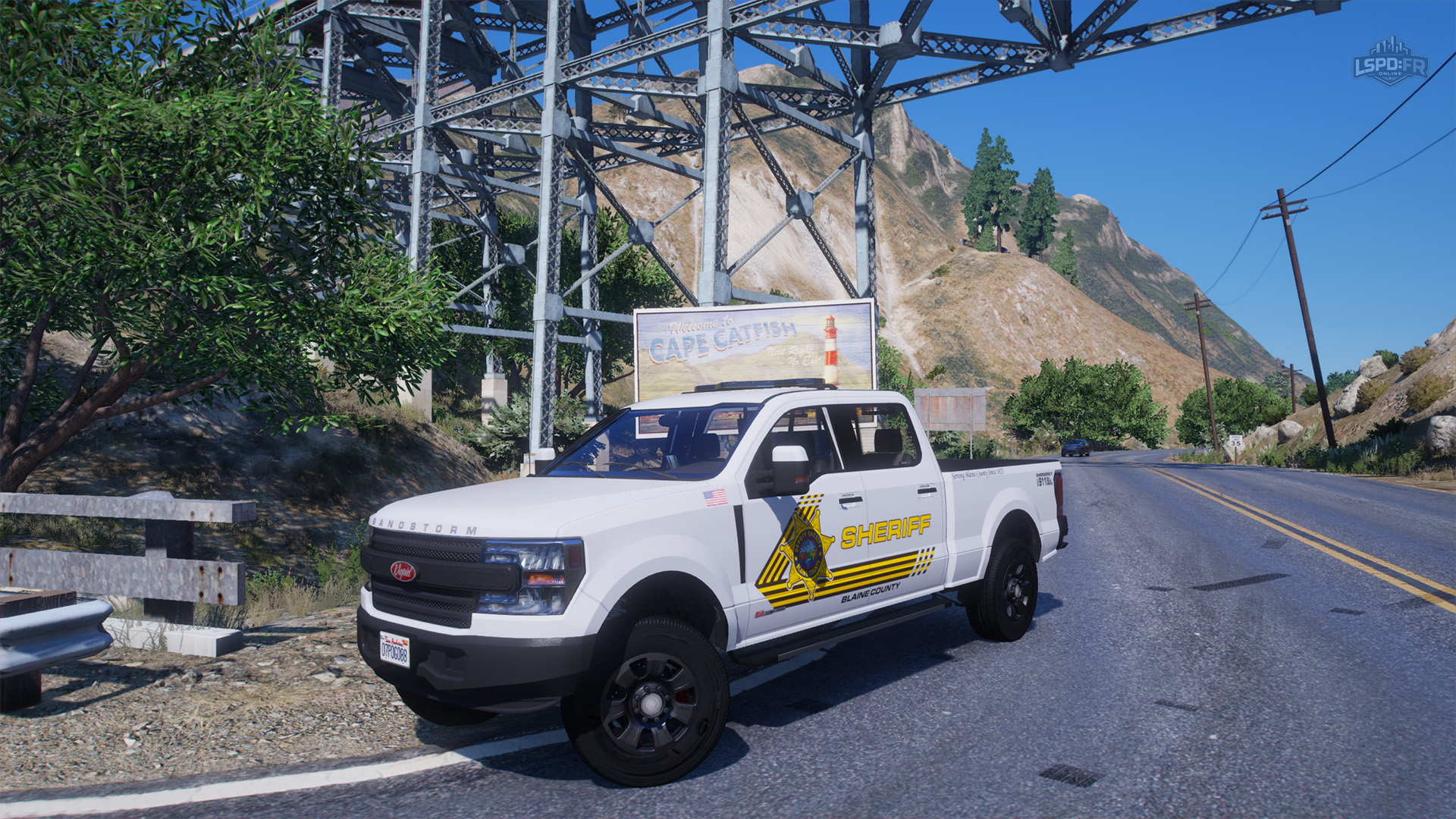
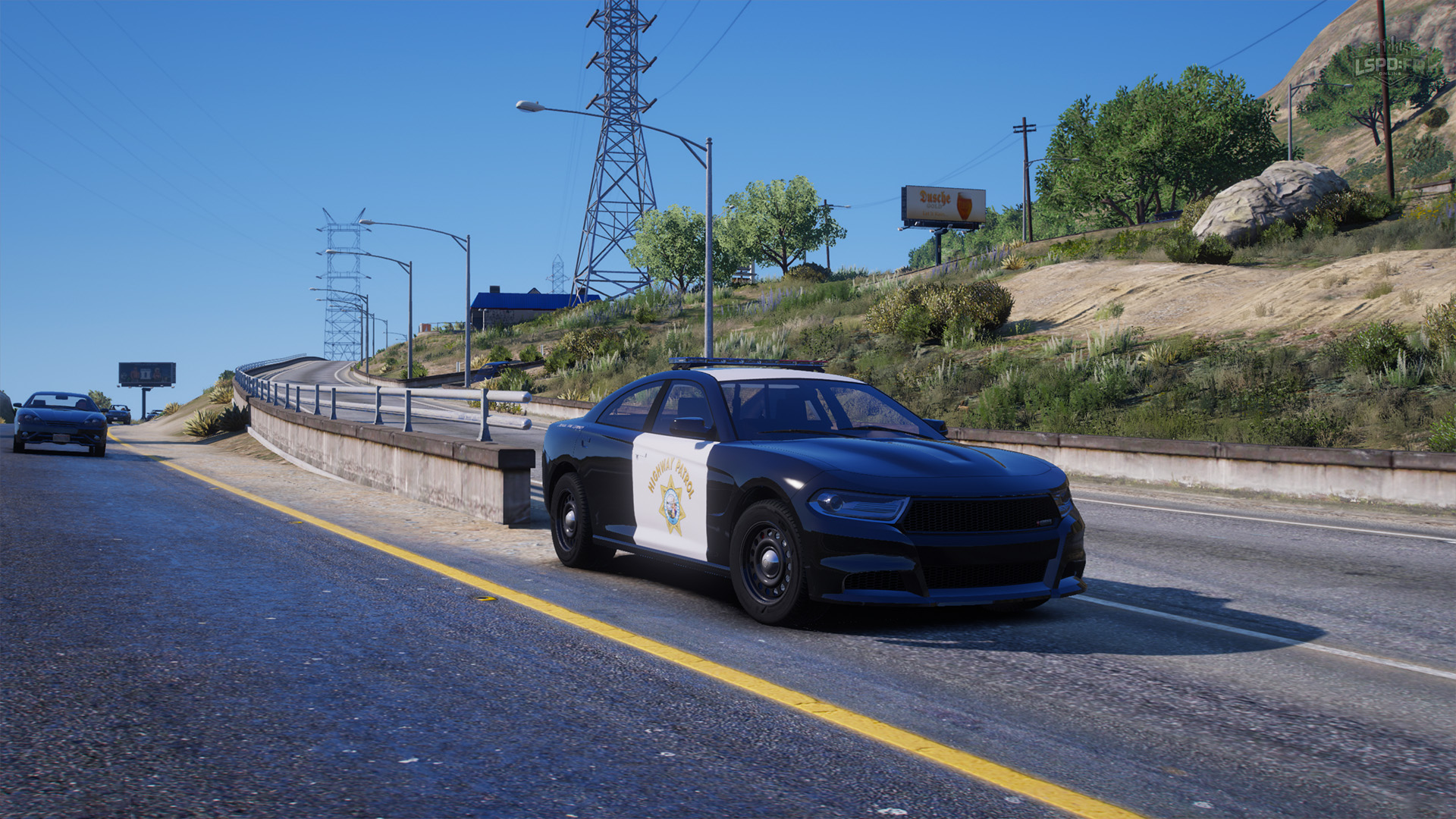
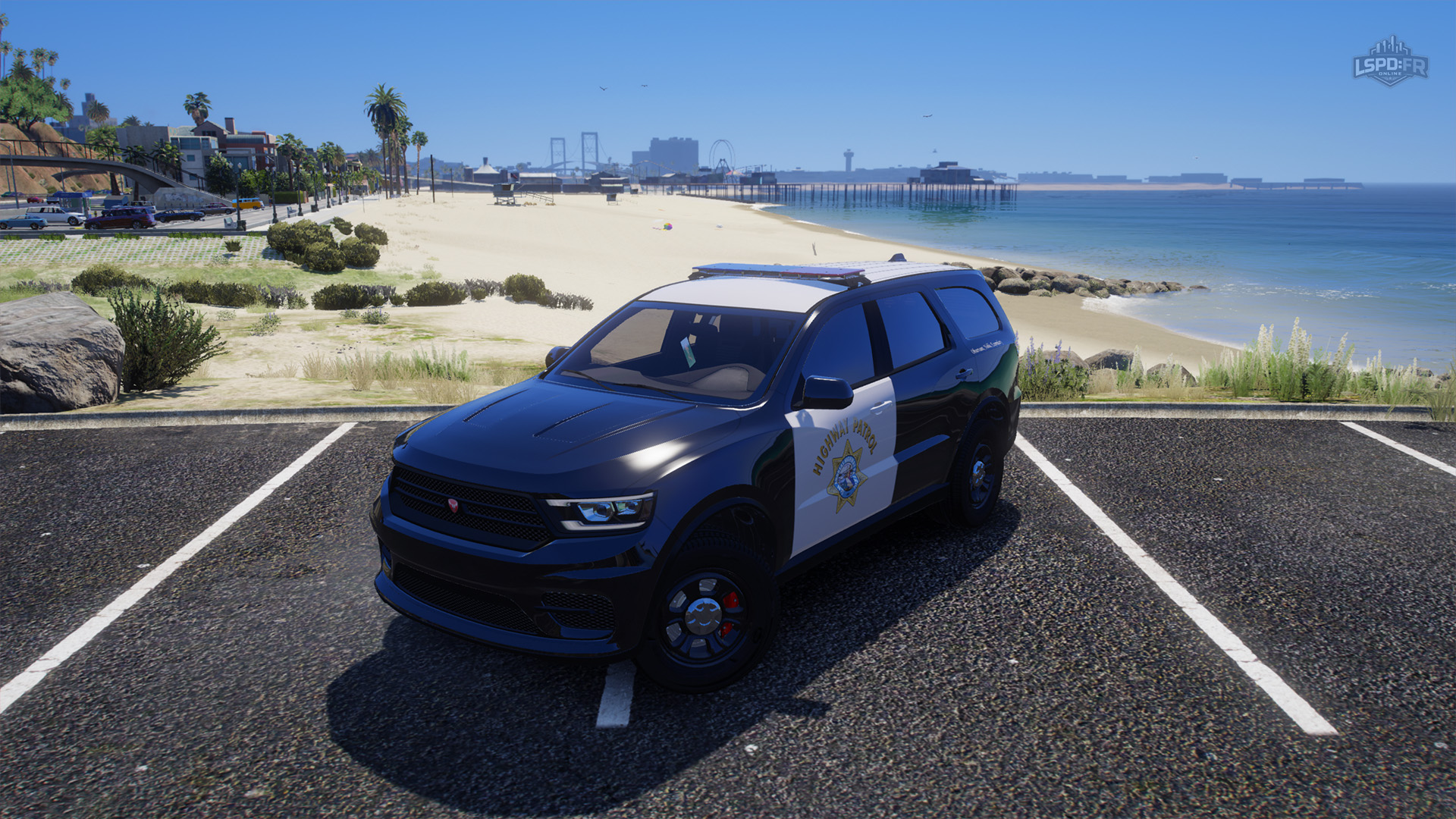
This update delivers on a vision we've held since the start of the year: to make every department true to California, the state GTA itself is based on. It's been a huge undertaking, but every uniform, piece of equipment, and vehicle (including liveries) is now modelled on the real fictional GTA counterpart of each California department:
- Los Santos Police Department (Los Angeles Police Department)
- Los Santos County Sheriff's Department (Los Angeles County Sheriff's Department)
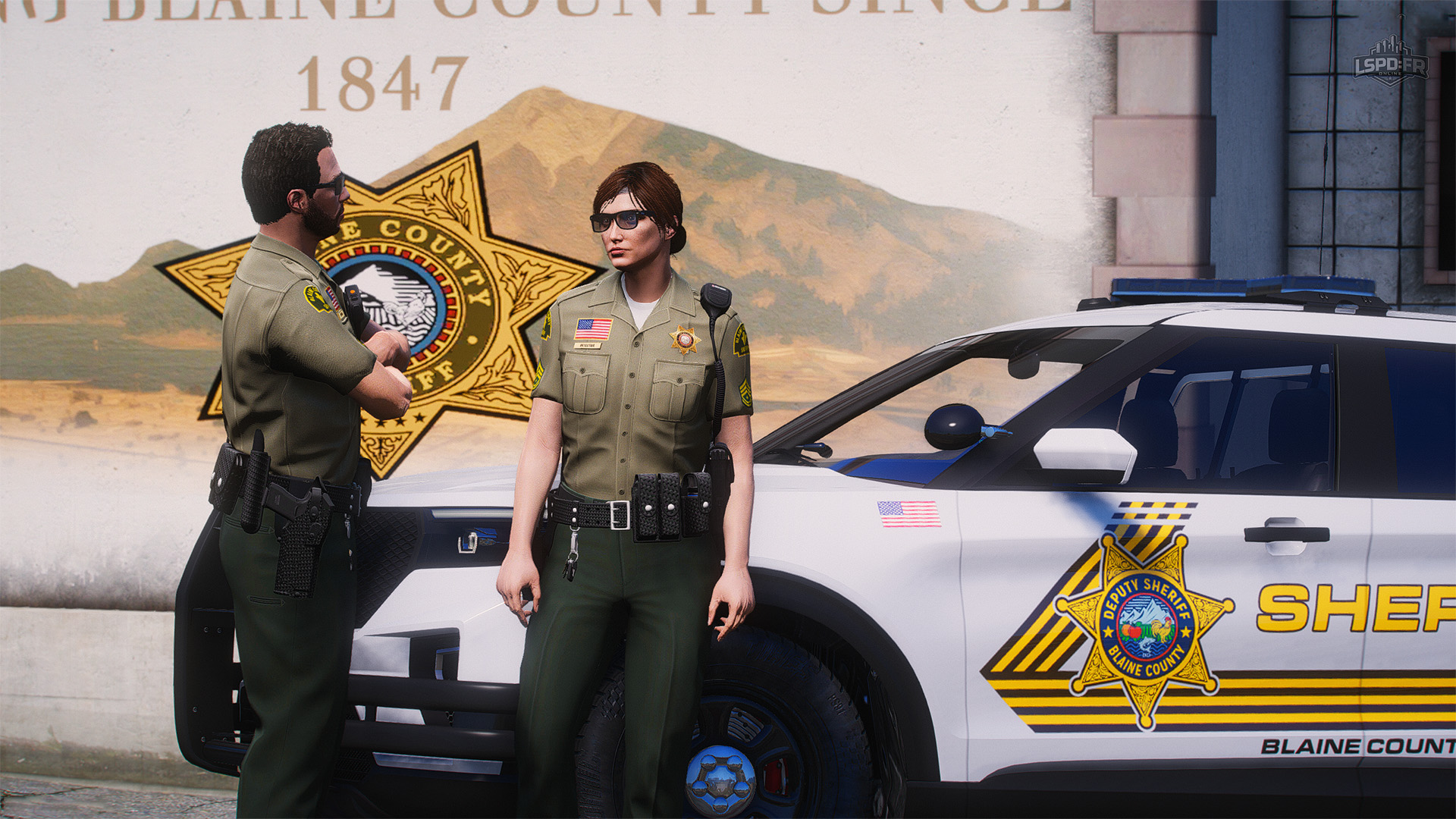
- Blaine County Sheriff's Office (San Bernardino County Sheriff's Department)
- San Andreas Highway Patrol (California Highway Patrol)
You can expect all uniforms, equipment, and vehicles to match their real-life counterparts as closely as possible, while remaining entirely lore-friendly and suited to the game world as intended. Getting this right was an incredibly difficult task, and we've done our very best to be as accurate as we can — all while keeping each department distinct, with its own identity, benefits, and character.
Let's take a closer look at what this overhaul brings to your uniforms and accessories, as well as the brand-new vehicle fleet.
Assets: Uniforms & Accessories
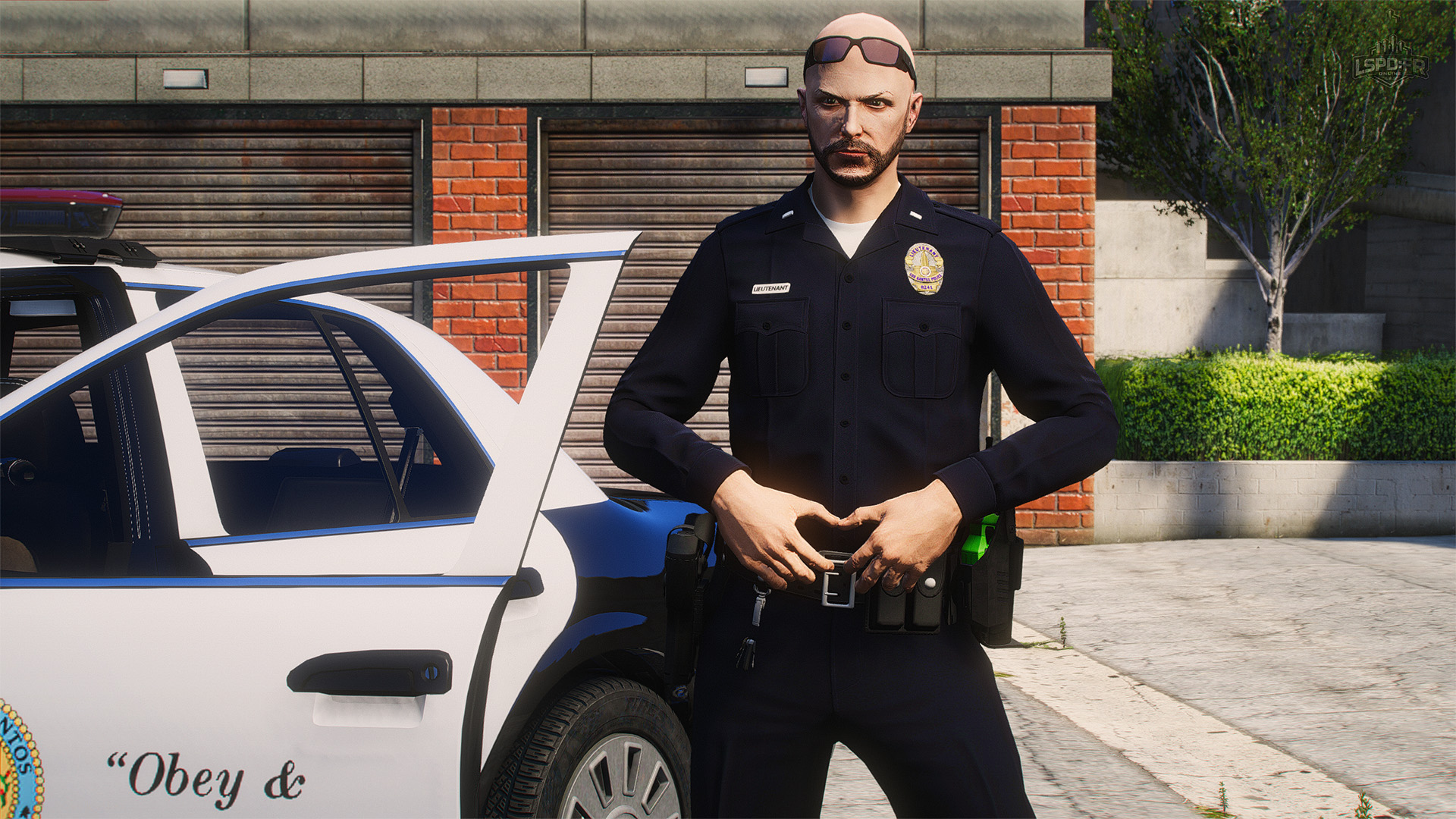
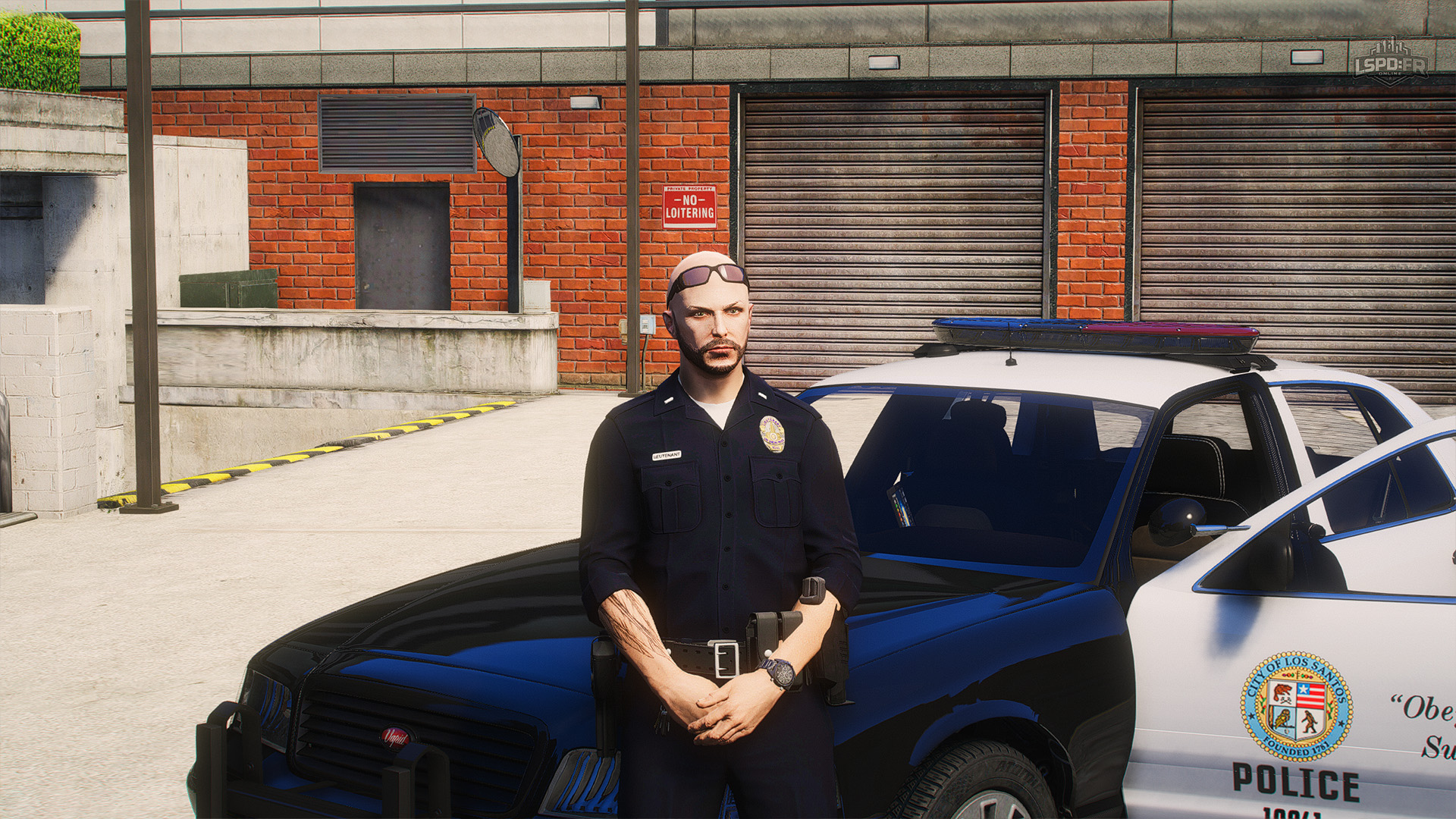
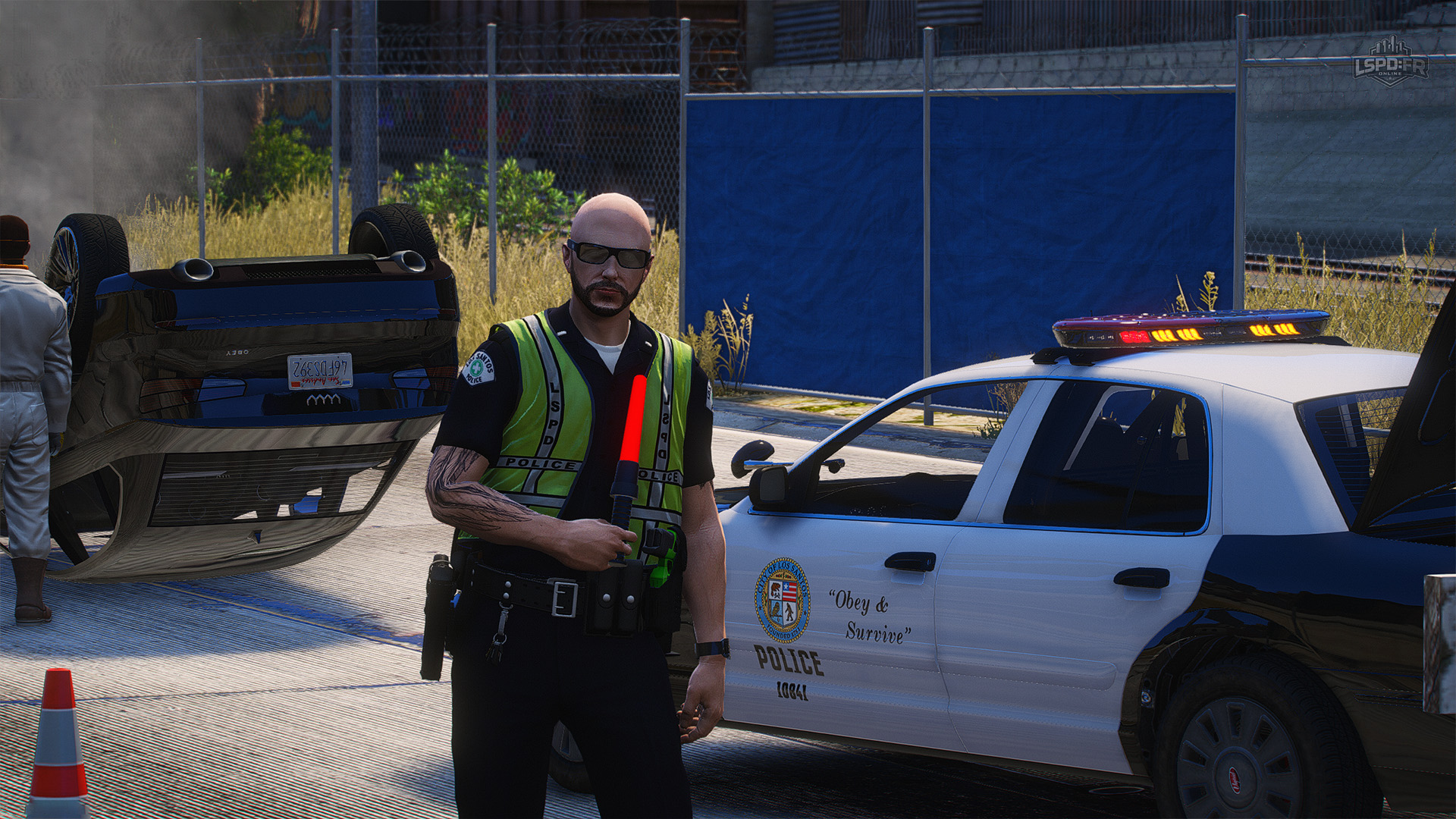
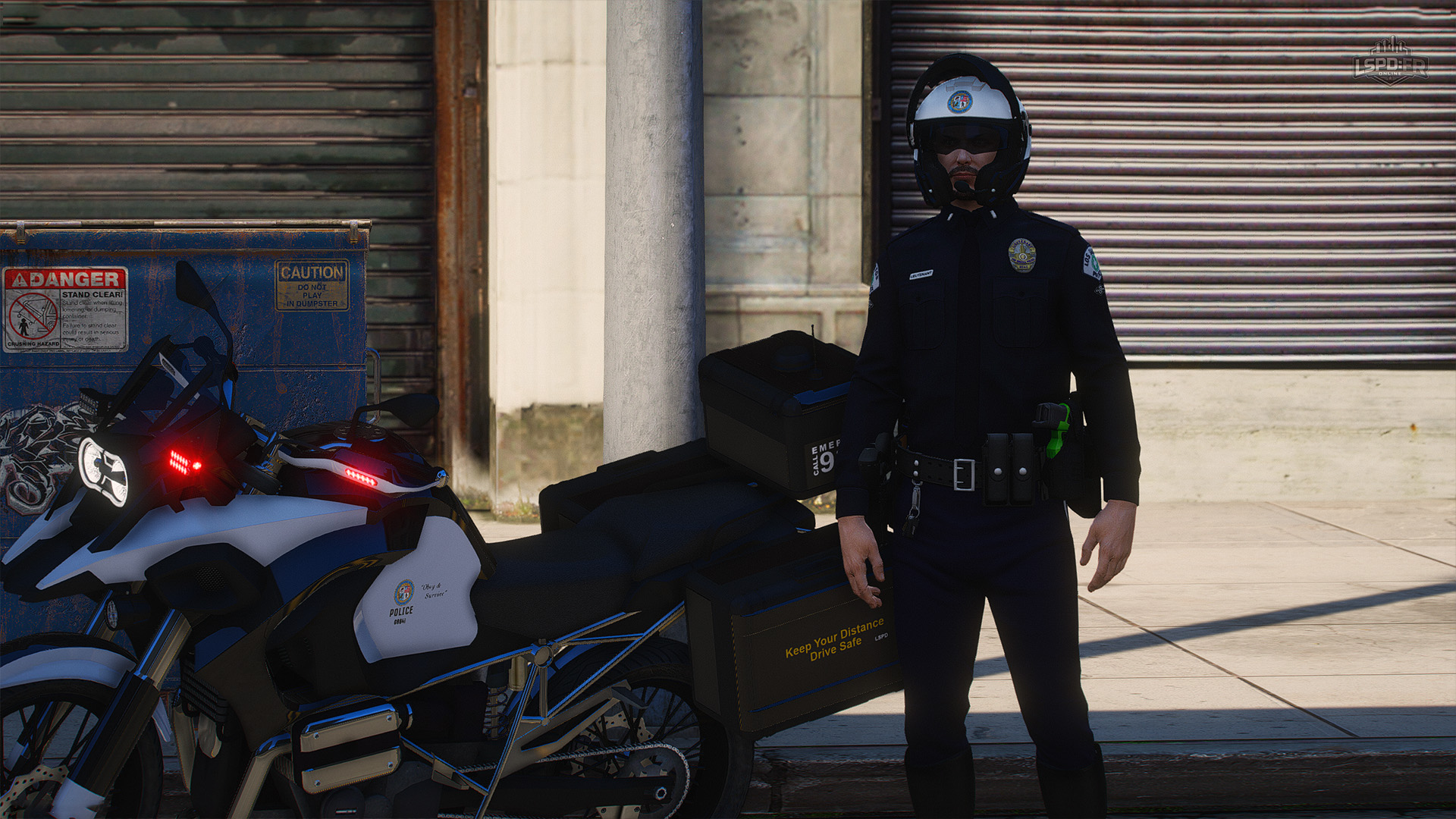
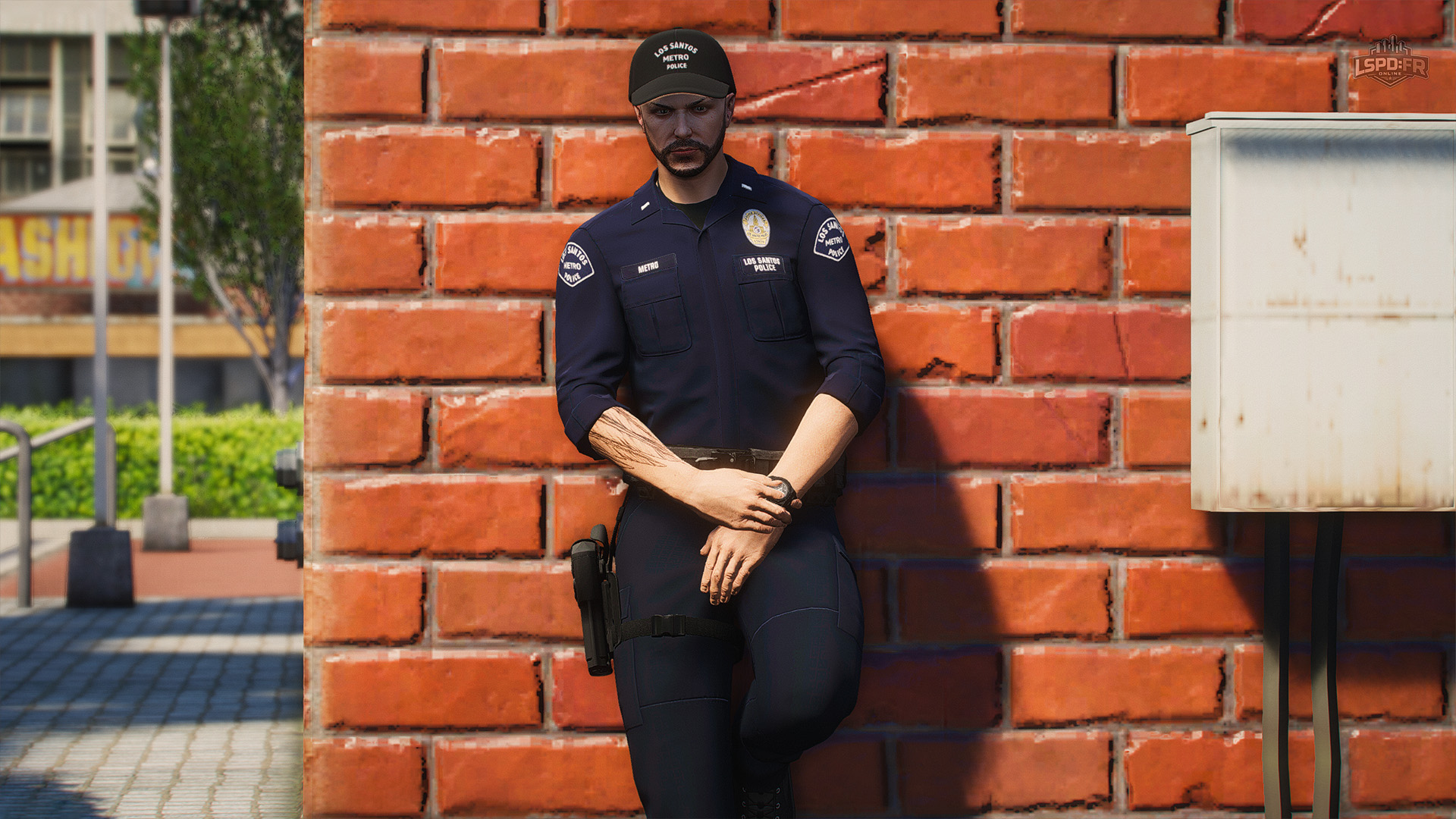
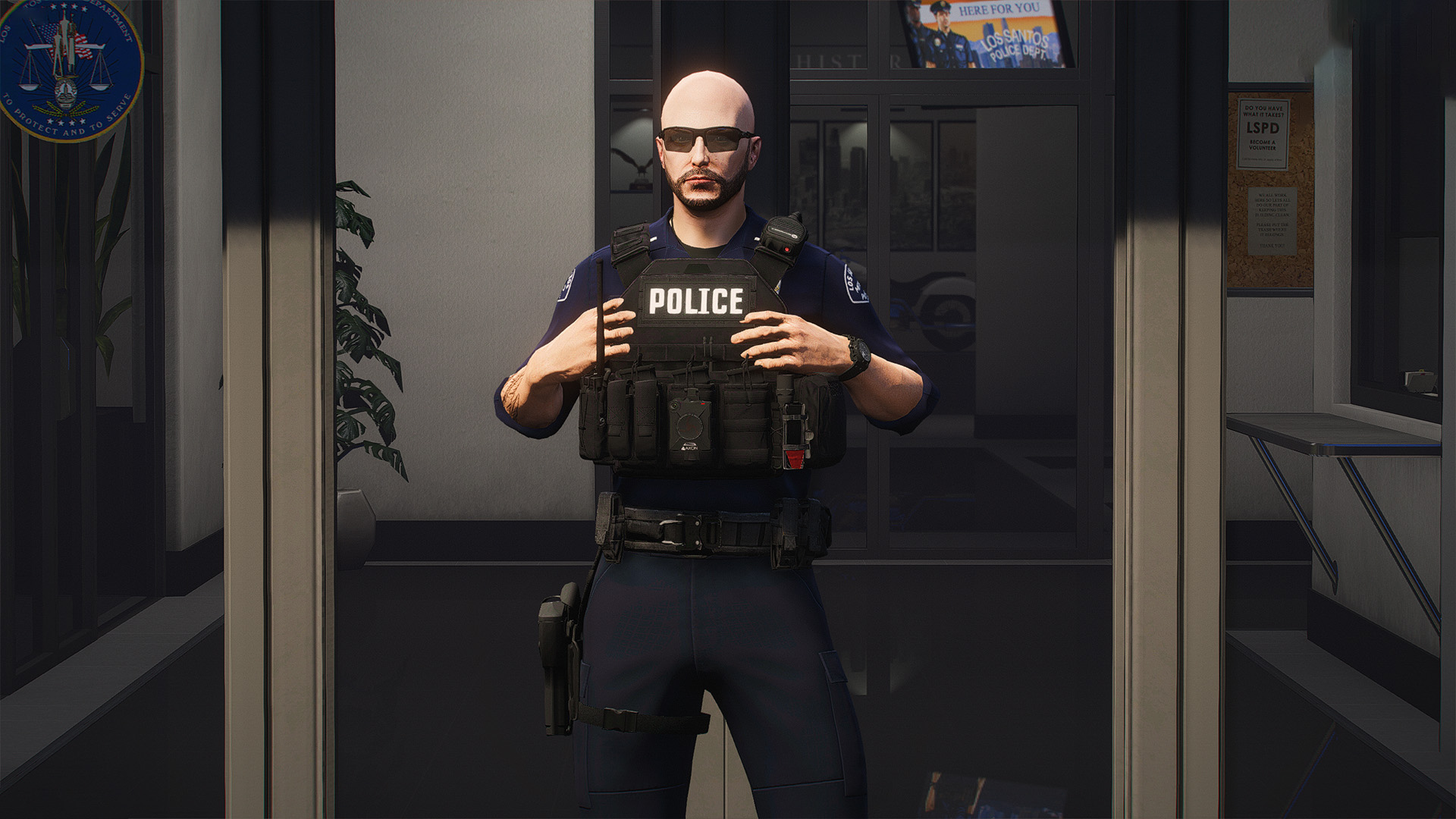
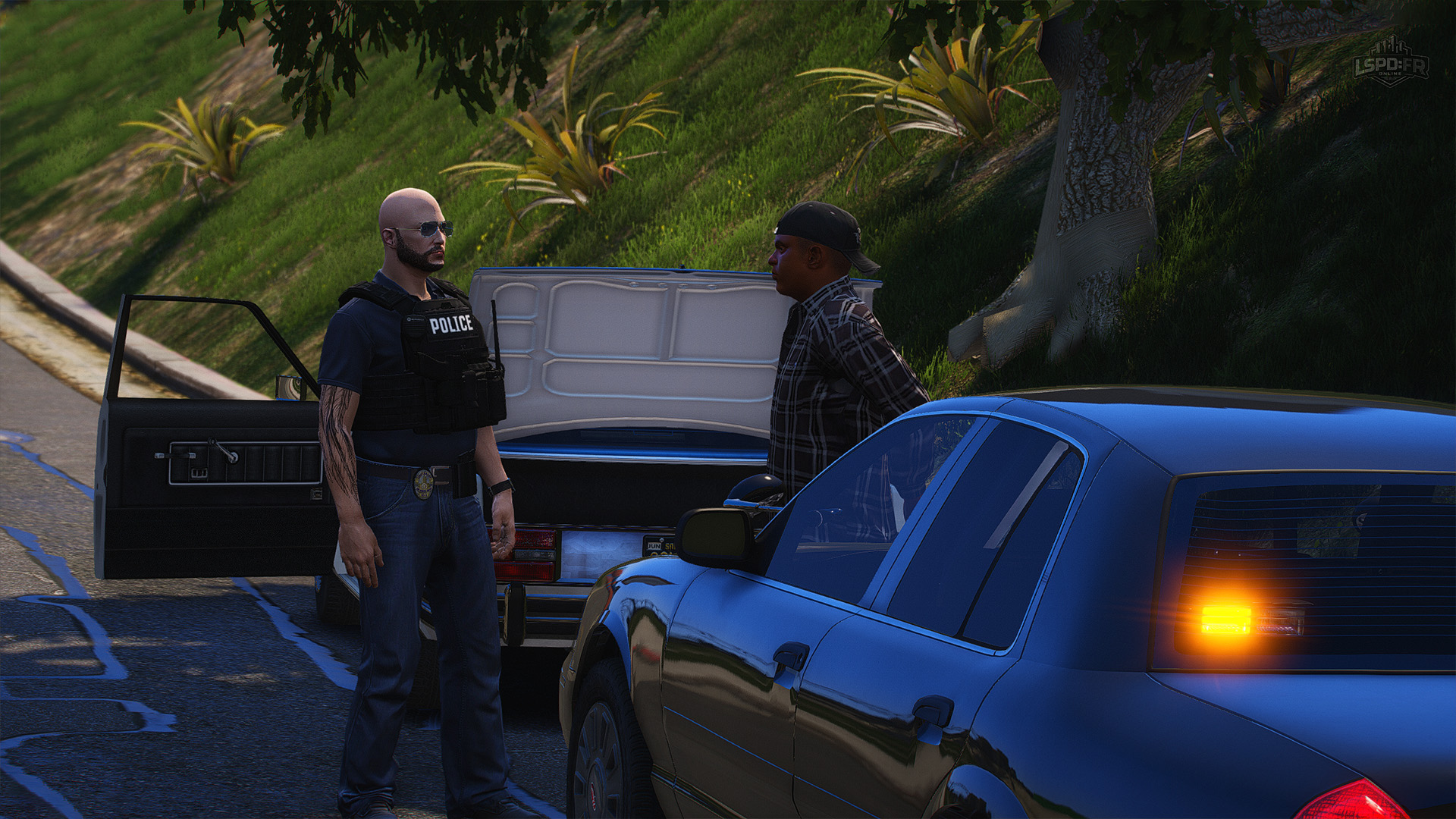
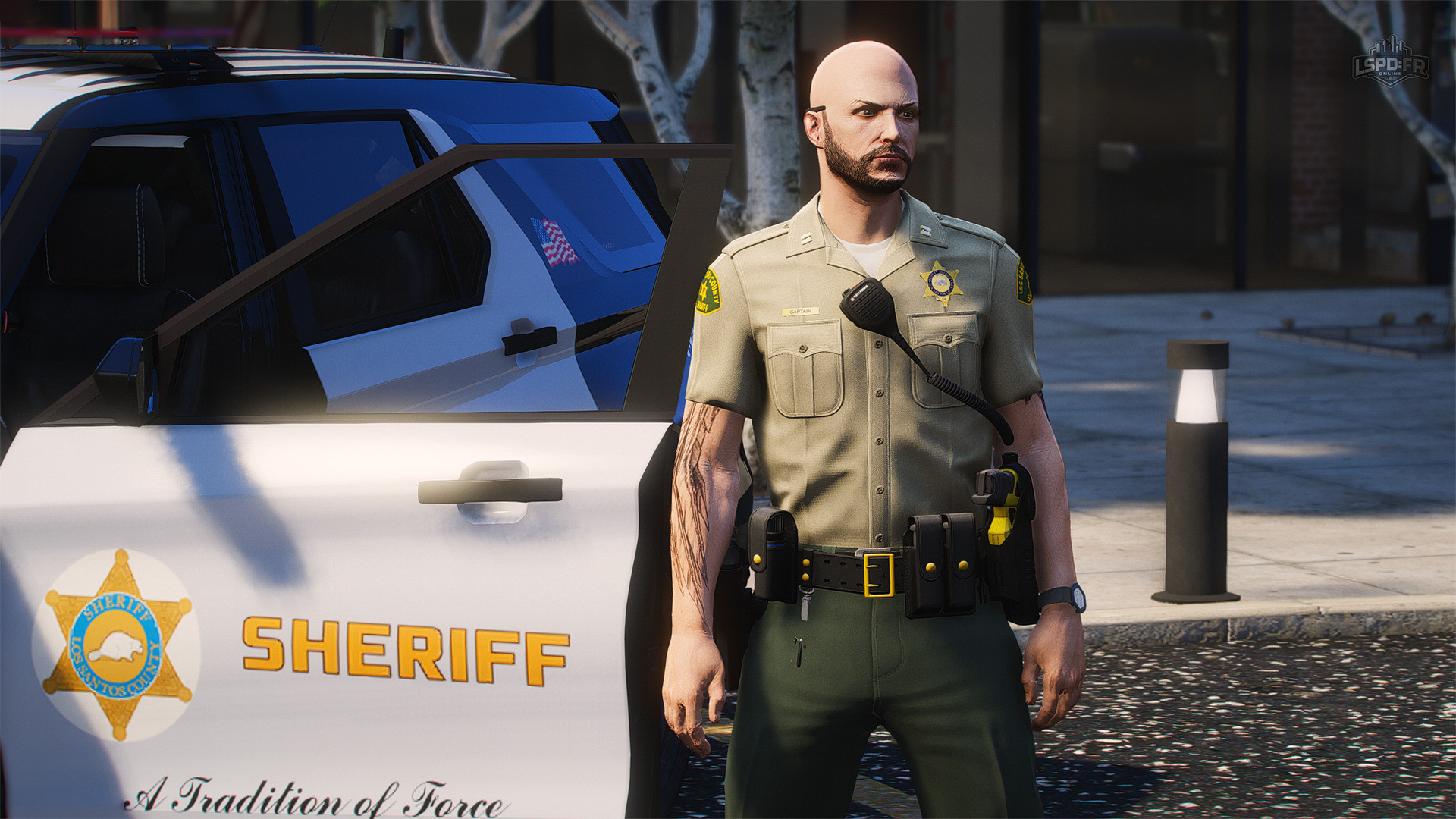
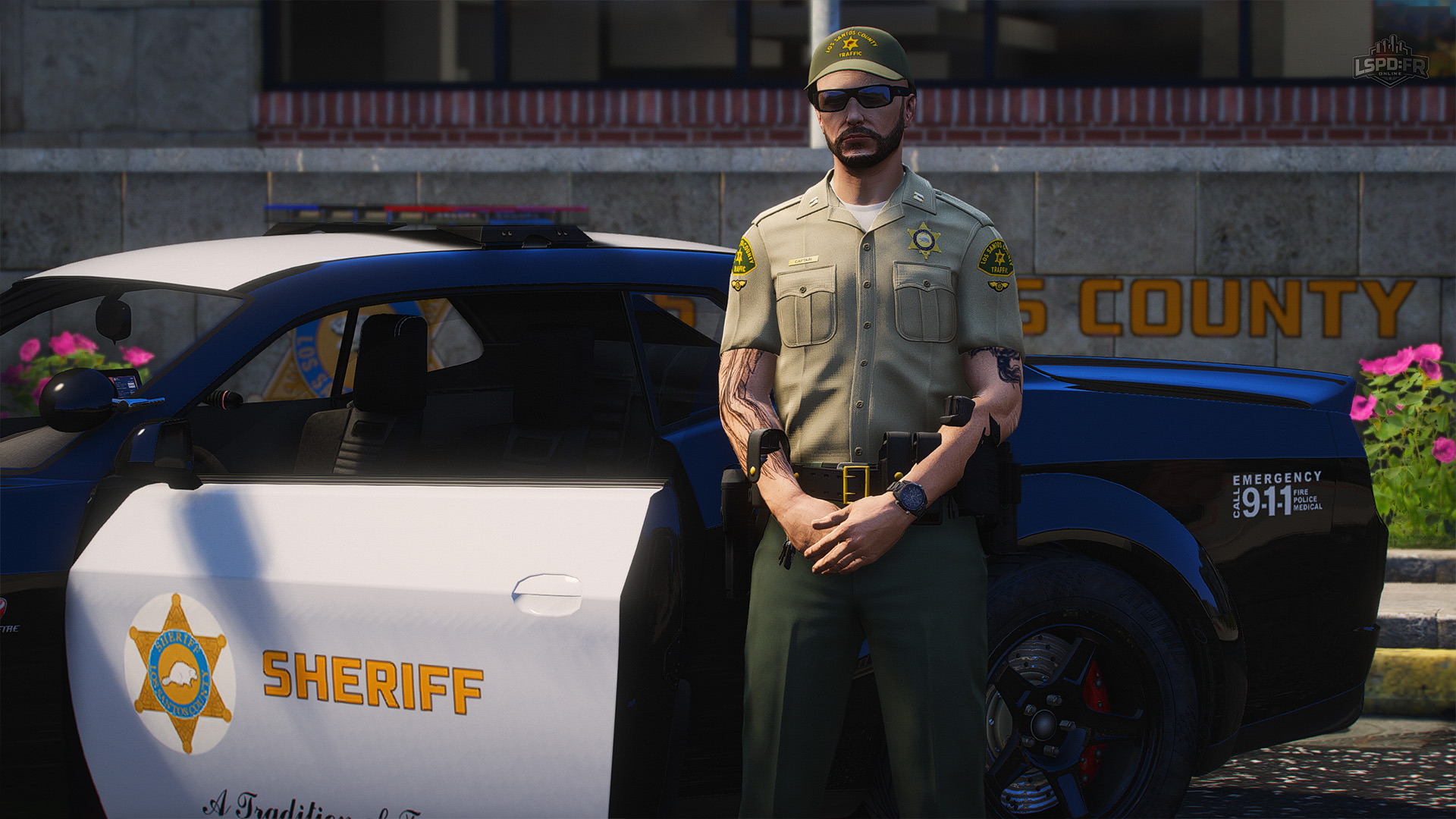
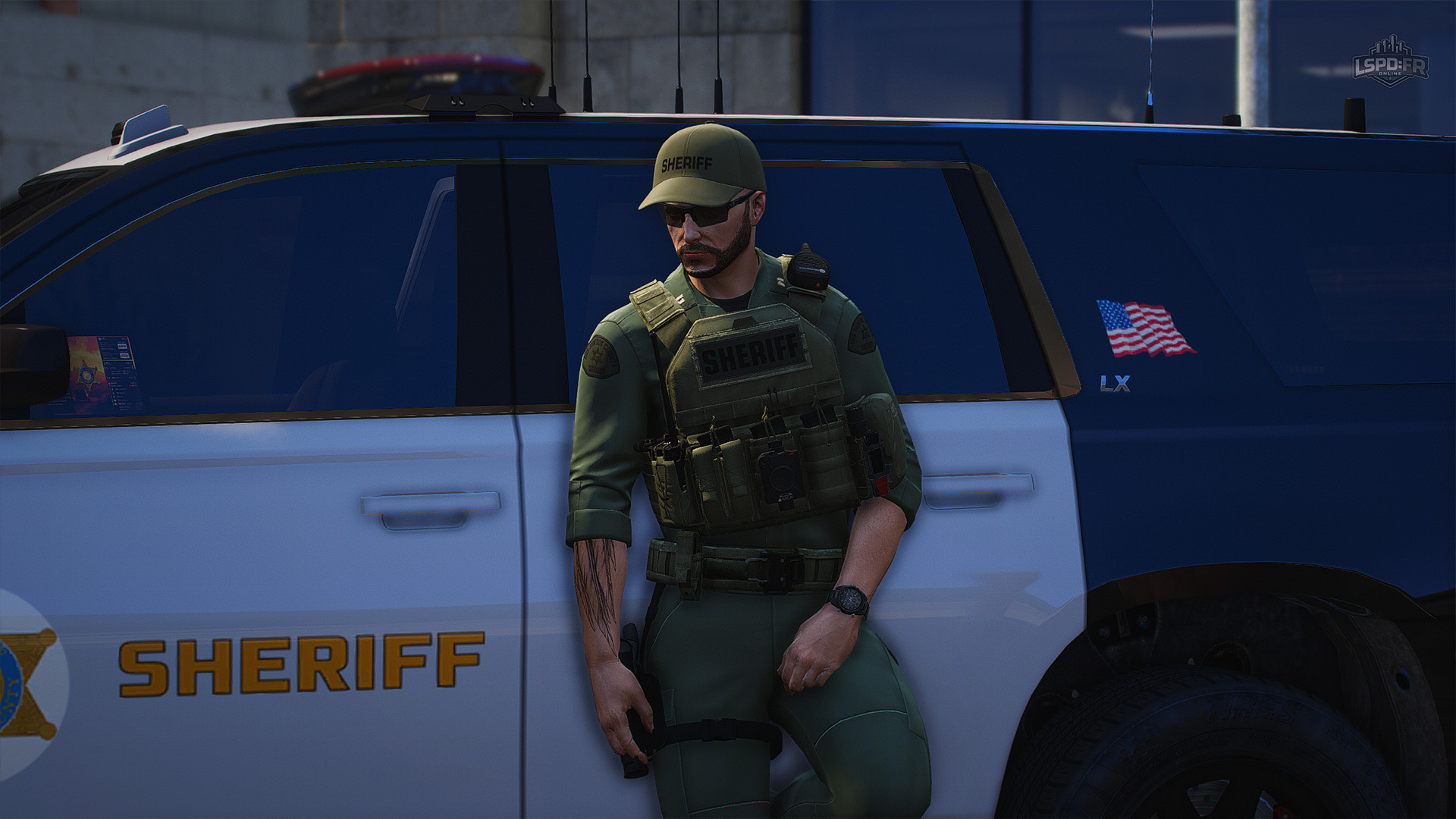
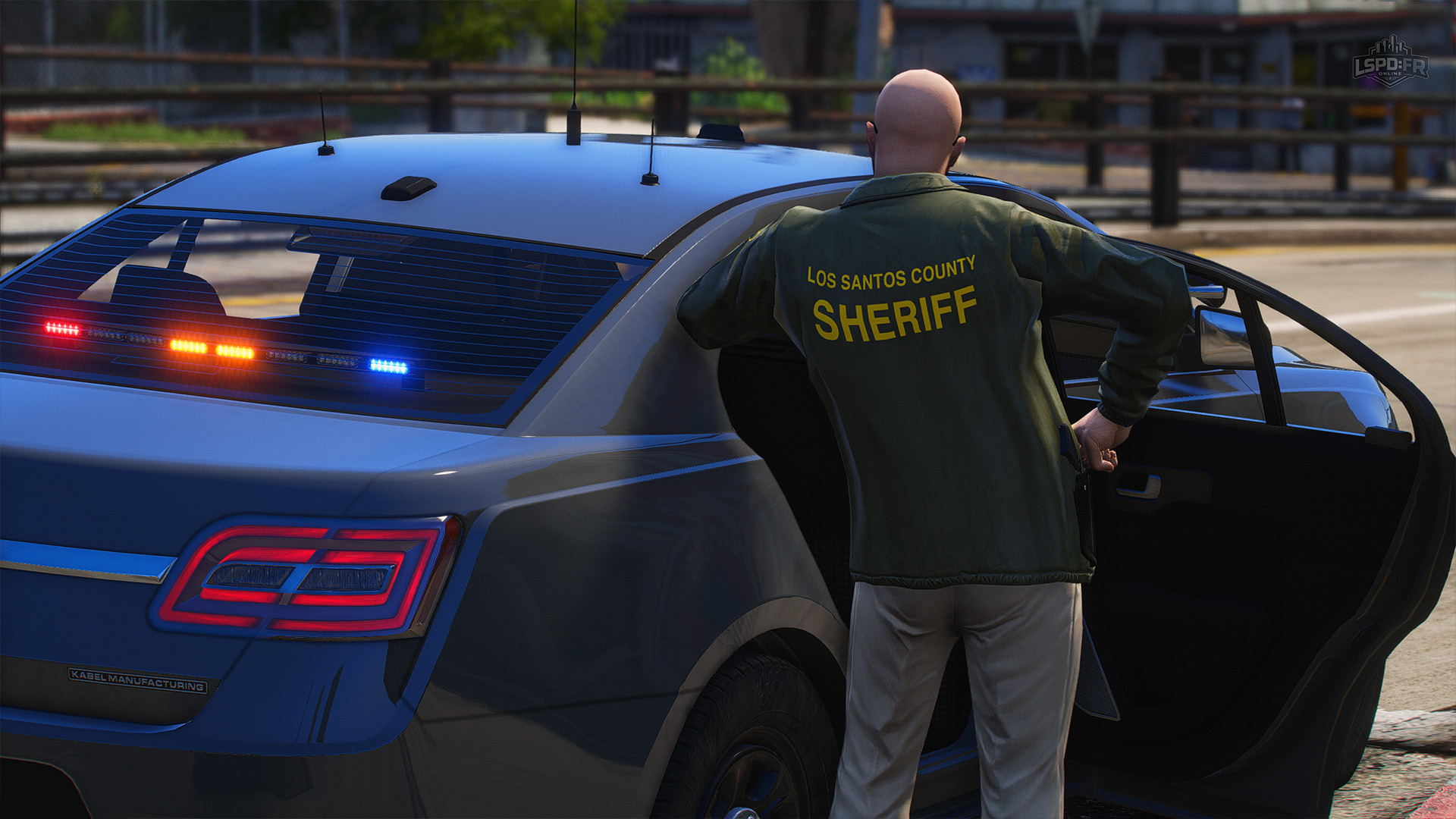
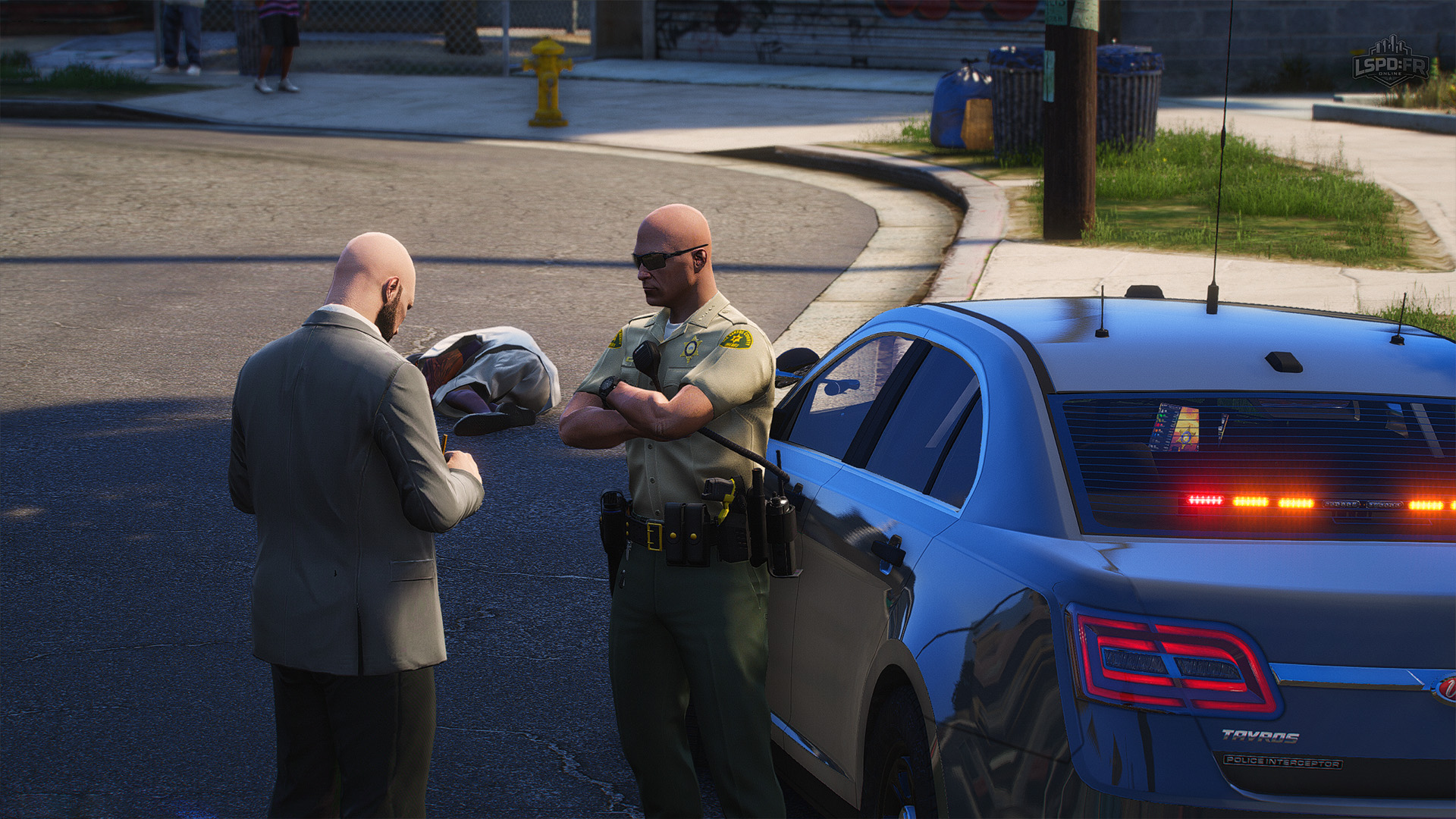
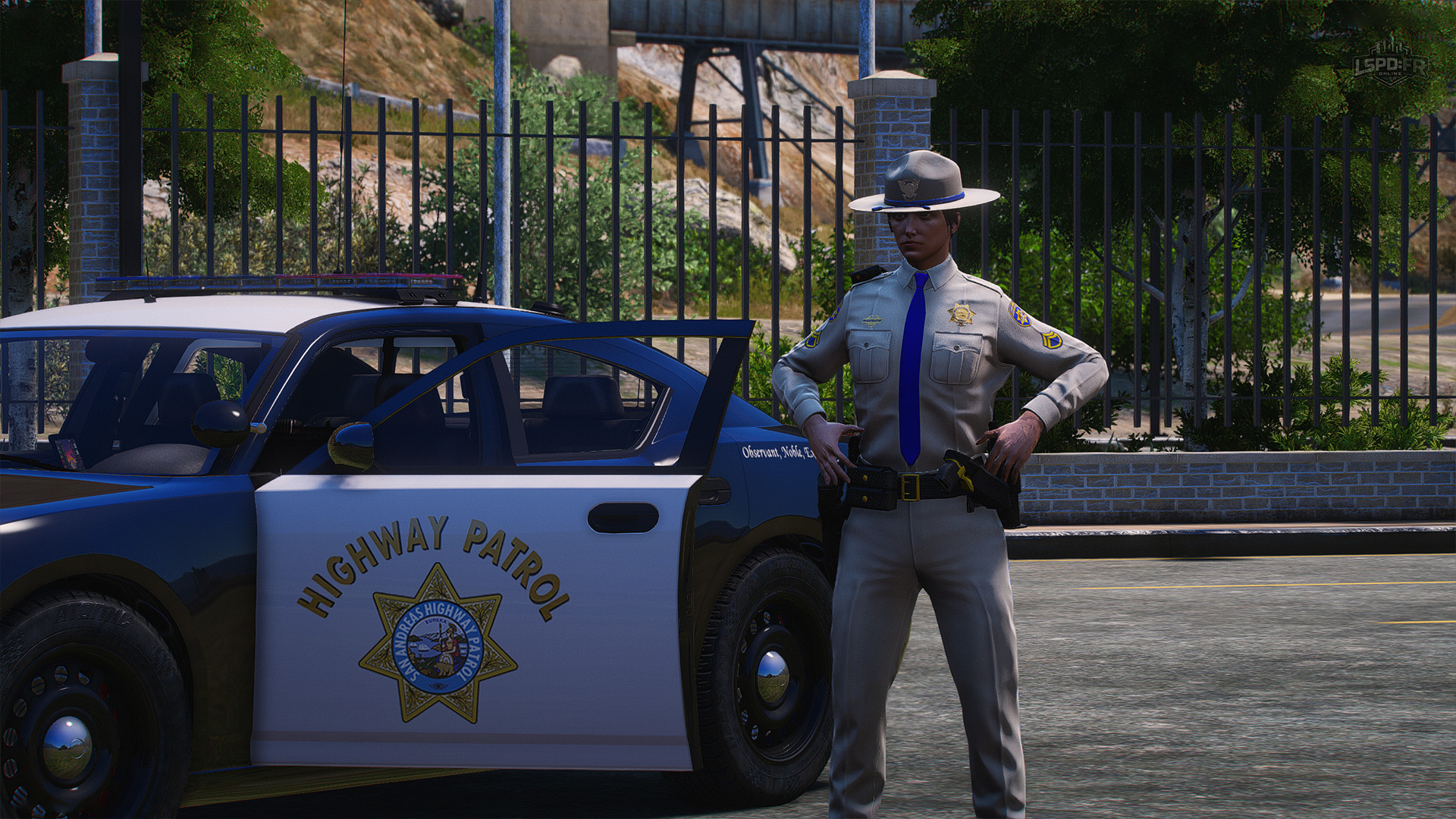
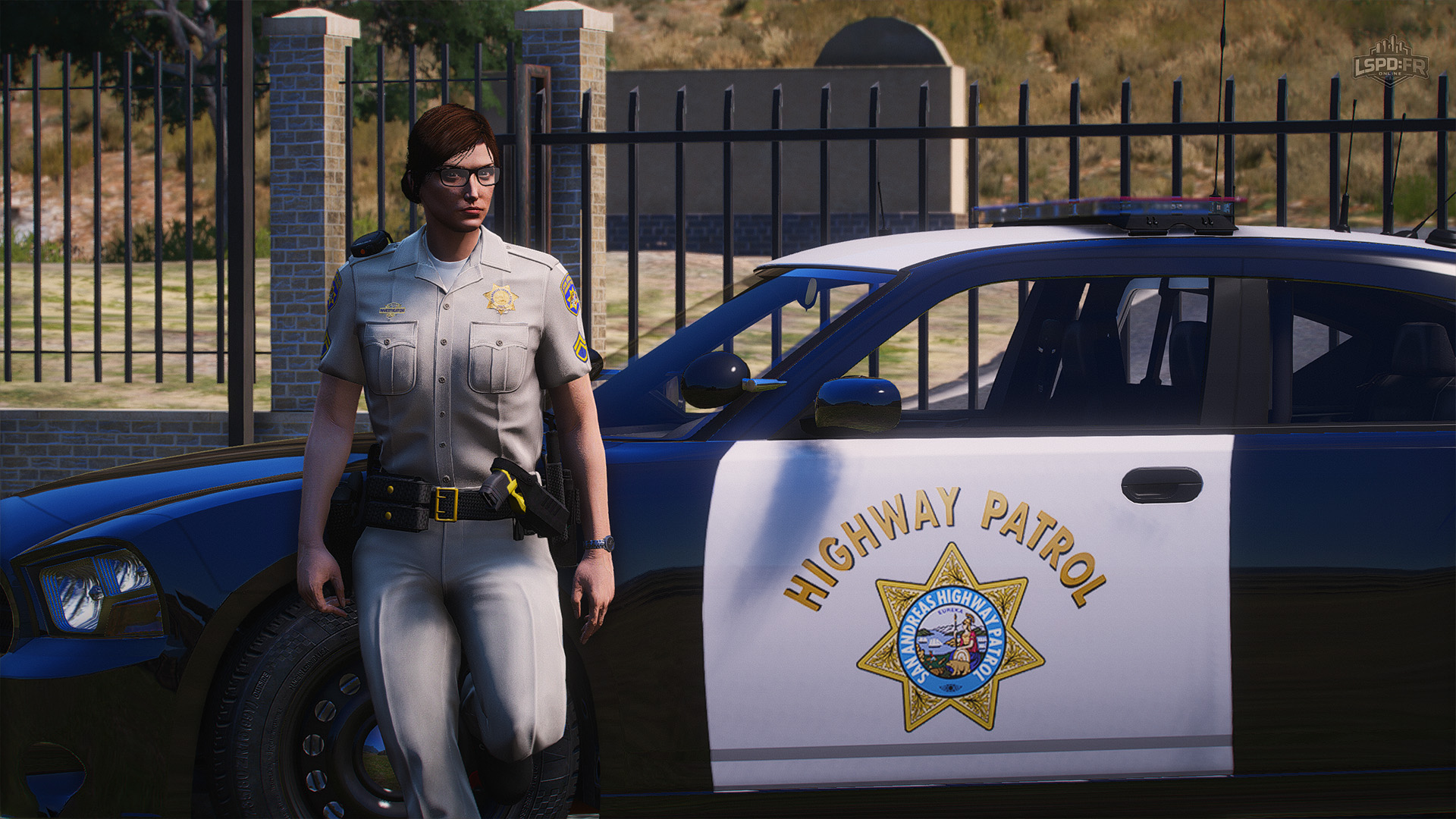
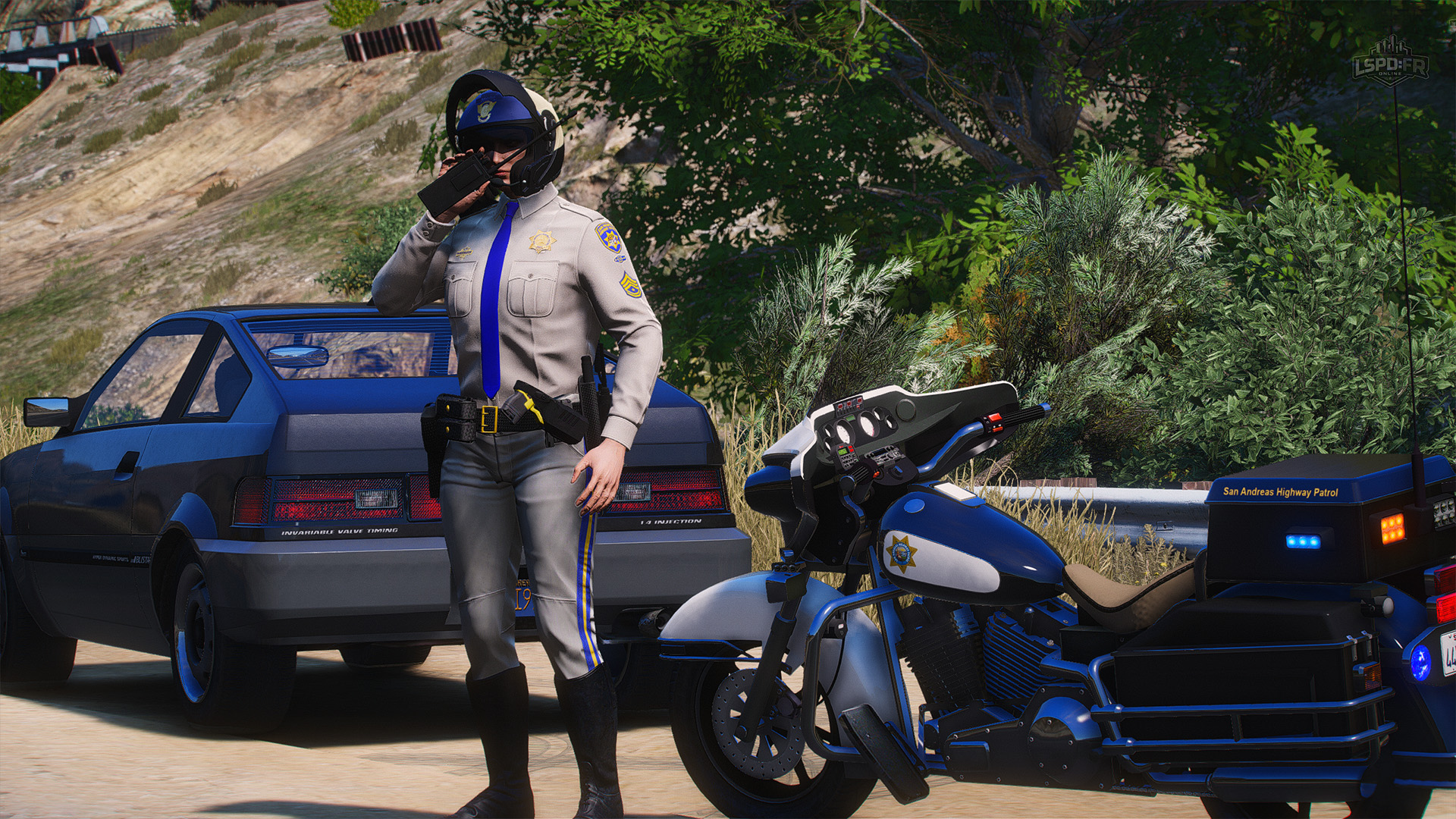
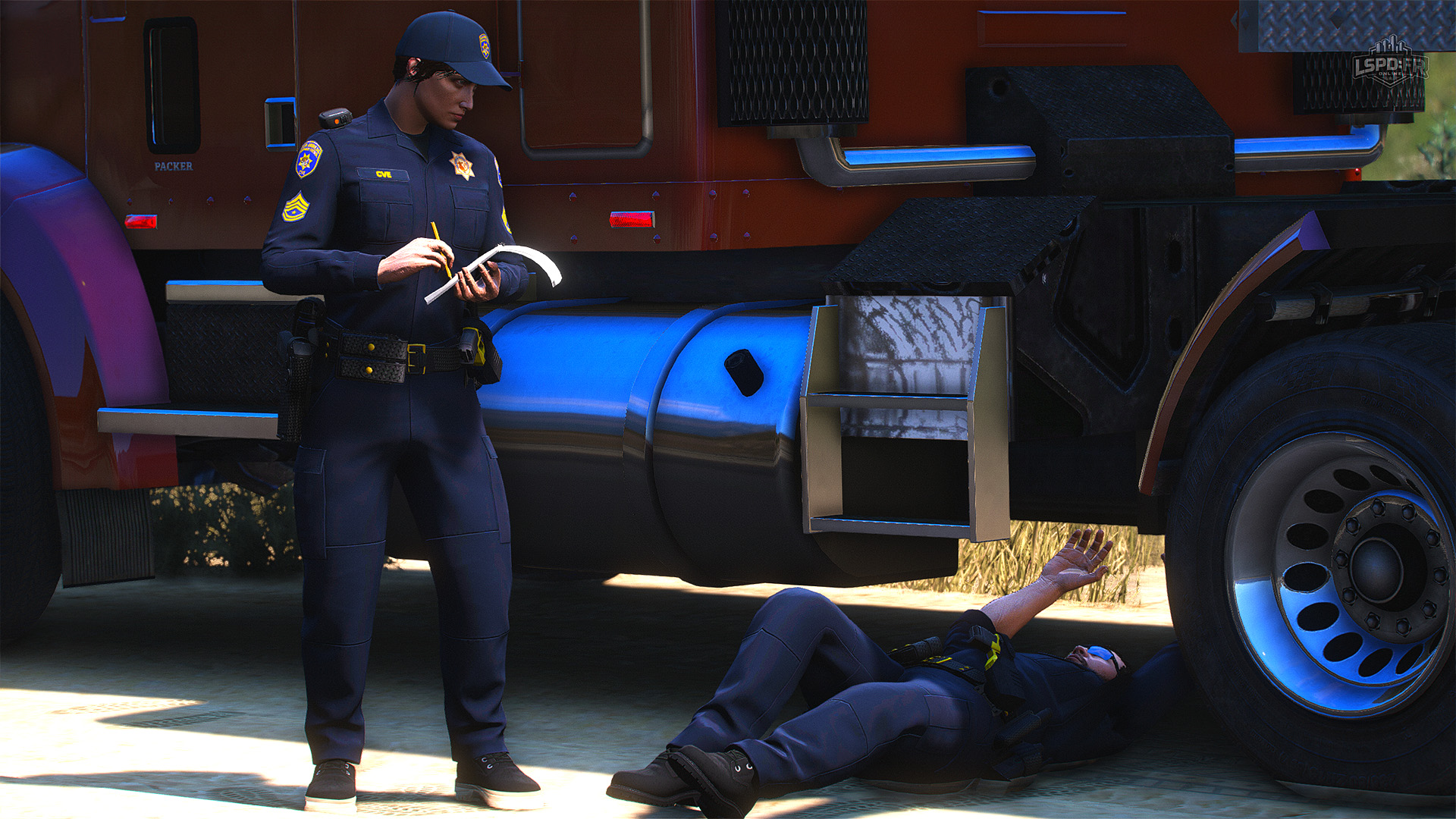
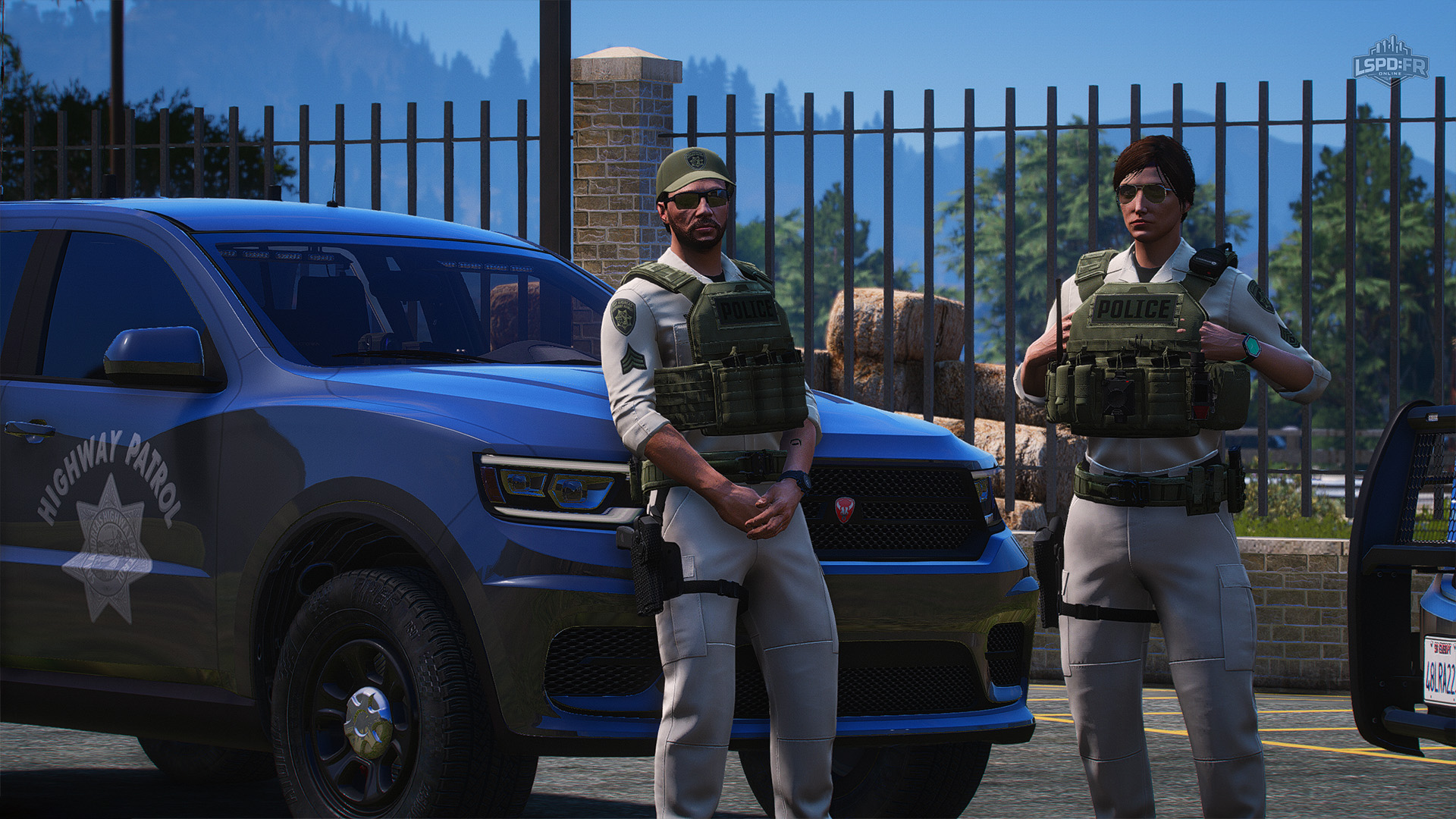
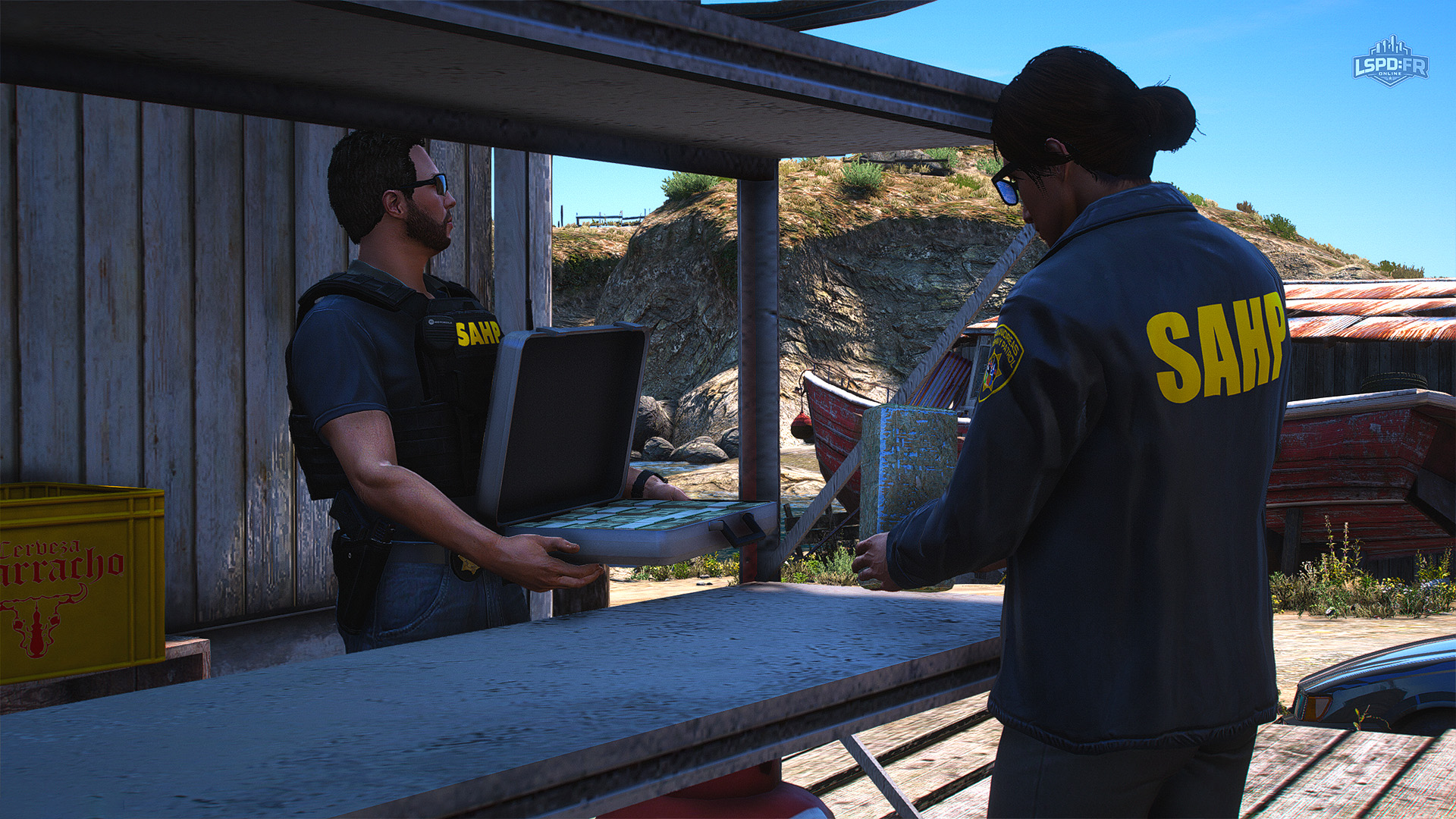
After several months of hard work behind the scenes, Update 1.3 is shipping with a carefully crafted, high-detail and completely custom Uniform Pack. Every uniform has been designed and standardized across each department, division, and gender to ensure an equal level of quality and accessibility for every play style.
That's right — both male and female characters now have access to the exact same uniforms and equipment across every single department. No more lacking uniforms for one side over the other! These uniforms strike a strong balance between quality and performance, with optimized, great-looking textures — and there's even more to come in the future.
LSPD Uniforms
LSSD Uniforms
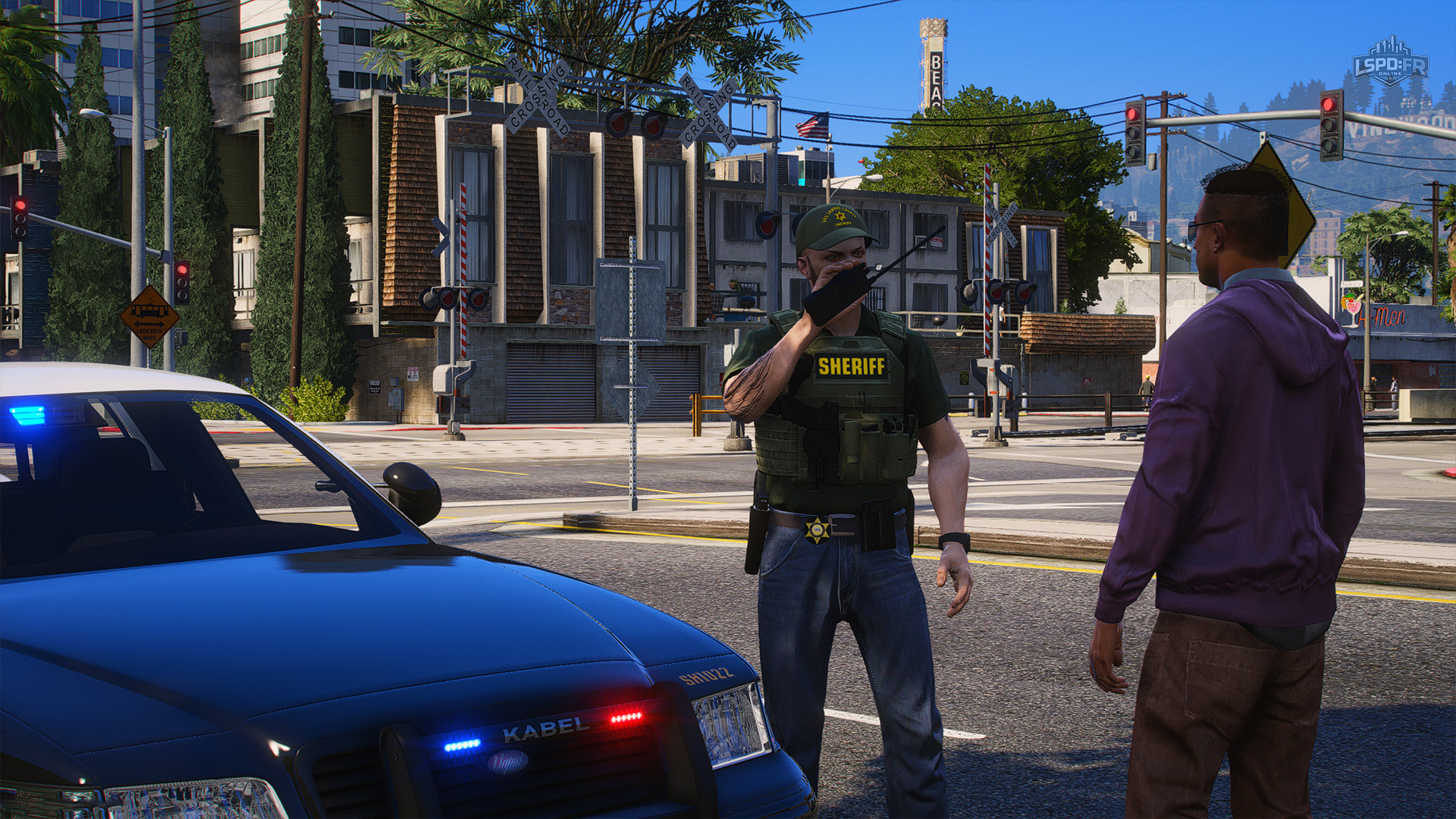
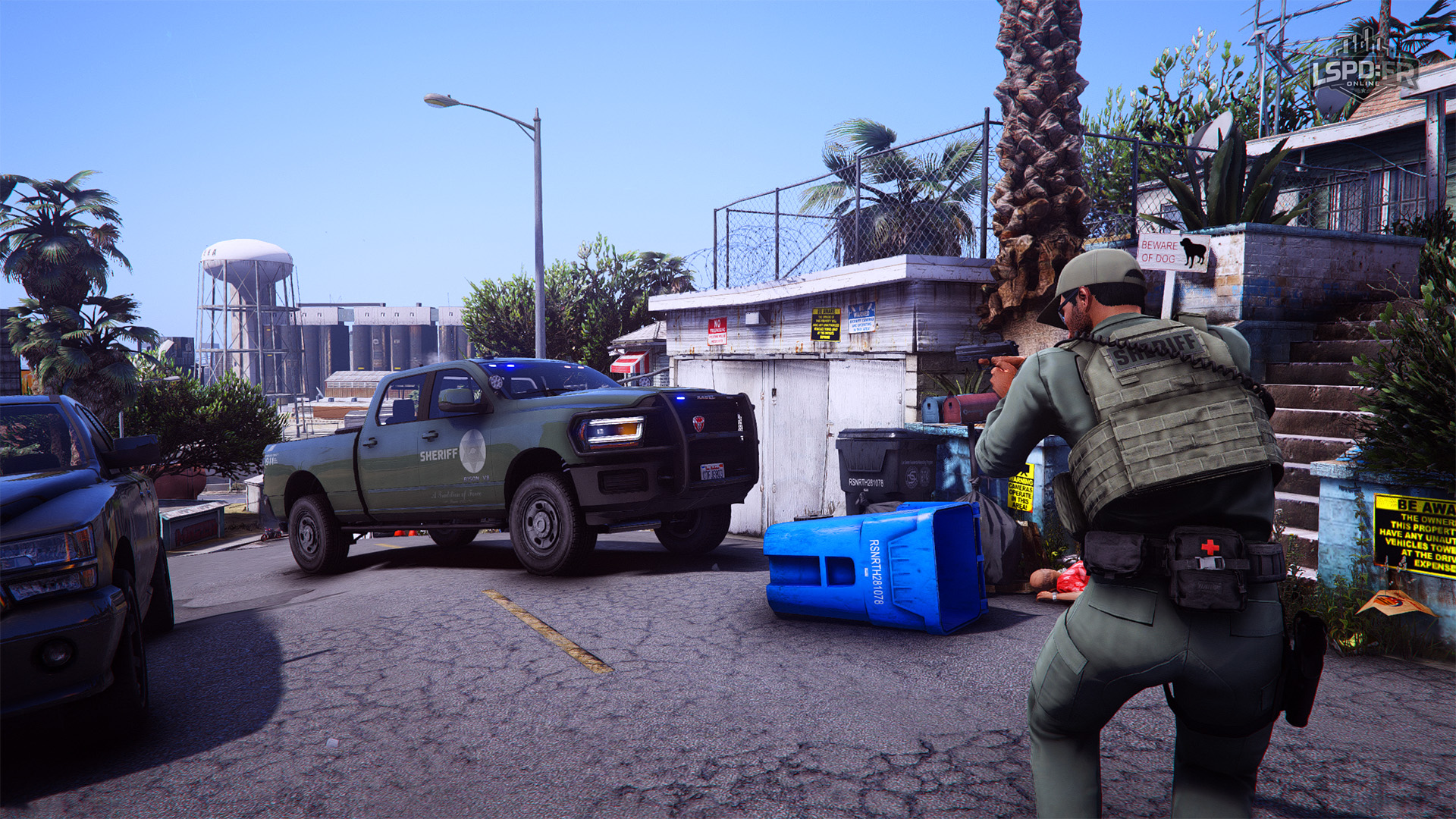
BCSO Uniforms
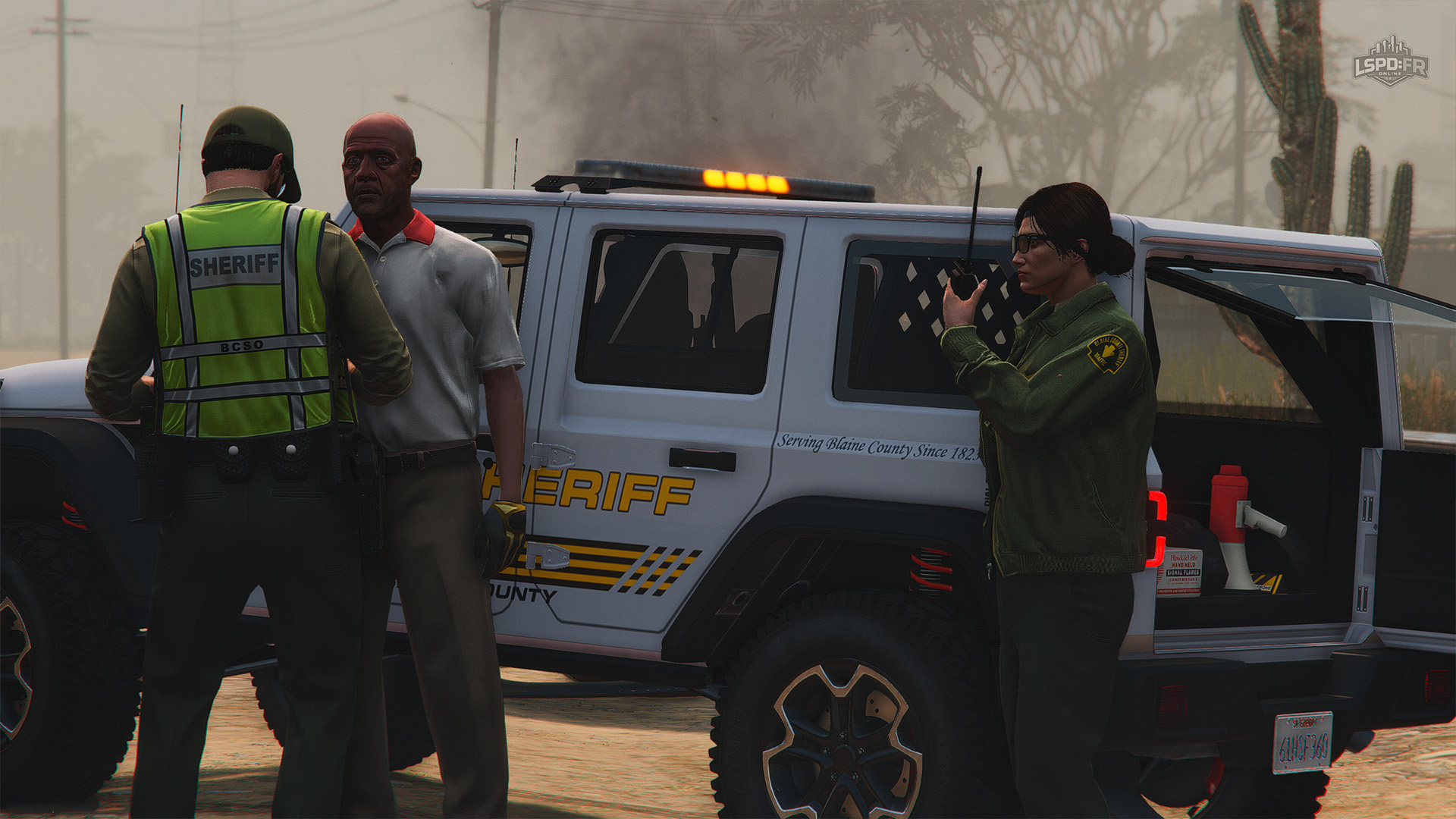
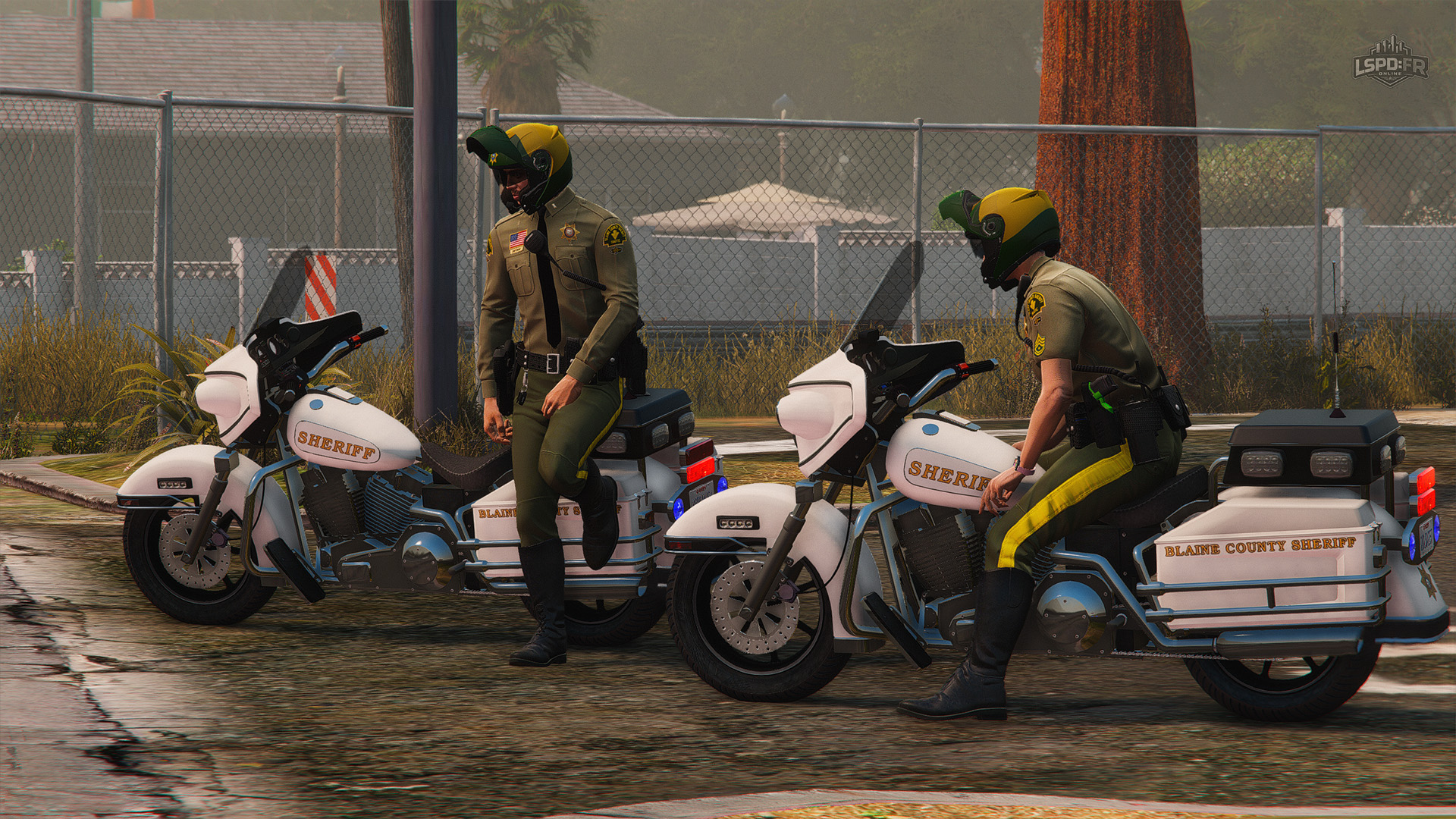
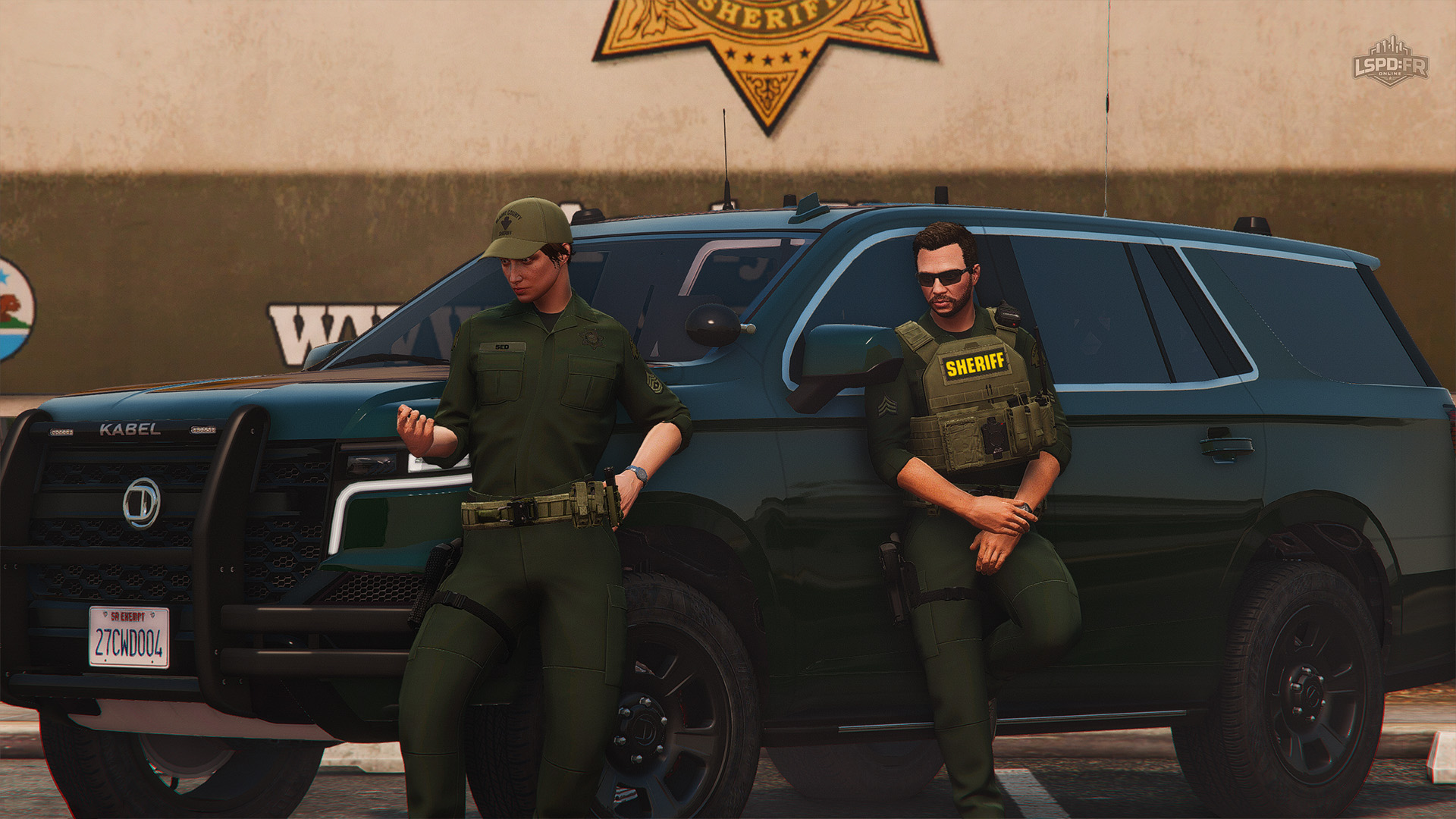
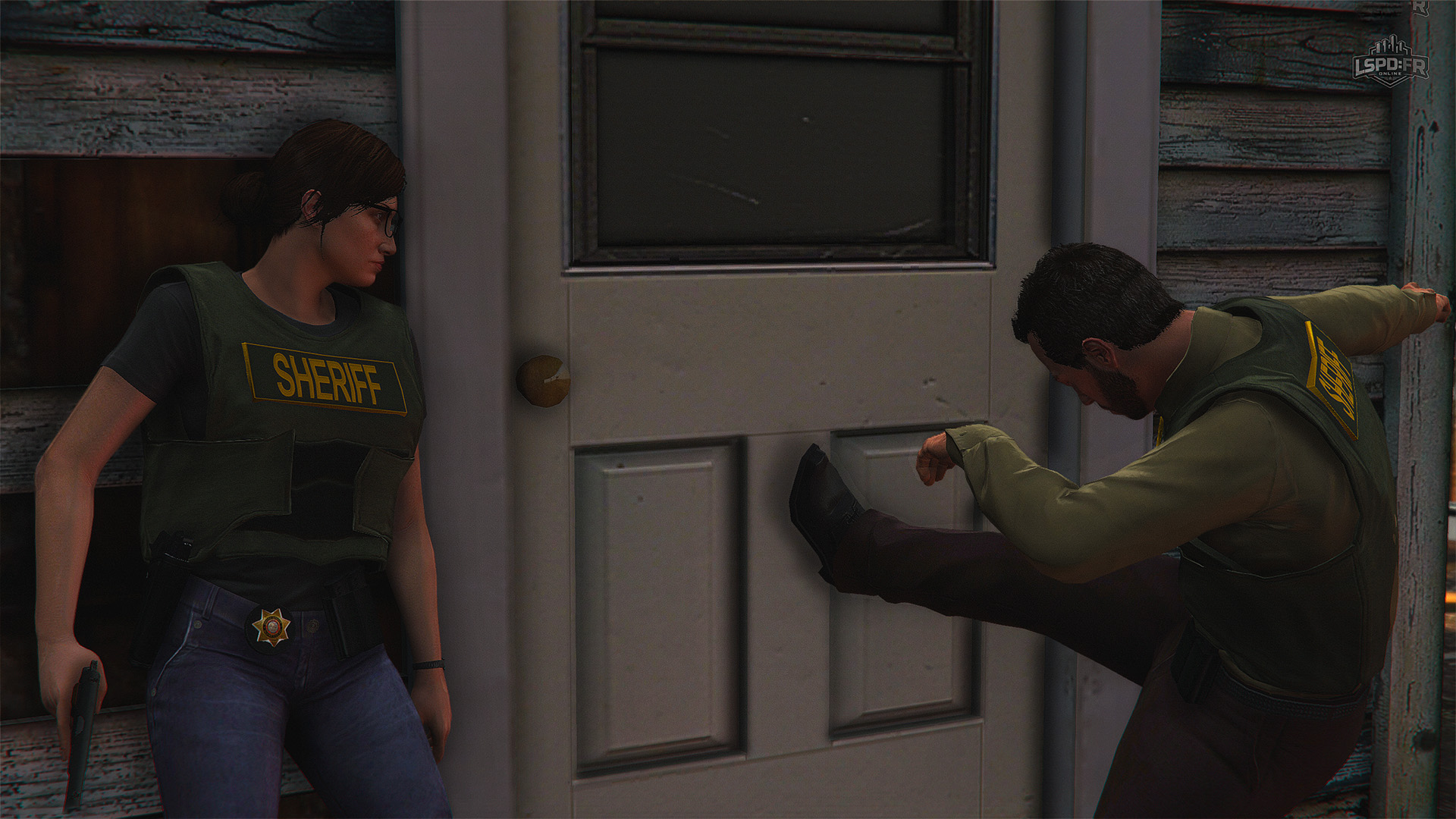
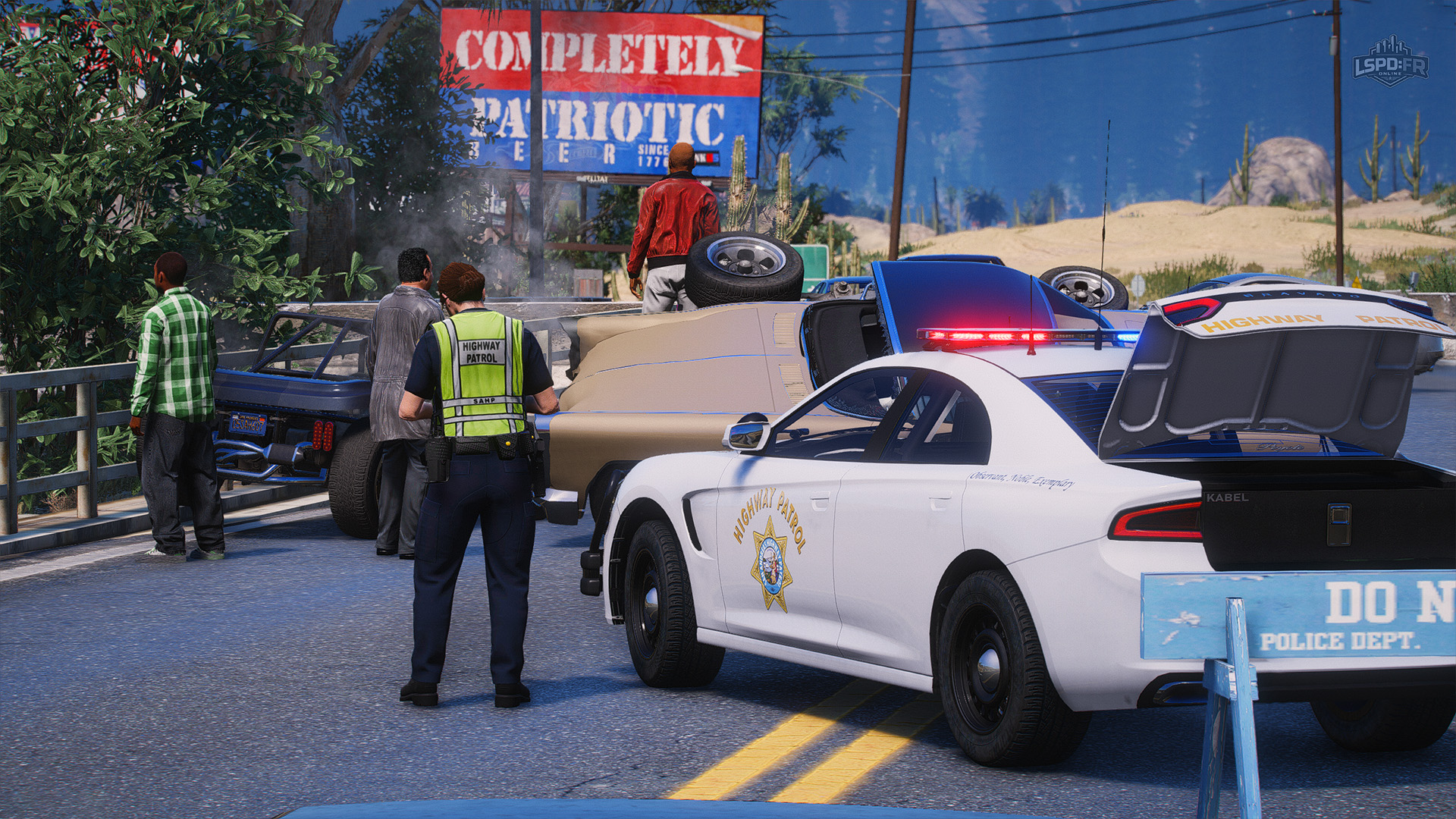
SAHP Uniforms
Assets: Vehicles
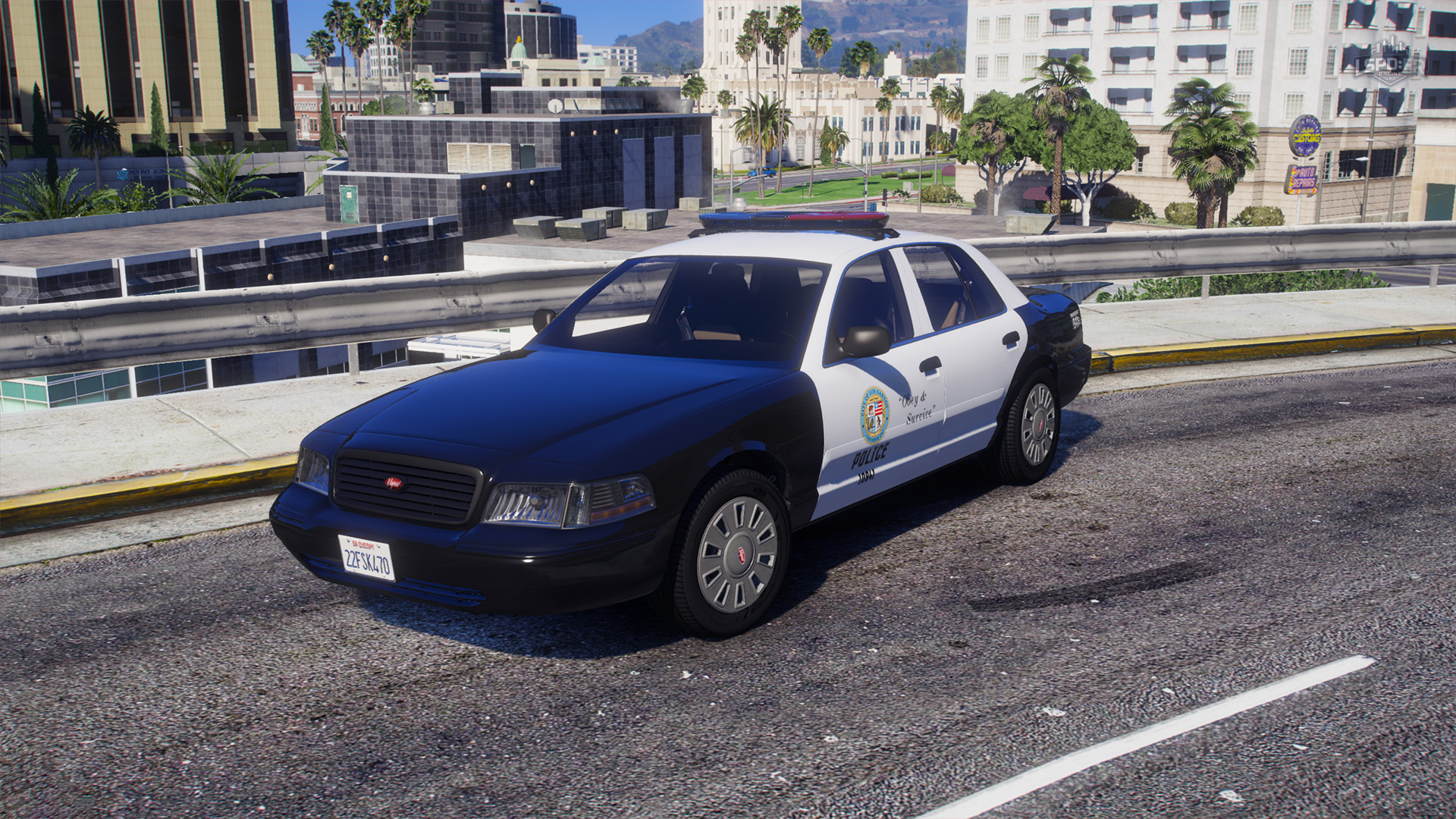
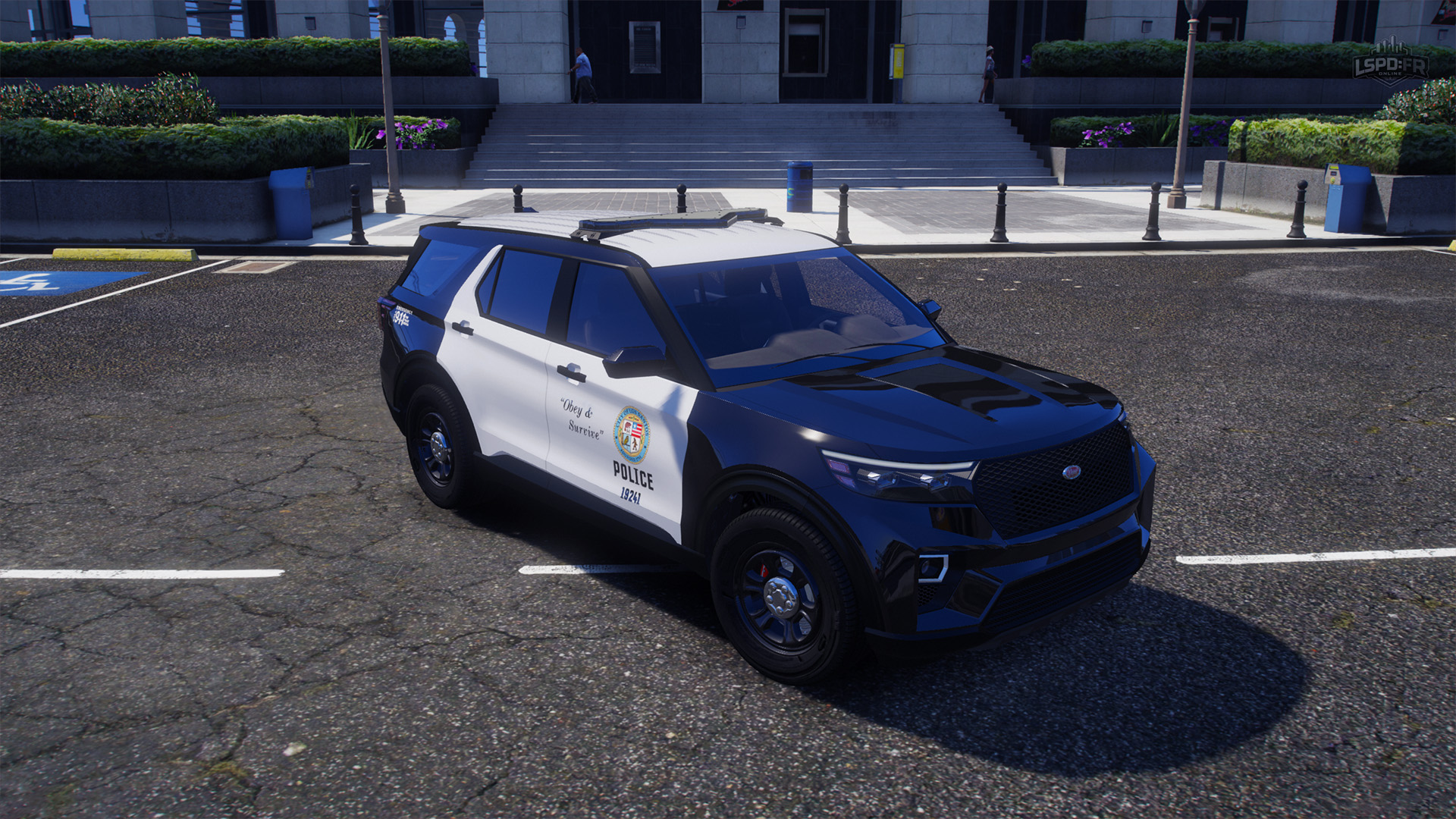
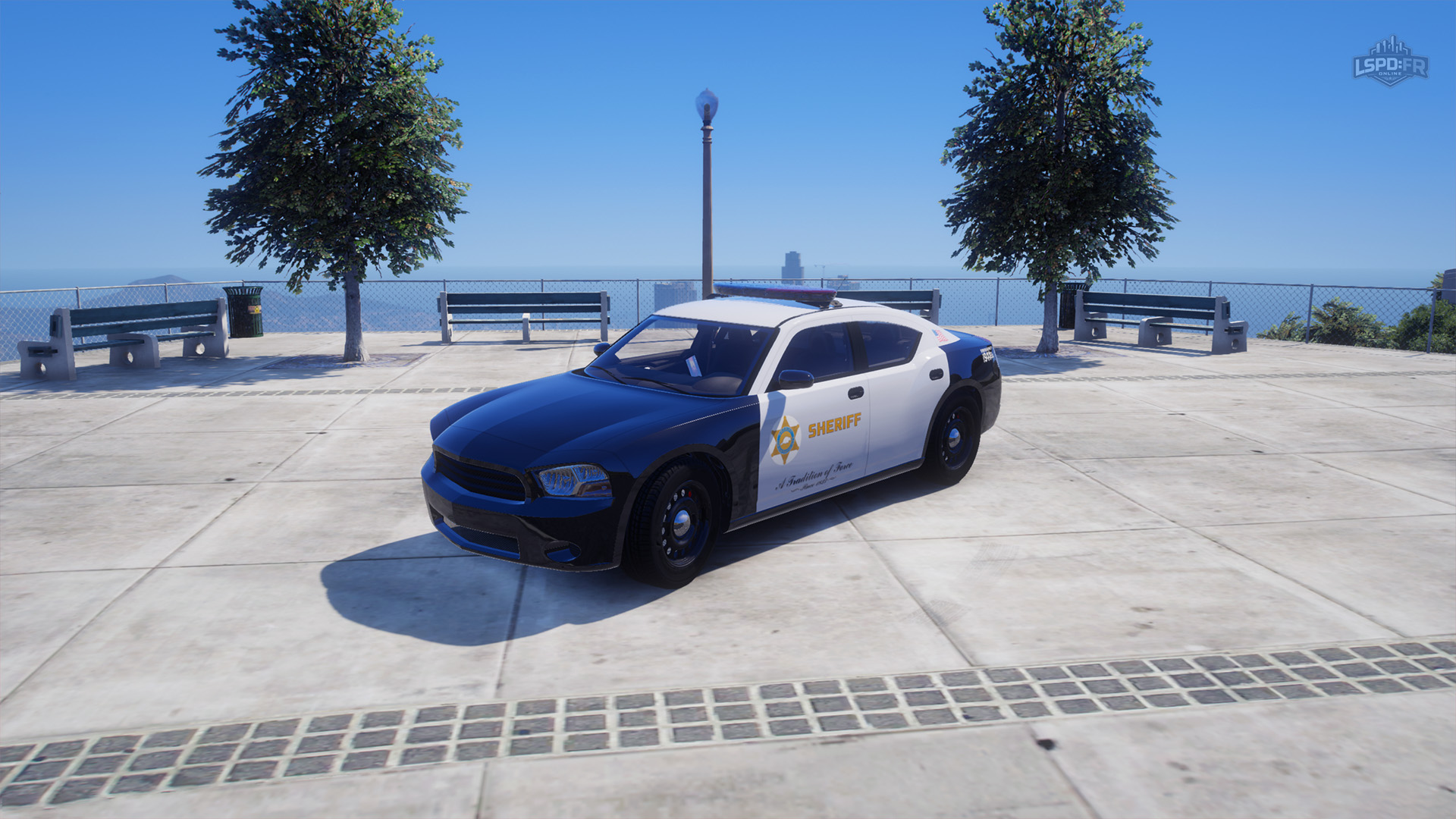
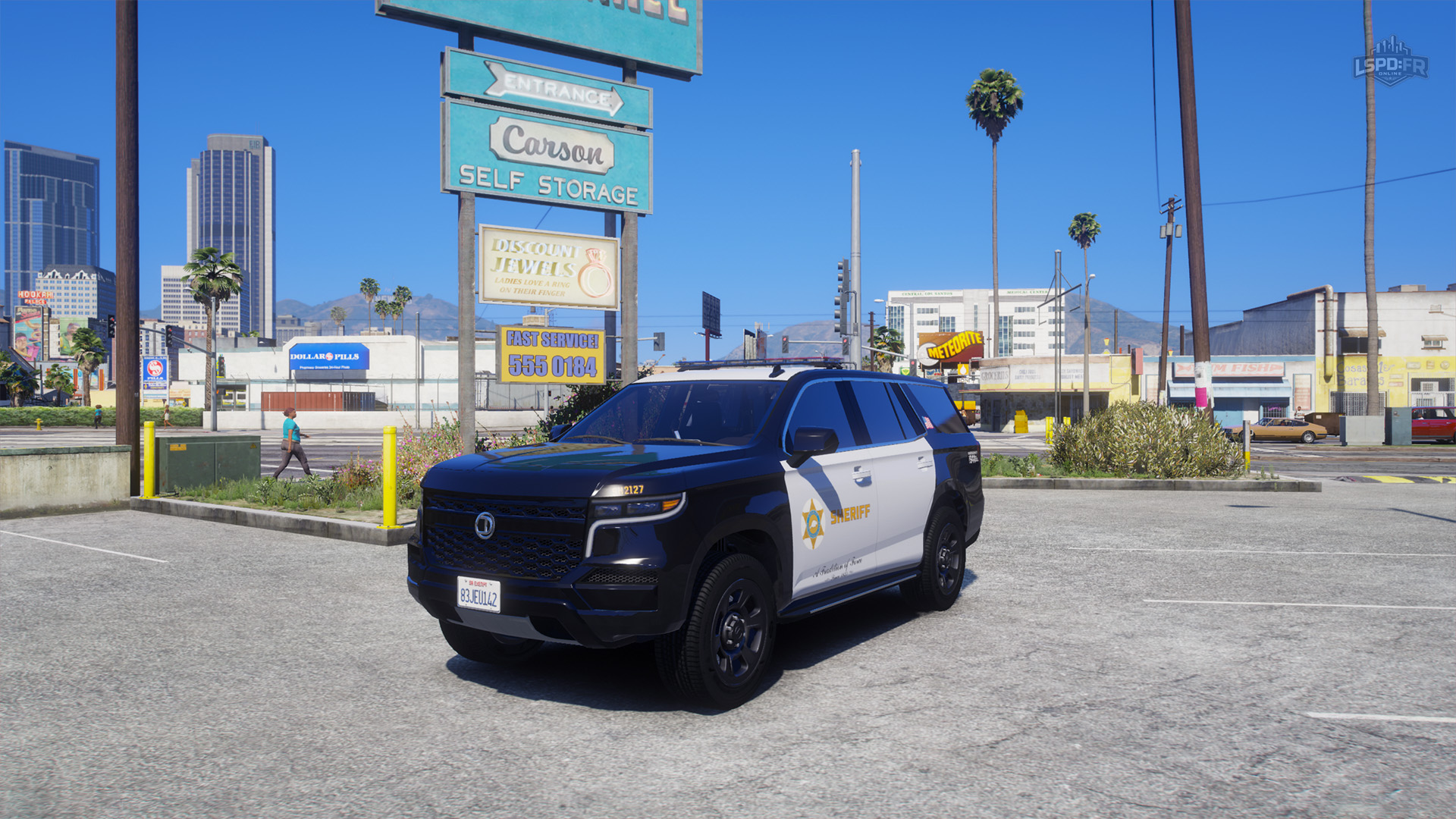
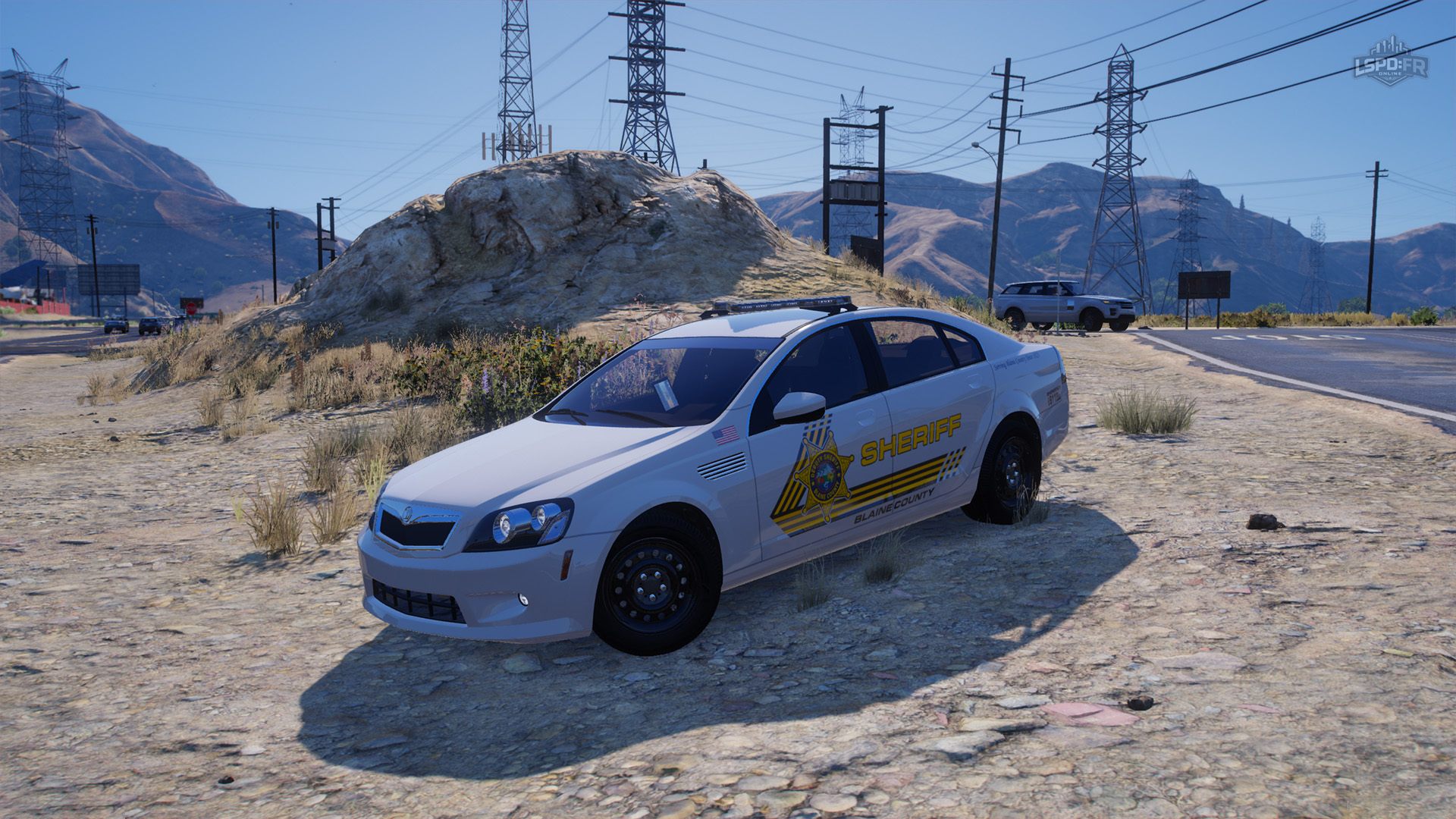
Update 1.3 rolls out an entirely new fleet of lore-friendly vehicles across every department. Each one is modelled on its real California counterpart — complete with matching liveries — while staying true to the game world.
Every department shares a common set of twelve vehicles, with two unique vehicles per department that are more tailored for them. Each vehicle now also features a wide variety of customizations and modifications, and of course, every single one can be configured with ghost or unmarked liveries — the new vehicle experience truly enables you to create unique configurations.
Gameplay & Framework Changes
With the asset overhaul out of the way, it's time to get down into the details of Update 1.3: the gameplay features, framework changes, and quality-of-life improvements that make up the bulk of this update.
We've been hard at work behind the scenes on so many changes that the showcase trailer we previously revealed only scratched the surface and covered a small portion of everything still to come. So strap in — this is going to be a lot to digest!
Advanced AI
AI sits at the core of everything you do in LSPD:FR Online, so it's no surprise it received the single biggest overhaul of this update! Below is a closer look at what's changed and the new capabilities it brings.
AI: Interaction
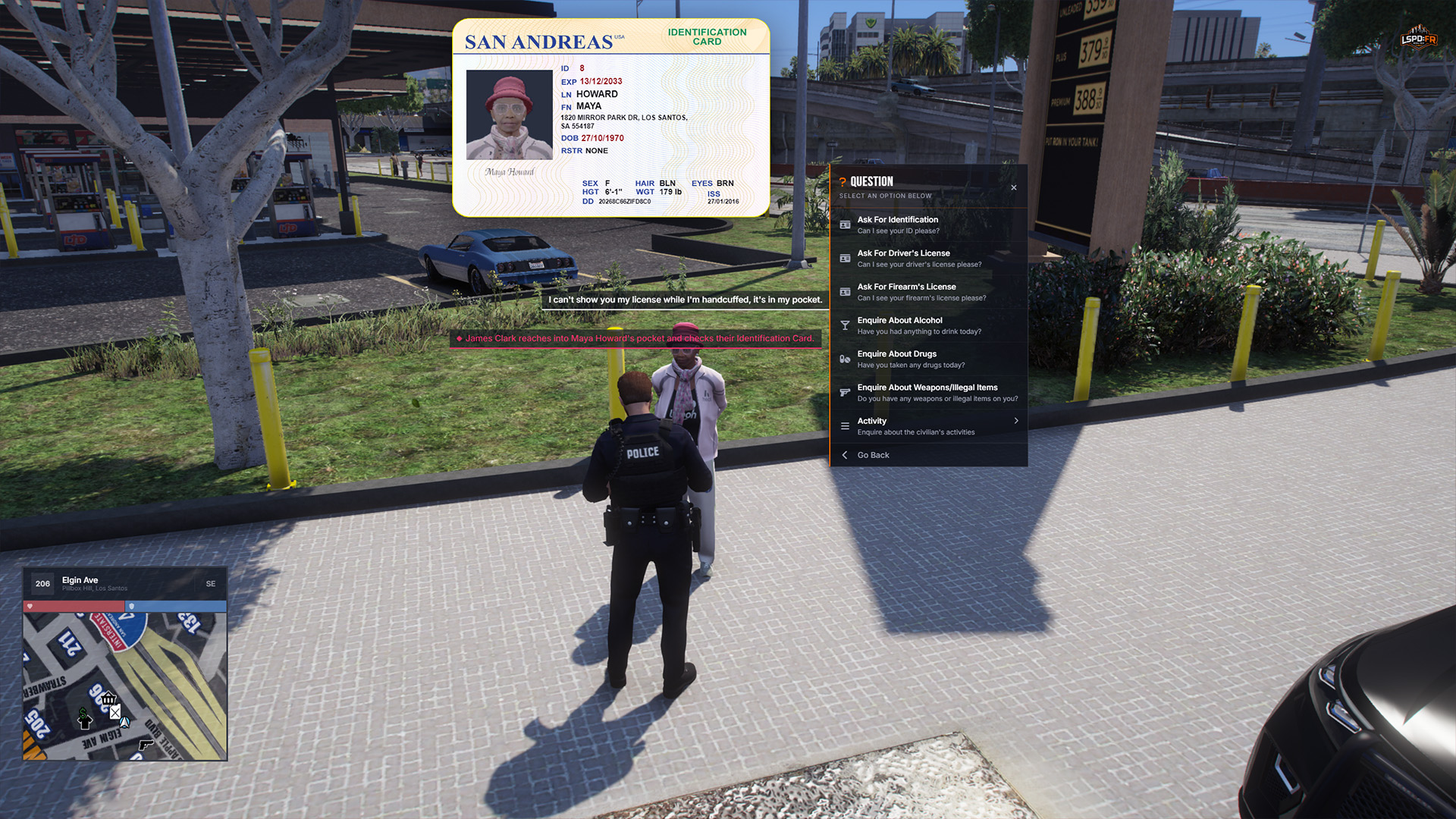
The interactive experience for everything related to AI has been improved: the E Interaction Menu has been completely overhauled with a much more robust, clean and less-intrusive interface as well as being more immersive in the actions you conduct.
AI: Traffic Stops
You can now press Alt + E while looking at the vehicle in front of you to enter Traffic Stop Mode which brings up a panel displaying details of the vehicle you intend to stop, the license plate, and some options to support you in pulling a vehicle over safely to the side of the road.
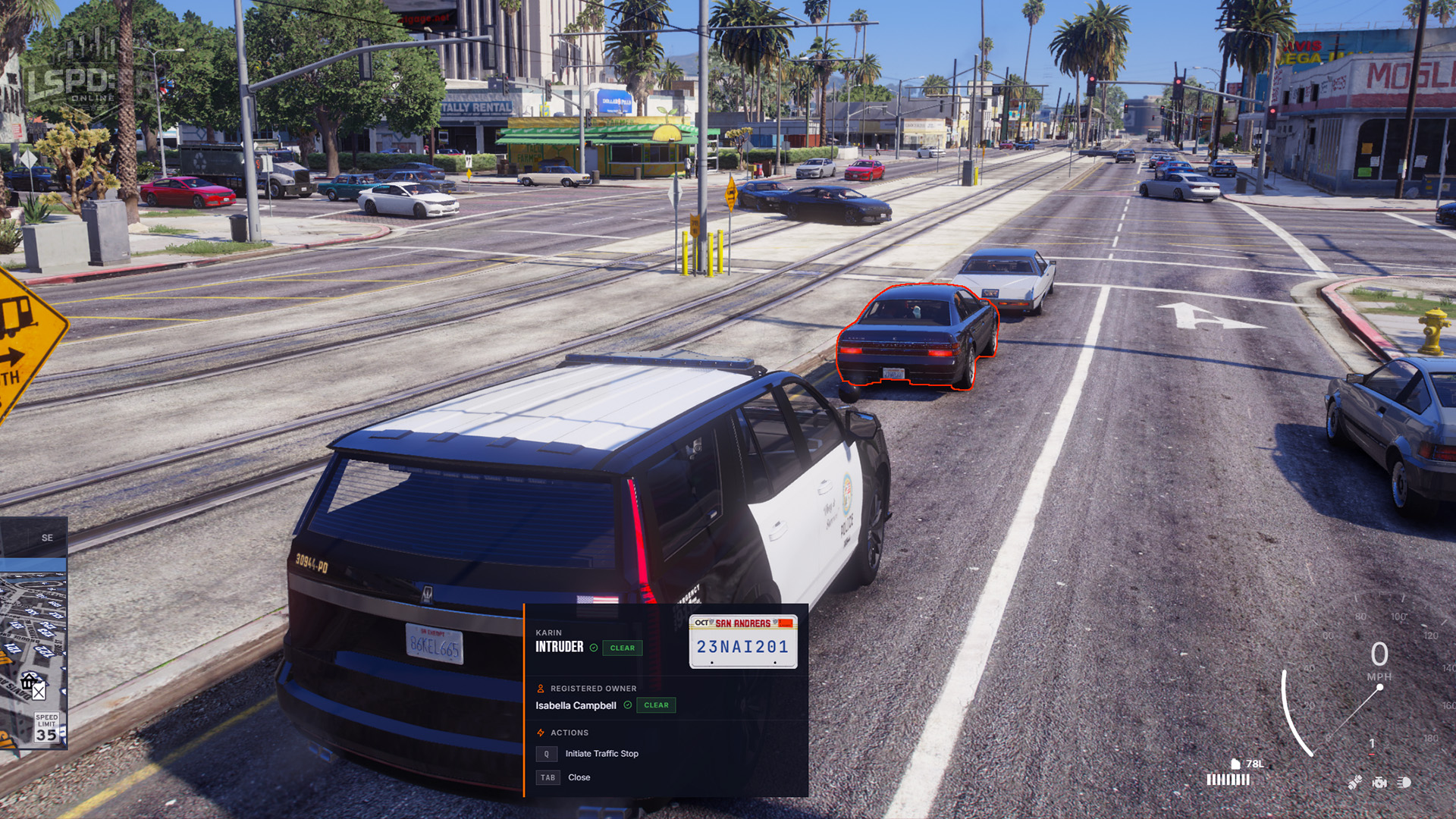
While in traffic stop mode, you can run a quick database lookup of the vehicle's registration plate to get the registered owner, see any vehicle flags (such as being stolen) and be alerted to drivers without a proper license or even outstanding warrants.
When it's time to pull over, switch on your emergency lights and wait for the driver to move to the side. Since the driving behaviour of some NPCs can be unpredictable to say the least, you can use the X key to set a safe pull over destination for the driver to move to and safely come to a stop so as to not interrupt the traffic behind you.
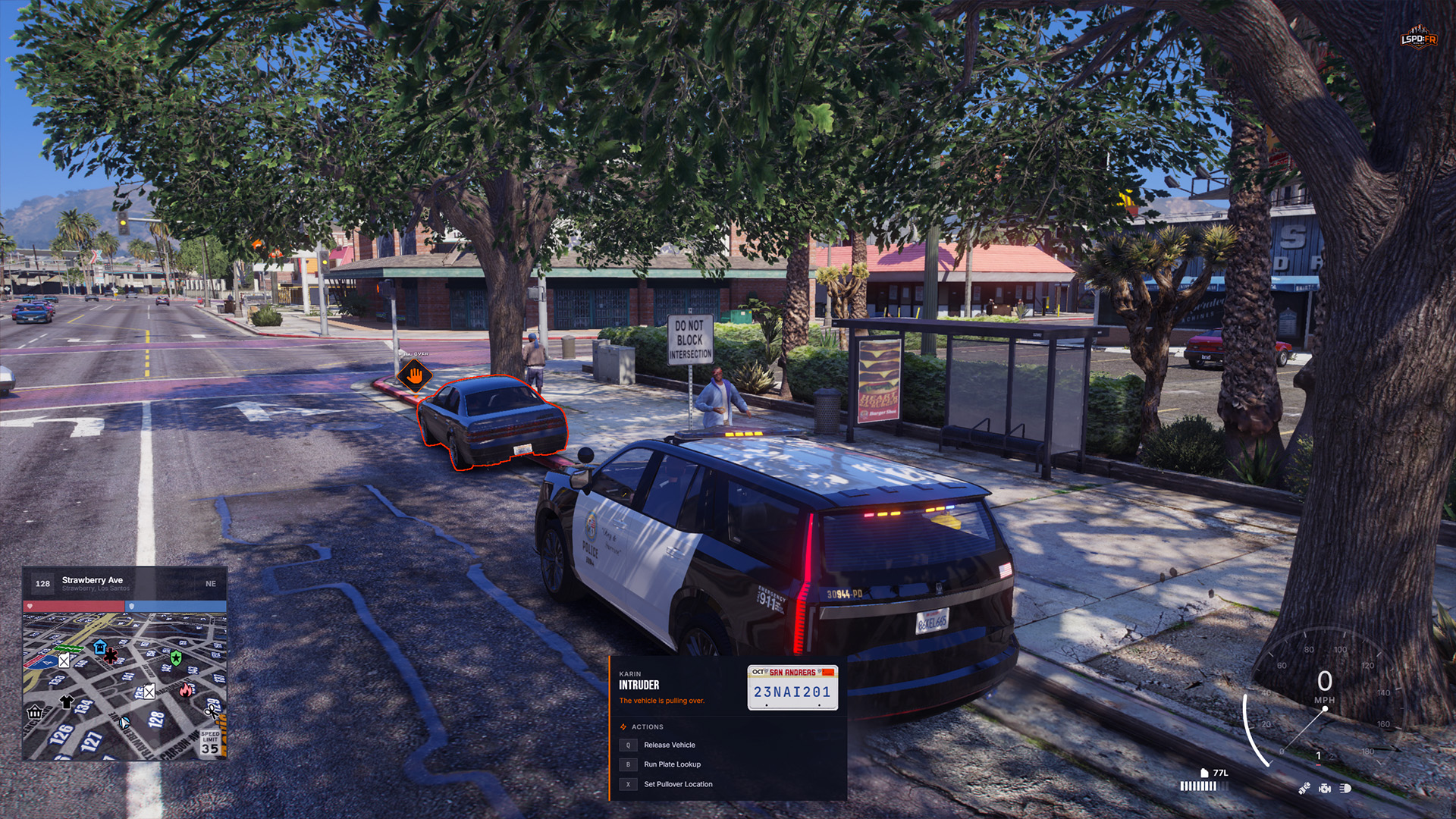
AI: Database Lookup
Once you've come to a stop and obtained the identity of the driver and its occupants, you can run their name through the law enforcement database to learn more about them: this shows you characteristics of their identity such as name, address, date of birth, as well as any flags or alerts that are known to the police such as their driver's license status, whether they hold a firearm's license, or have outstanding warrants.
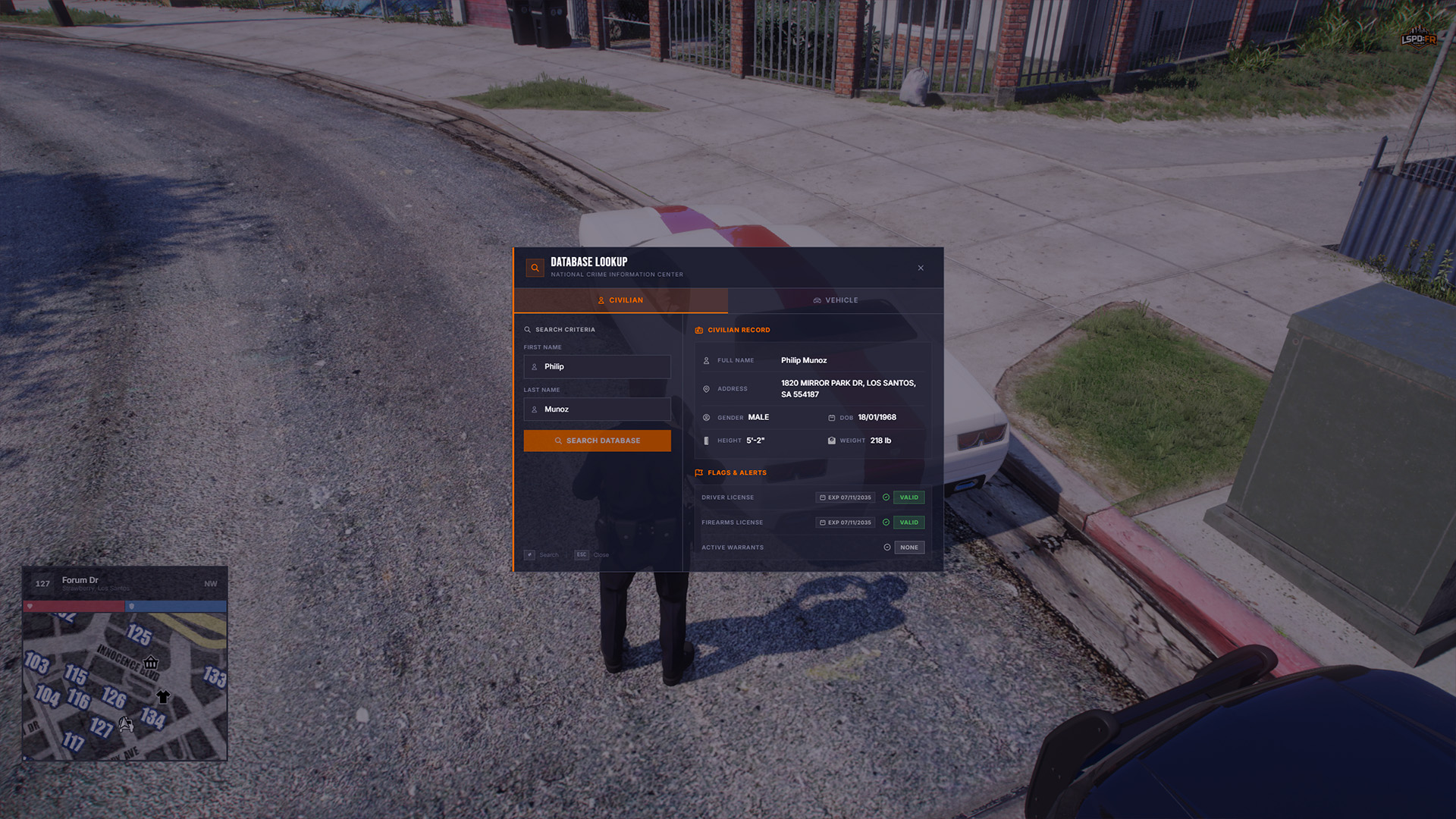
Don't forget to check out the vehicle's registration when conducting traffic stops too, as you might come across a different registered owner than the driver's identity, or the vehicle itself might have been reported stolen.
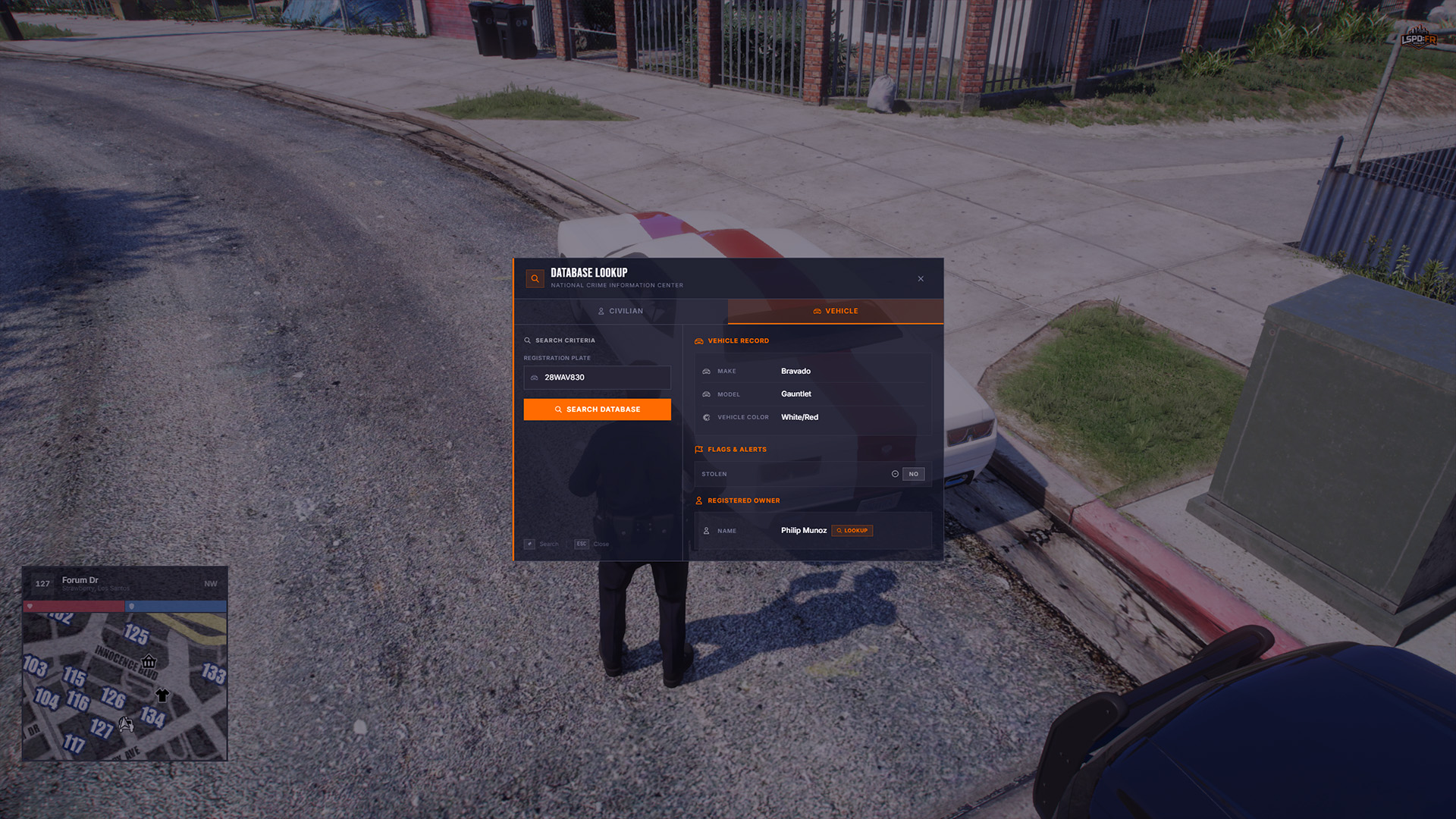
AI: Citations
During your patrols, it is common to come across everyday civilians that have broken the law and are subject to a fine. You can now issue citations through the AI interaction menu to any civilian in the world and choose from a number of misdemeanor crimes to cite them for.
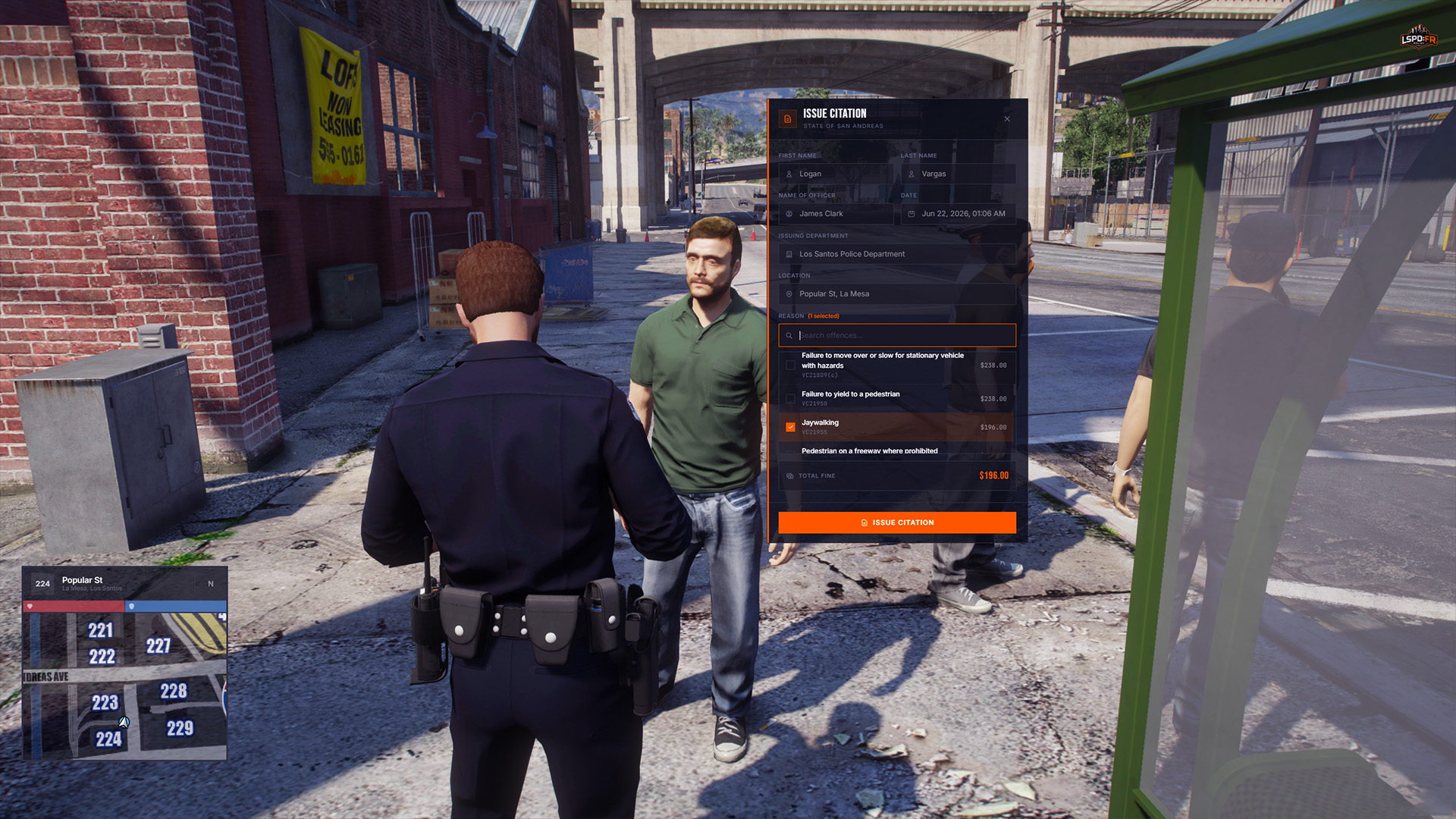
Advanced AI: Overhaul
AI is the heart of the LSPD:FR Online experience. Every civilian on the street and every suspect in a callout is driven by NPC AI, so the way they behave shapes almost everything you do. We'd been running the same AI system since day one, and its age was starting to show: behaviour felt repetitive, interactions were clunky, and the AI rarely reacted to what was actually happening around them.
Fixing this was the single biggest challenge of the update. Most of the work is behind the scenes — a brand-new framework you won't see directly — but it dramatically improves how AI behave and how you interact with them.
Every NPC now runs on an advanced AI "brain" with its own personality, awareness of its surroundings, and an understanding of the current situation (such as a callout). Because of this, no two encounters play out the same way. Some law-abiding citizens will happily follow your orders, others are indifferent and could go either way depending on how you treat them, and some want nothing to do with the police at all — don't be surprised if a few tell you to "go **** yourself!"
This also carries straight into callouts: suspects now understand when they've done something wrong and react accordingly — you can no longer just aim at someone and press E to force a surrender. If the crime is serious, or they reckon they can outrun (or outgun) you, they'll try it. You'll need to read each situation and work closely with other responders on your call! Suspects are far less likely to fight or flee when they're surrounded and outnumbered.
Interaction
This update introduces the new Up Arrow Action Menu in the place of the old M LEO Menu and Alt Interaction Menu interfaces which have now been removed. We've heard your feedback regarding interaction and how it can be difficult at times to work your way through such menus, especially in fast-paced situations, where holding Alt and trying to select the right action just isn't quick enough and not very intuitive for new players.
Interaction: Action Menu
For other long-lived actions that were previously available on the Alt menu such as radio, we're introducing the new Up Arrow Action Menu which slides into view at the center-bottom of your screen and can be navigated with the Left Arrow and Right Arrow keys effortlessly without ever having to use your mouse:
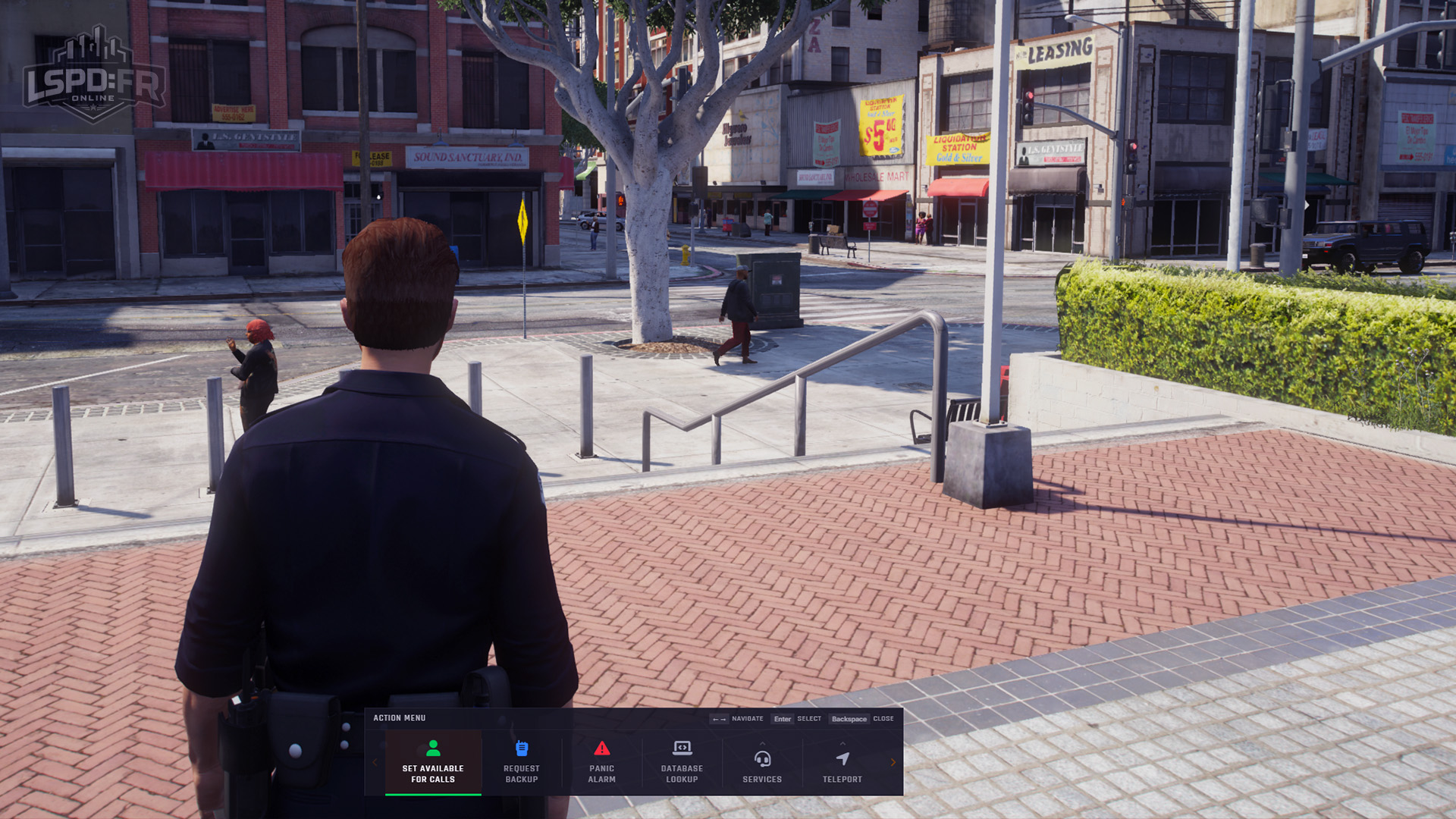
The action menu aims to be much more intuitive to use based on its simplicity, allowing you to trigger actions (such as calling for backup) in as few keystrokes as possible — in the same manner you would have used a phone in GTA:V singleplayer, navigation via arrow keys makes it easy to use even whilst driving in high-speed pursuits.
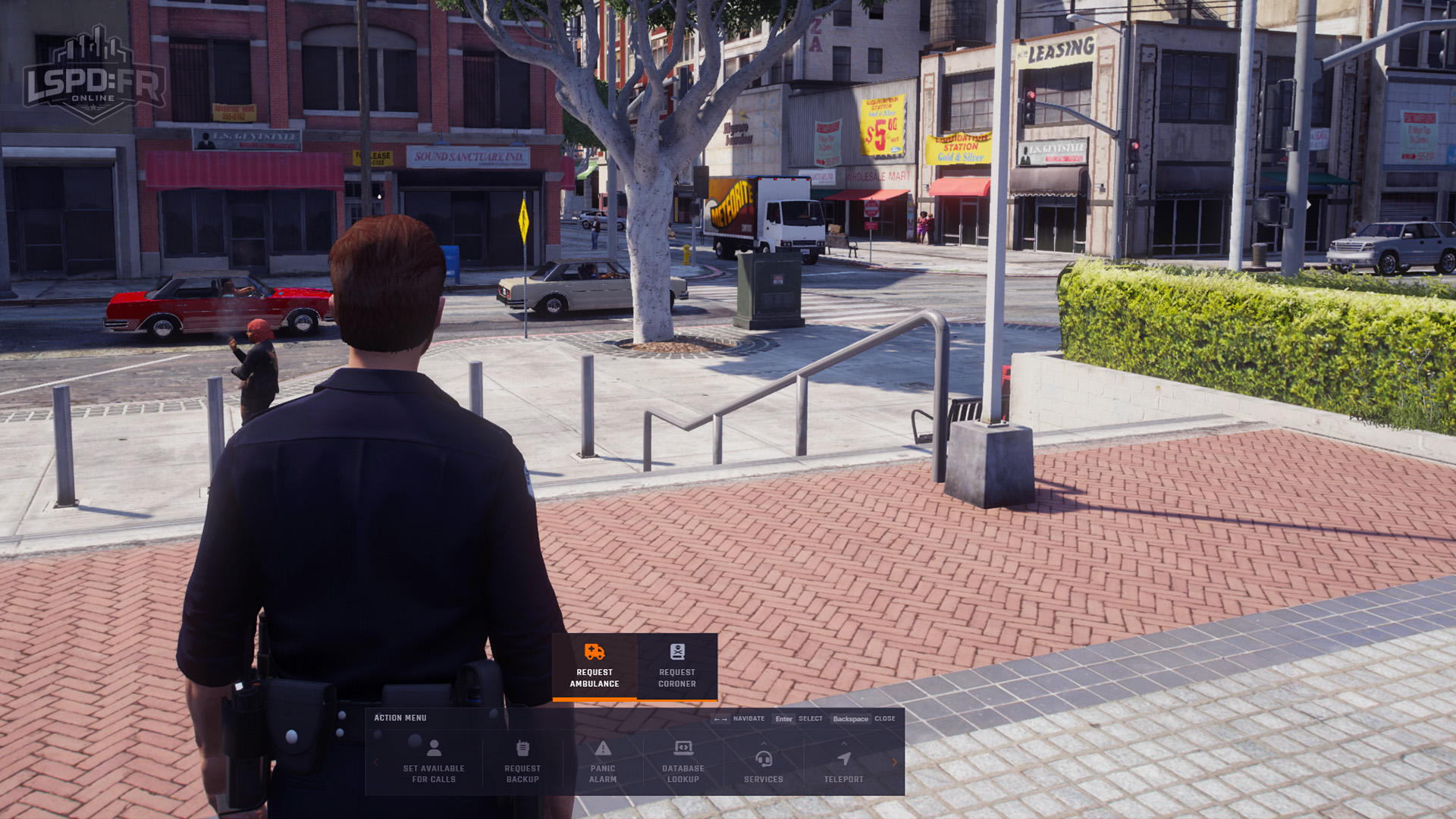
The action menu will continue to grow and expand with more helpful options as they become available in future updates.
Interaction: 3D Interaction
Rather than holding the interaction key and aiming the center reticle at a target, we've significantly improved the interactive experience and are introducing a new 3D world interaction system that brings simple, contextual, and easy to use interaction capabilities to everything around you.
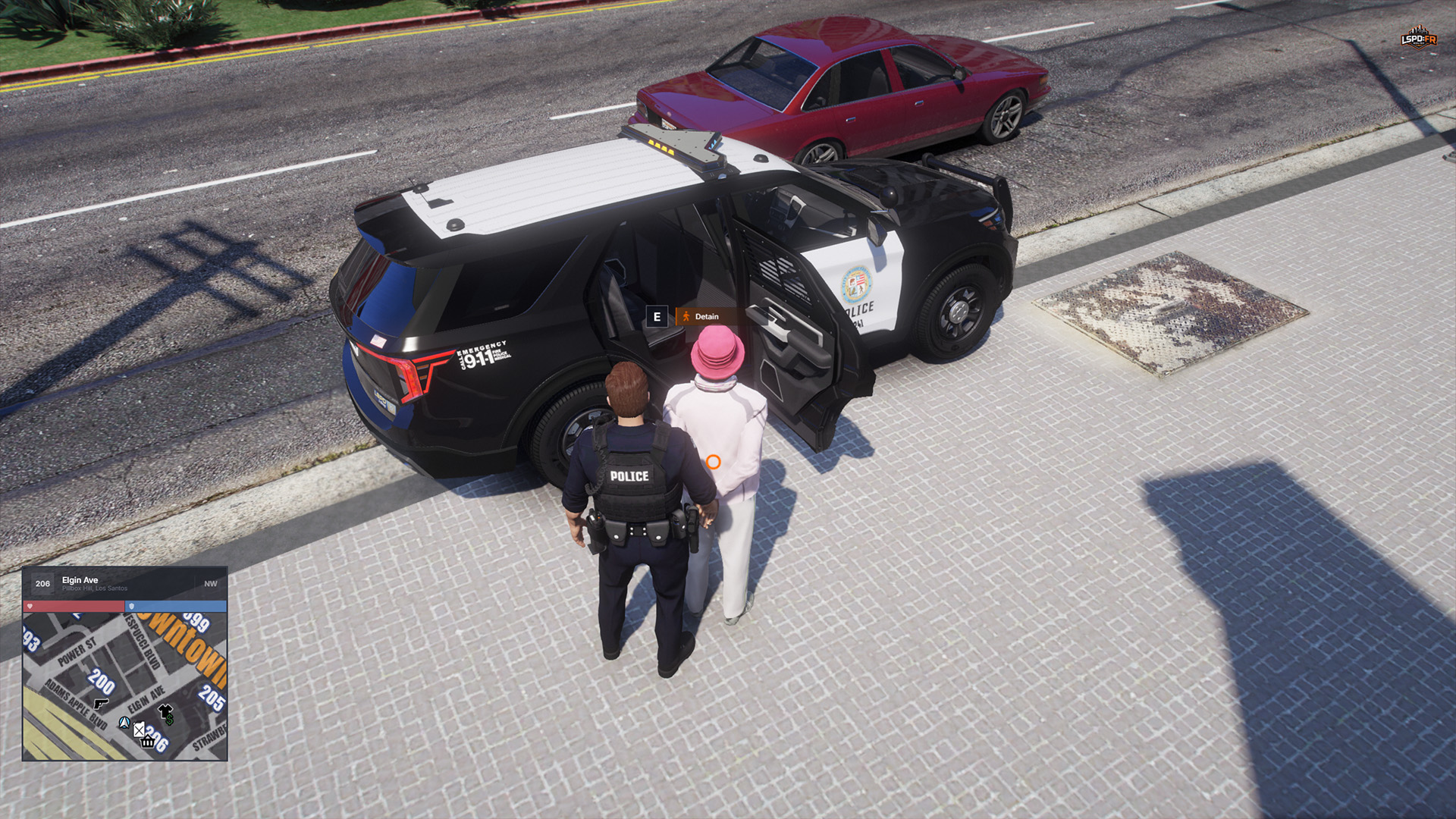
As you move around the world, you'll be prompted with interaction points on AI, vehicles, and objects, in places where it makes sense and is easily accessible. The options come and go as necessary so you can focus on doing what you need to without having to think twice.
Station Experience
We've reimagined the entire experience of deploying from a station — from the wardrobe to the armoury and all the way through to the garage. The time you spend inside a station is an important part of getting ready for your shift, especially for players just coming in, so we've gone to great lengths to make every part of it cleaner, clearer, and a lot more enjoyable to use.
Finding your way around your department's stations has also been improved, with Station Navigation now available (accessible in the new Action Menu) in every single one across all departments.
On top of that, every one of these interfaces — the wardrobe, the armoury, and the garage — now remembers what you last equipped. The next time you deploy, you can instantly re-equip your previous loadout and get back out on patrol much sooner without having to set up your personalized equipment again.
Station Experience: Wardrobe
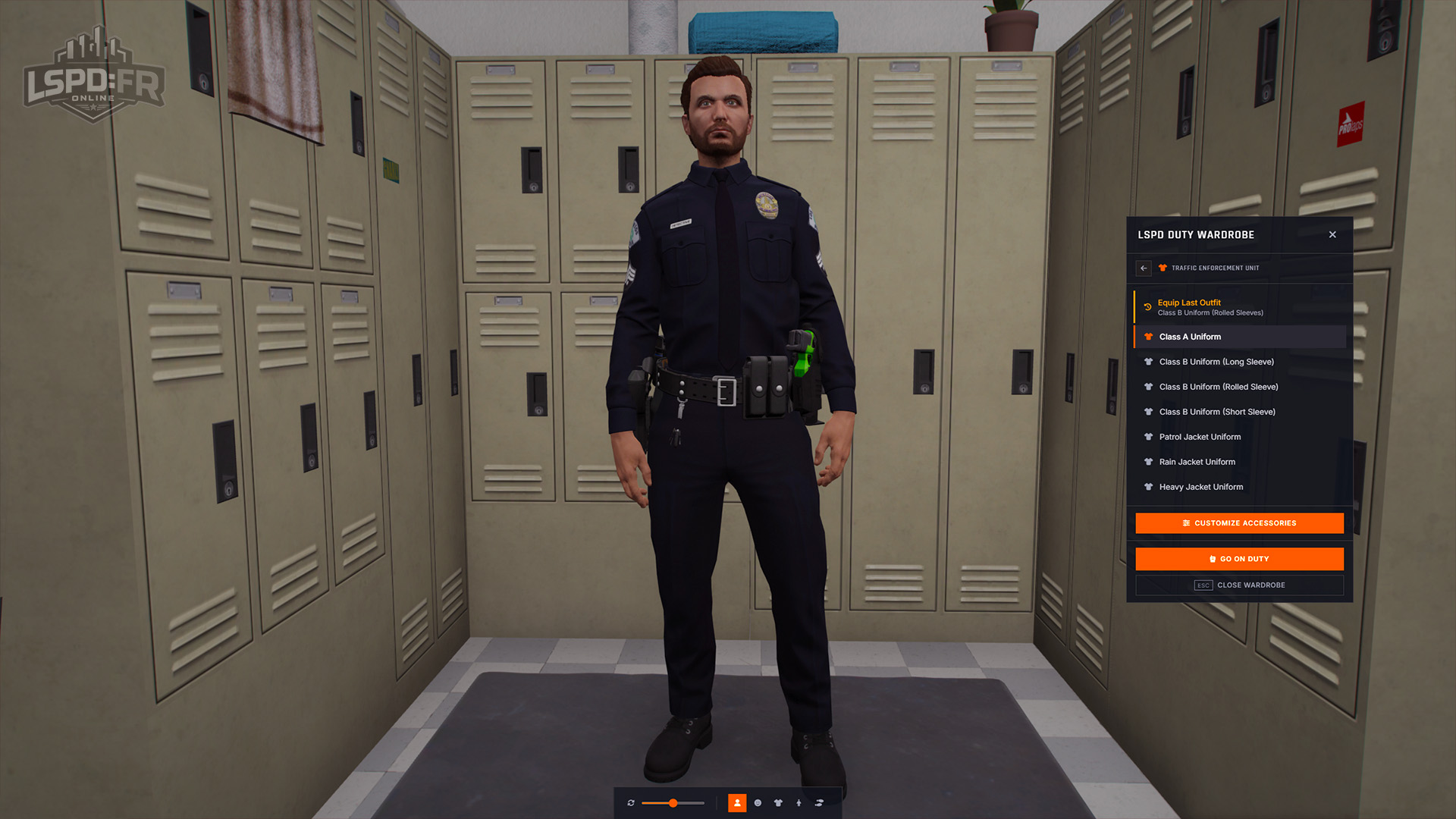
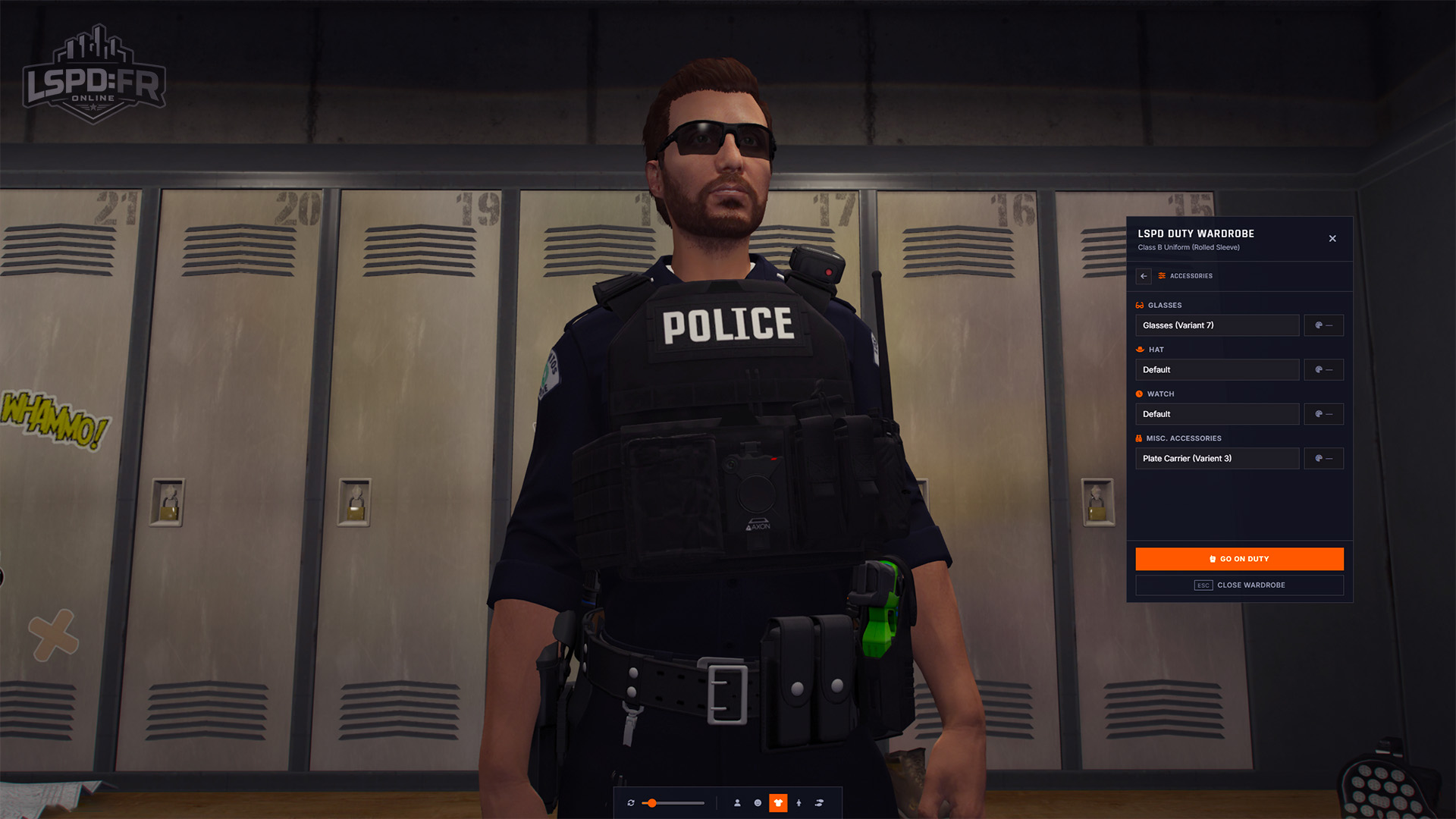
The wardrobe has been completely refined into a clean menu that matches the rest of our UI styles. It now clearly outlines every outfit available to you and breaks them out into the individual packs you own, so it's far easier to see exactly which outfits belong to which divisions.
Seeing your changes is easier too — you can freely rotate your ped and zoom in on different parts of your character to get a proper look at every detail before you head on your way. We've also improved wardrobe accessories, letting you pick from a much wider variety of available options, giving you total freedom to maximize your appearance with all of our new uniform and accessories.
Station Experience: Armoury
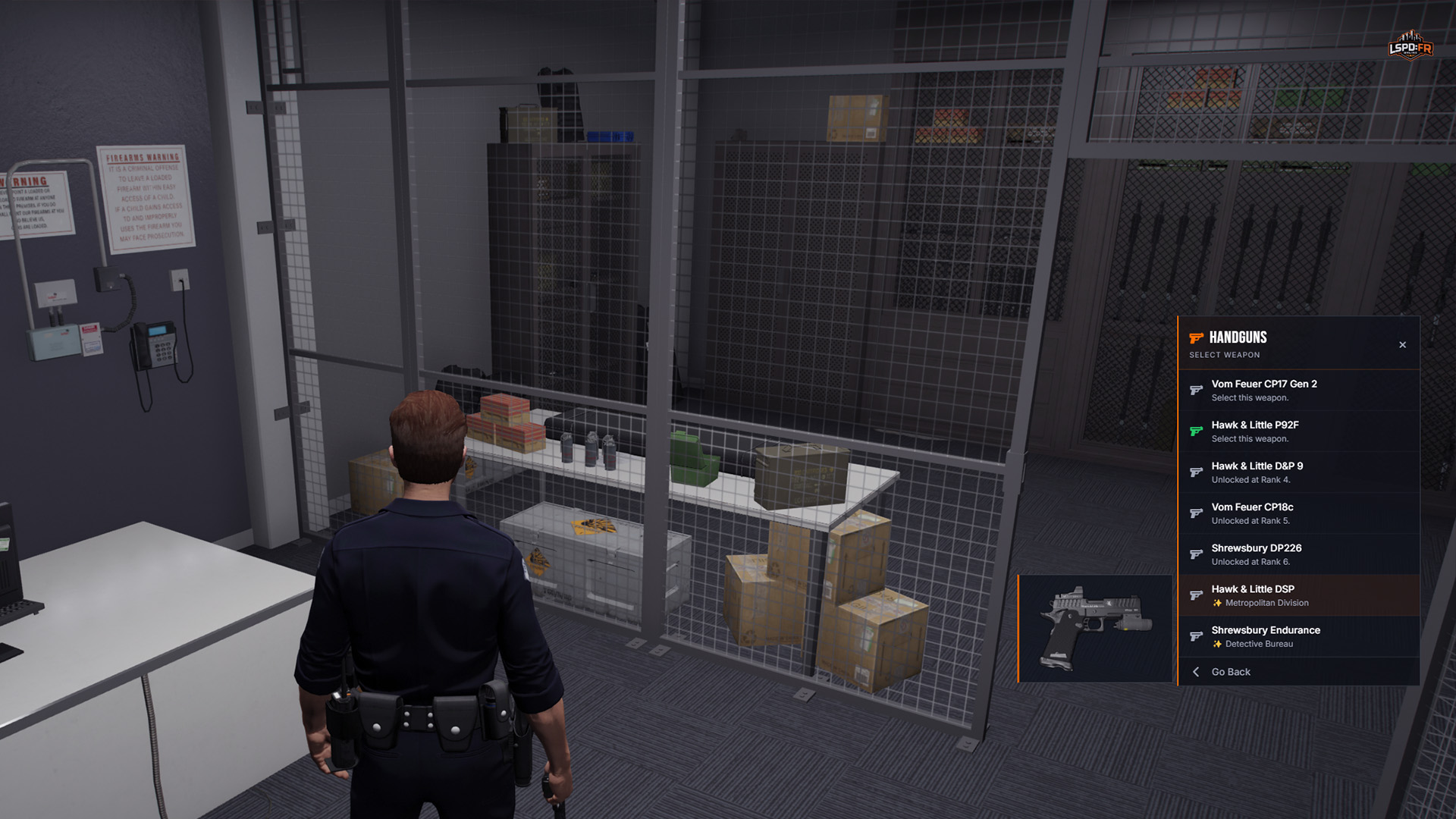
The armoury has also been refreshed into a much nicer interface that displays all of the weapons available to you, each with an image previewing the actual firearm itself. The whole experience has been improved to make it easier to see what weapons you've unlocked, at what rank they become available, or which packgs they belong to.
Station Experience: Garage
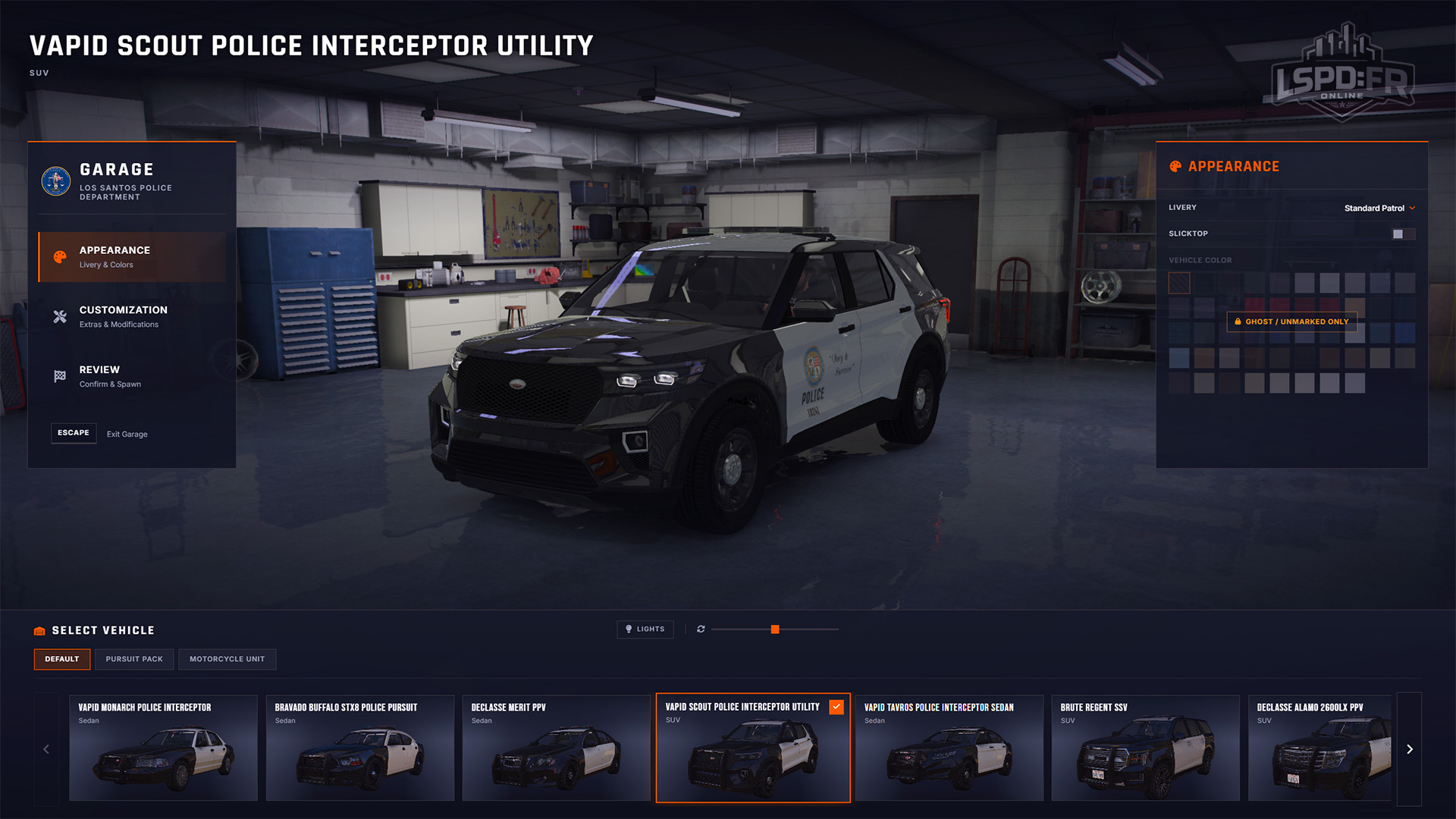
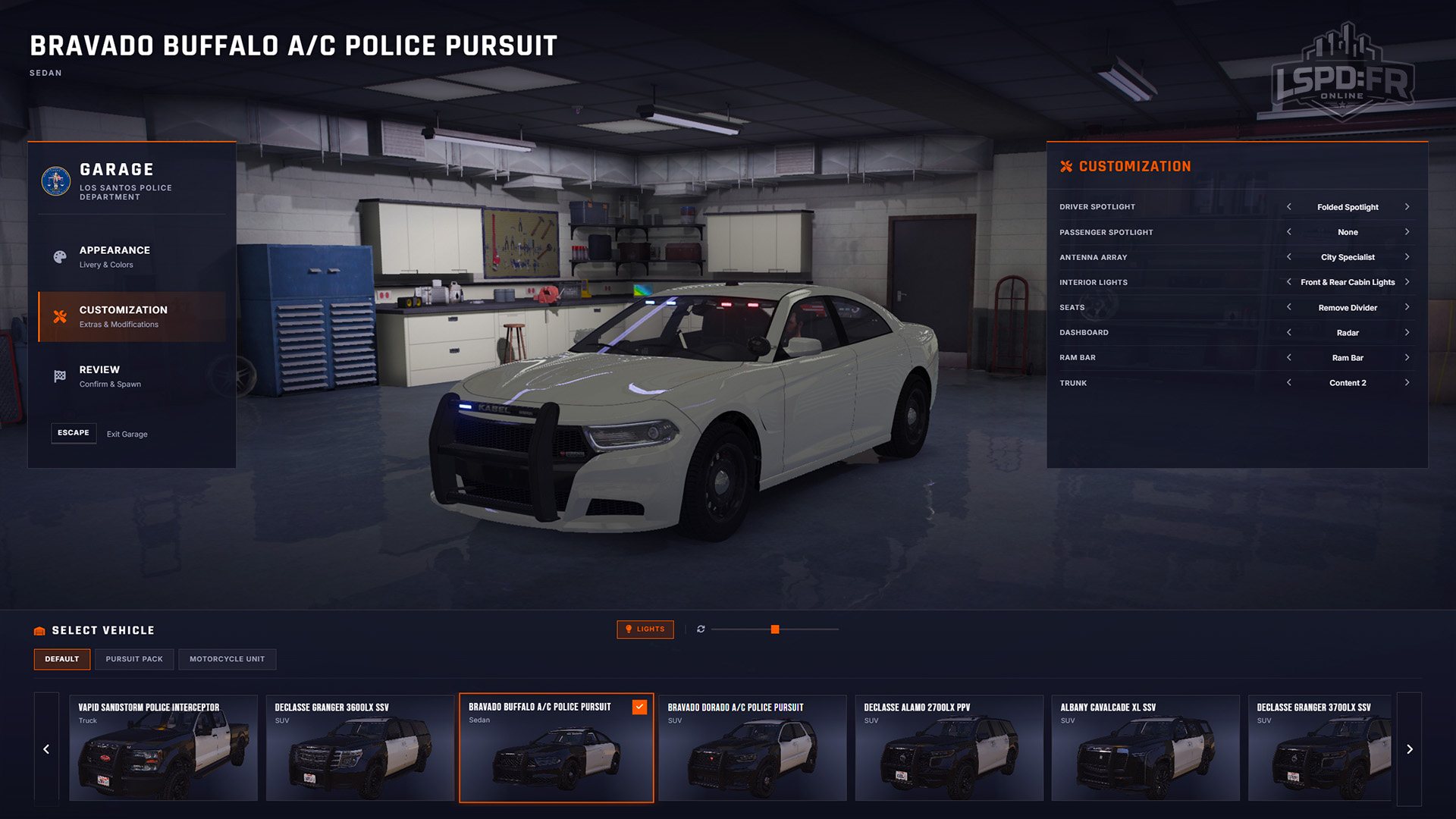
This is the one we're most excited about! We've completely reimagined how the Vehicle Garage works, turning it into a far more interactive and engaging experience that showcases all of the vehicles you have access to.
It also brings a much richer vehicle customization experience. You can choose from a wide range of modifications around the vehicle, and, the camera moves around to follow whatever you're changing — every customization is reflected live on the vehicle.
The vehicle customization extends support for the Unmarked Pack, only surfacing options when they're actually available to you. For instance, players with the Unmarked Pack can add interior lights — but only when there isn't already a light bar mounted above, which keeps things sensible.
HUD
The look and feel of your heads-up-display (HUD) have also received a touch up in order to unify the interface design and better align with our design system. This update removes the ability to customize your HUD via the legacy F4 HUD Settings menu and instead implements a simple yet modern HUD, displaying only what is important and relevant on the screen at all times.
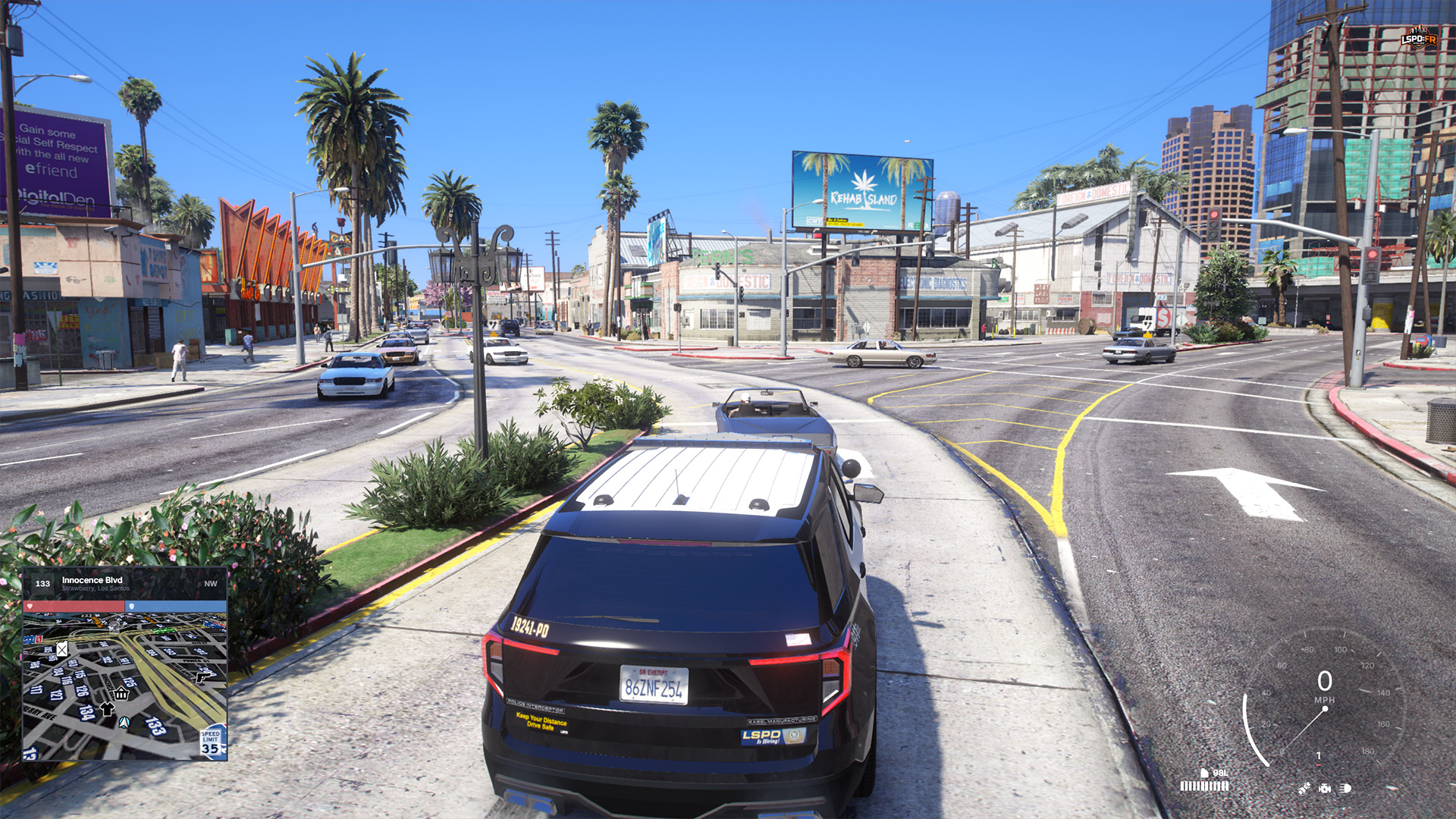
- Top-right: You will immediately notice the top-right of the screen no longer permanently displays the time, your player ID, player count, or rank information: we felt this was unnecessary clutter that doesn't belong permanently on display; you can still find all of this information elsewhere such as the F3 Scoreboard or the Esc Pause Menu instead.
- Minimap (Bottom Left): The bottom-left has also been simplified to create a unified display of your most relevant information: location, health, armour, and the minimap. You can now also find the speed limit of the local roads within the minimap itself.
- Speedometer (Bottom Right): The speedometer has been simplified to a much cleaner style of a modern car dashboard, displaying the vehicle's status and fuel level at a glance. For players that prefer a less intrusive speedometer, we're also providing a much simpler speedometer display that you can switch to at any time in the Settings menu.
Pause Menu & Settings
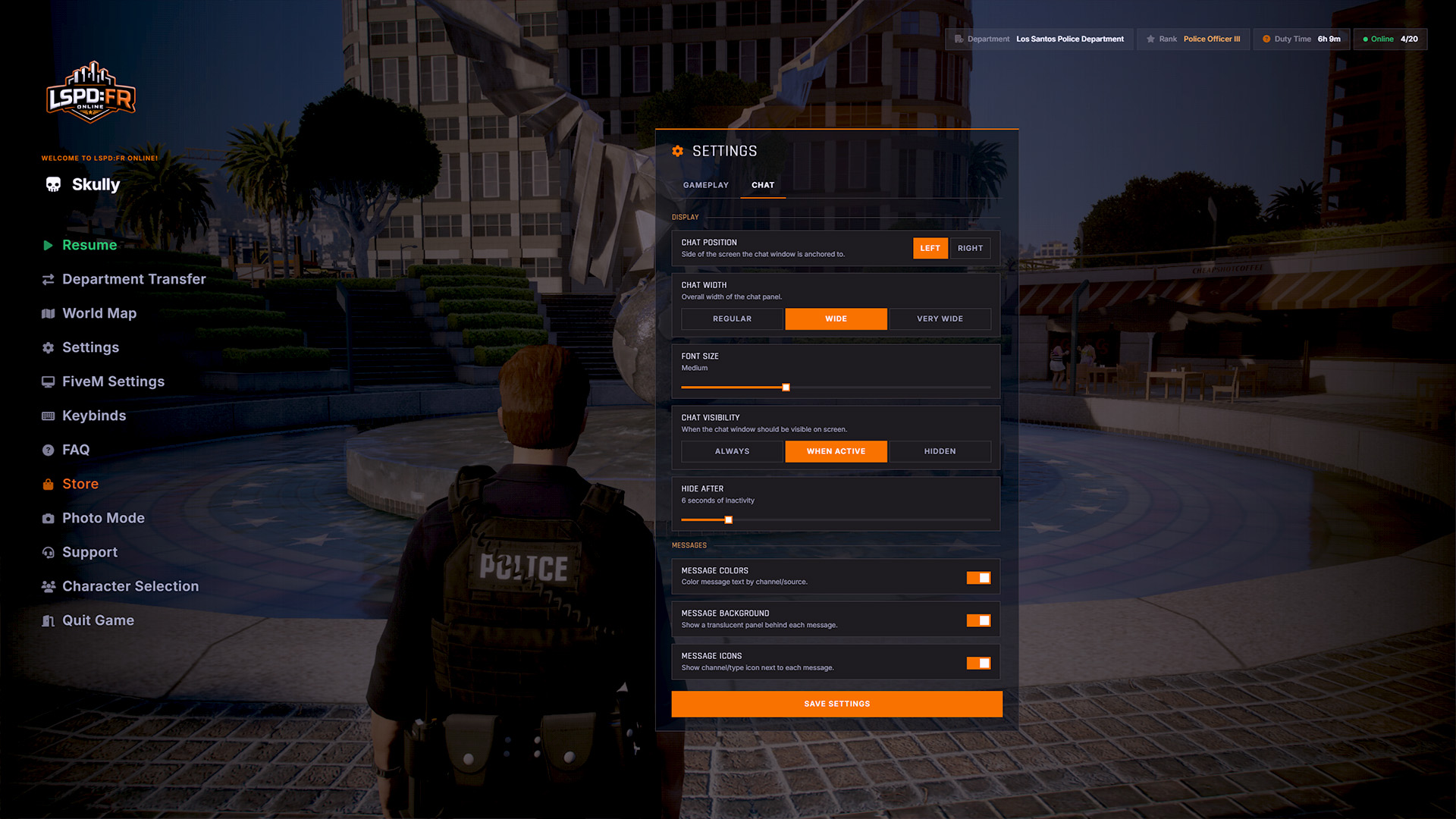
The Esc Pause Menu has received a new fresh coat of paint too with subtle adjustments to its style and visual representation, making it unified with the rest of our interfaces. This update also introduces a new Settings menu that allows players to customize various aspects of the LSPD:FRO experience such as certain sounds and interfaces.
The settings panel will continue to expand and have more customizable options available for players in future updates.
Roadblocks
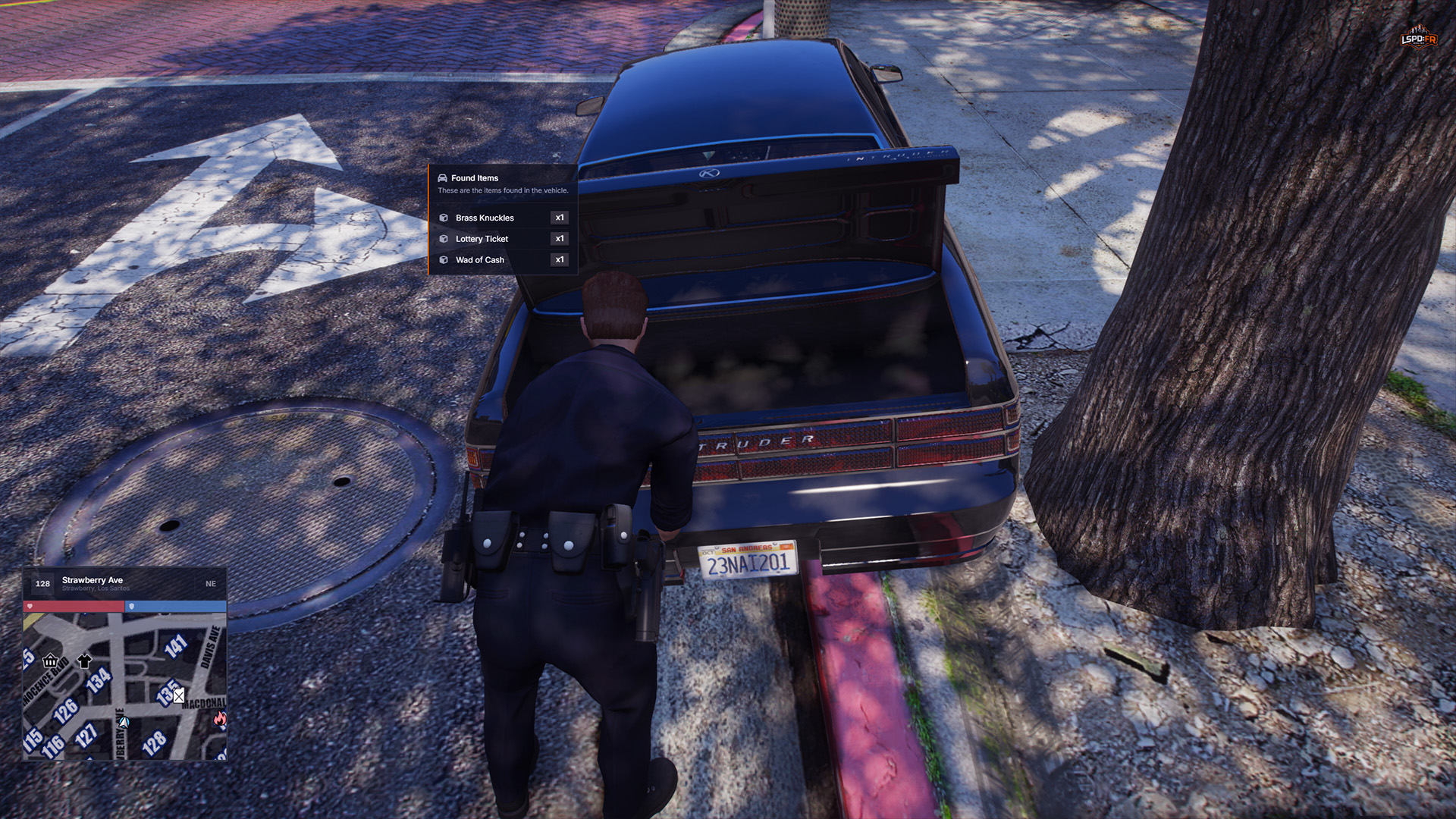
Gone is the experience of having to use commands such as /rb or /delrb to make use of roadblocks! As you might have previously seen in our 1.3 Update Showcase video, you can now obtain roadblocks directly from the trunk of your cruiser and carry them to their destination.
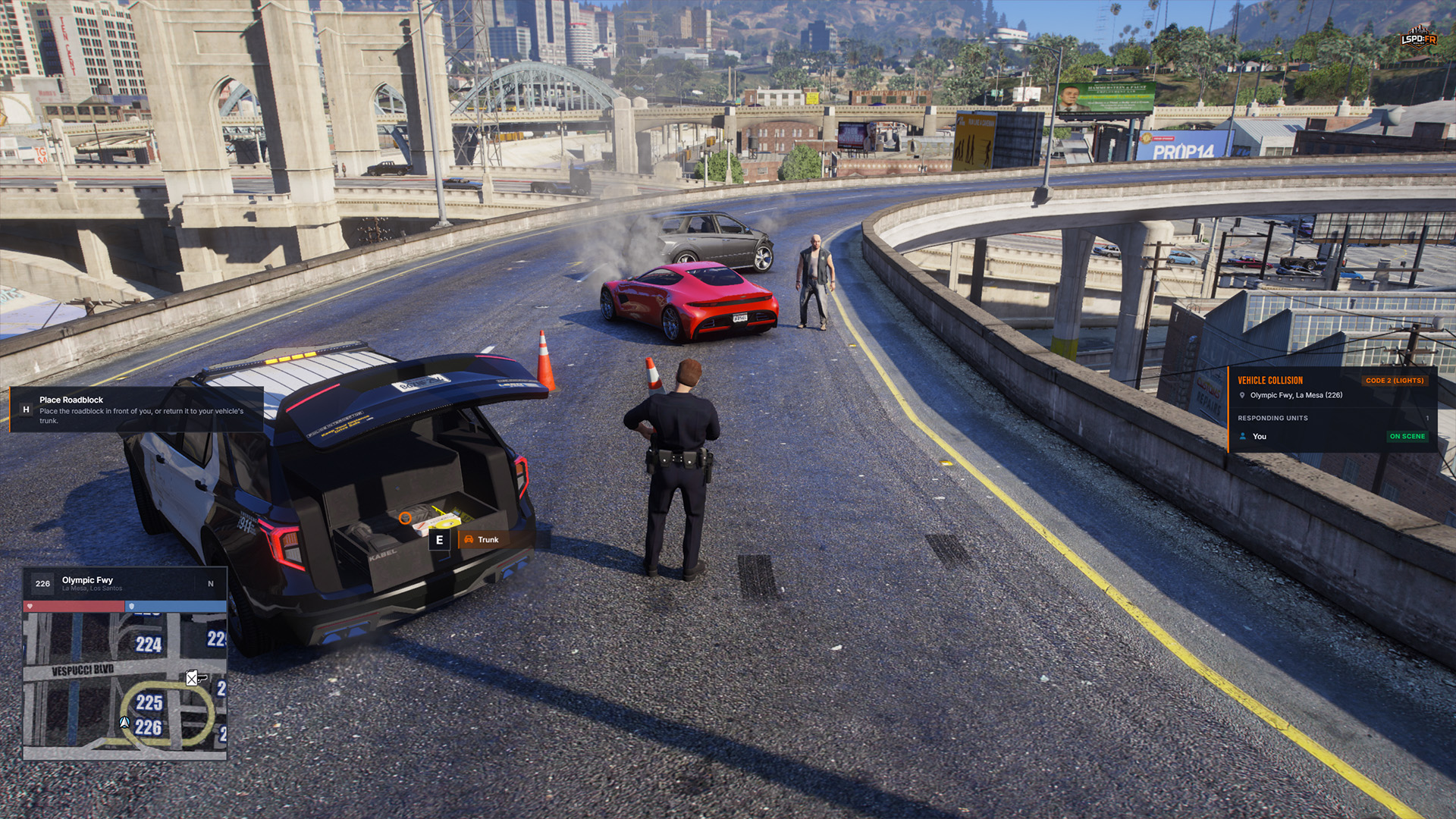
Don't forget to return your cones and barriers back into the trunk of your cruiser when you're done! Each player can only place a certain number of roadblocks at a time so if you leave them behind, you won't be able to grab another until you clean up after yourself!
Weapon Selector
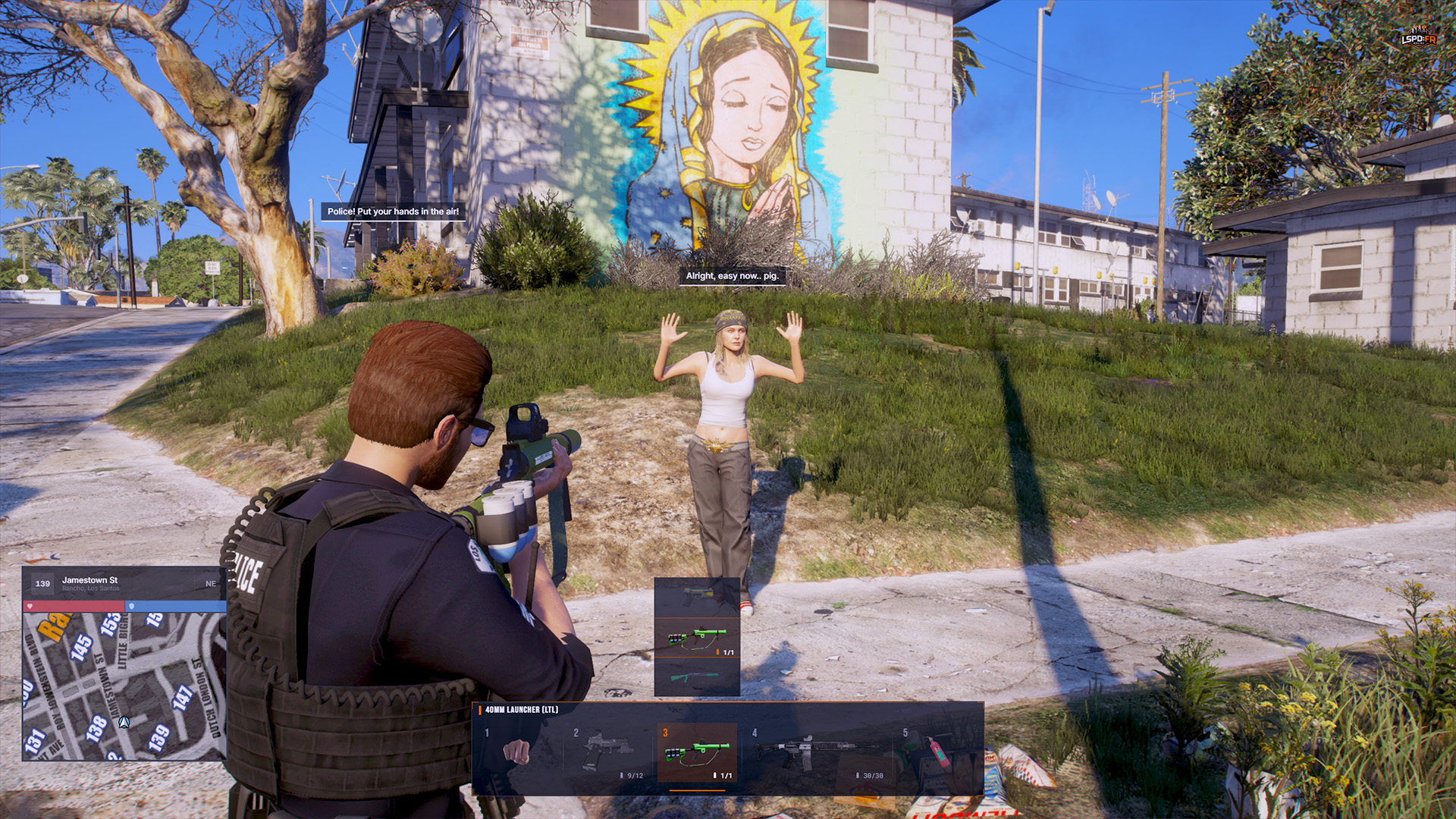
This update introduces a new Tab Weapon Selector that brings up a hot bar from the center-bottom of your screen and displays five weapon slots for you to quickly switch between. Each slot can also be accessed directly to equip the last used item in the slot via number keys:
- 1 Unarmed: Switches to your fists and unequips any weapon in your hand
- 2 Pistols: Service handgun
- 3 Less-than-Lethal (LTL): Carries your less-than-lethal equipment such as your Tazer or Beanbag Shotgun
- 4 Rifles/Shotguns: Two-handed rifles and shotguns
- 5 Equipment: All utility equipment and tools such as your Nightstick, Flashlight, Fire Extinguisher, etc.
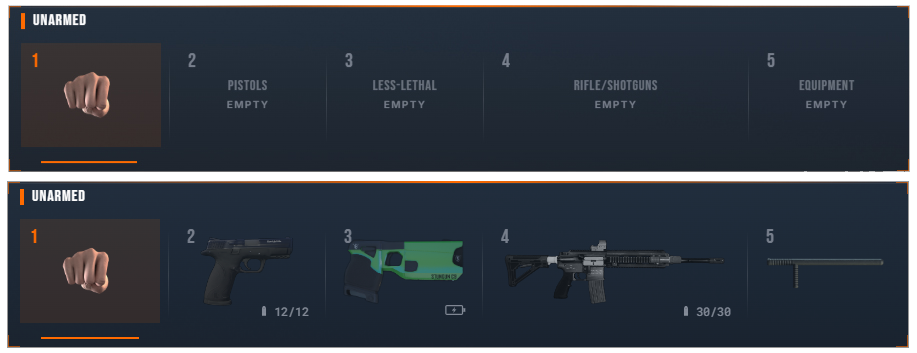
If you have more than one weapon in a slot, hold that slot's number key (e.g. 2 for pistols) and use the Mouse Scroll Wheel to cycle between each available weapon in that slot.
Weapons Overhaul
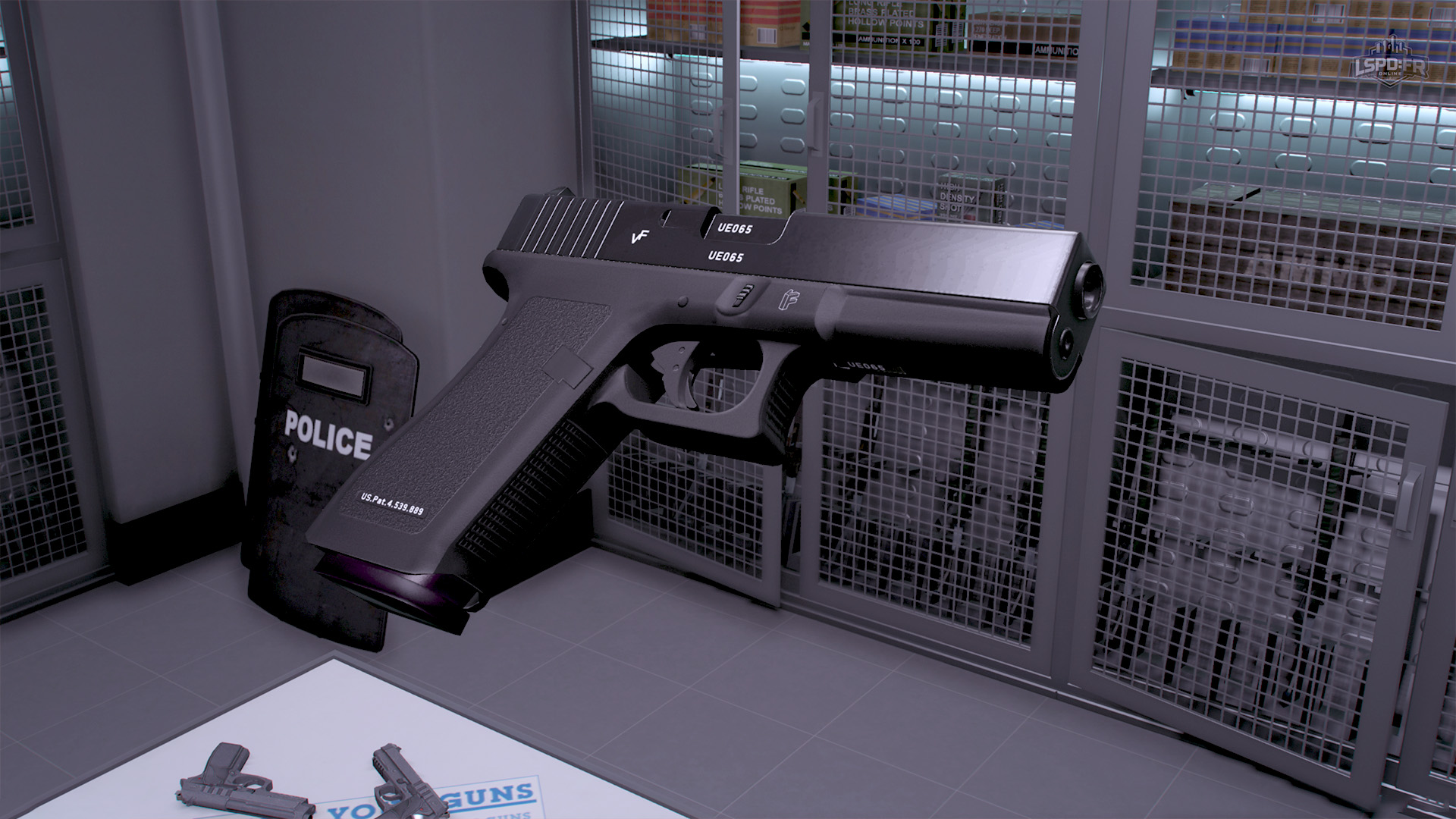
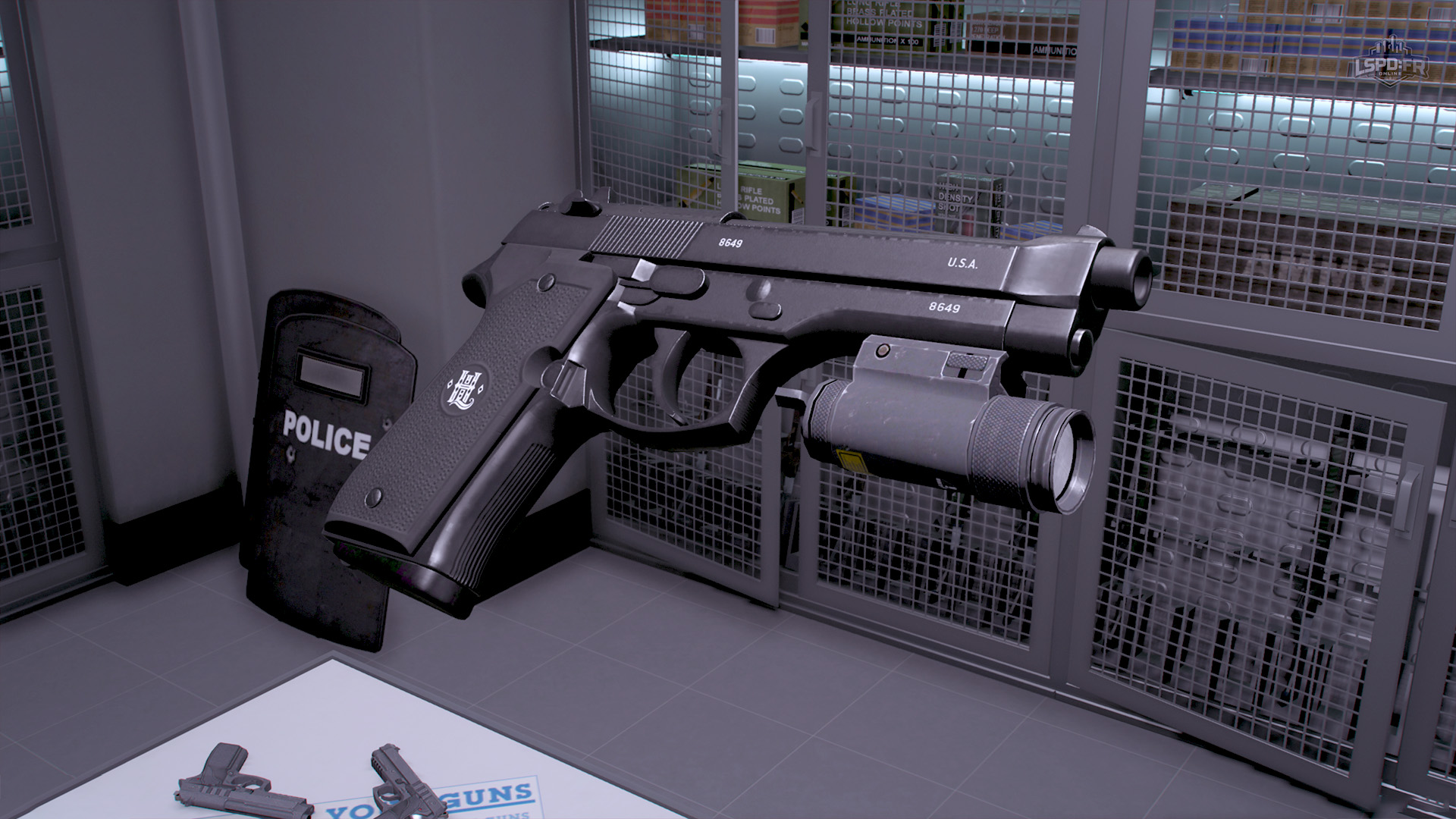
We're far from done yet with our asset overhaul! Next up, we have a whole set of refreshed handguns that players can look forward to the next time they visit their station armoury. These new weapons replace our existing set of handguns that were previously available in the armoury and have a significantly higher level of quality that we know you'll enjoy.
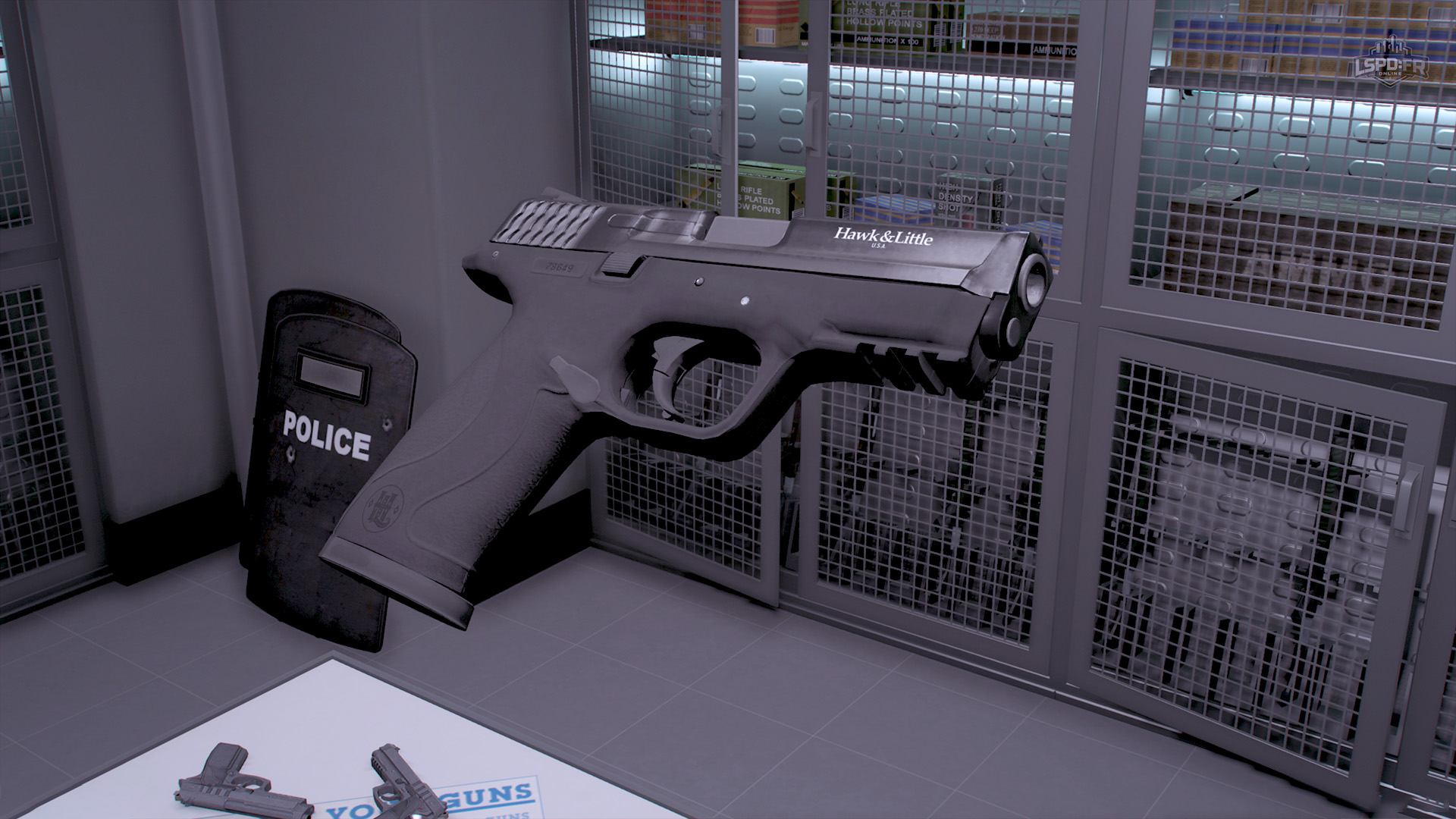
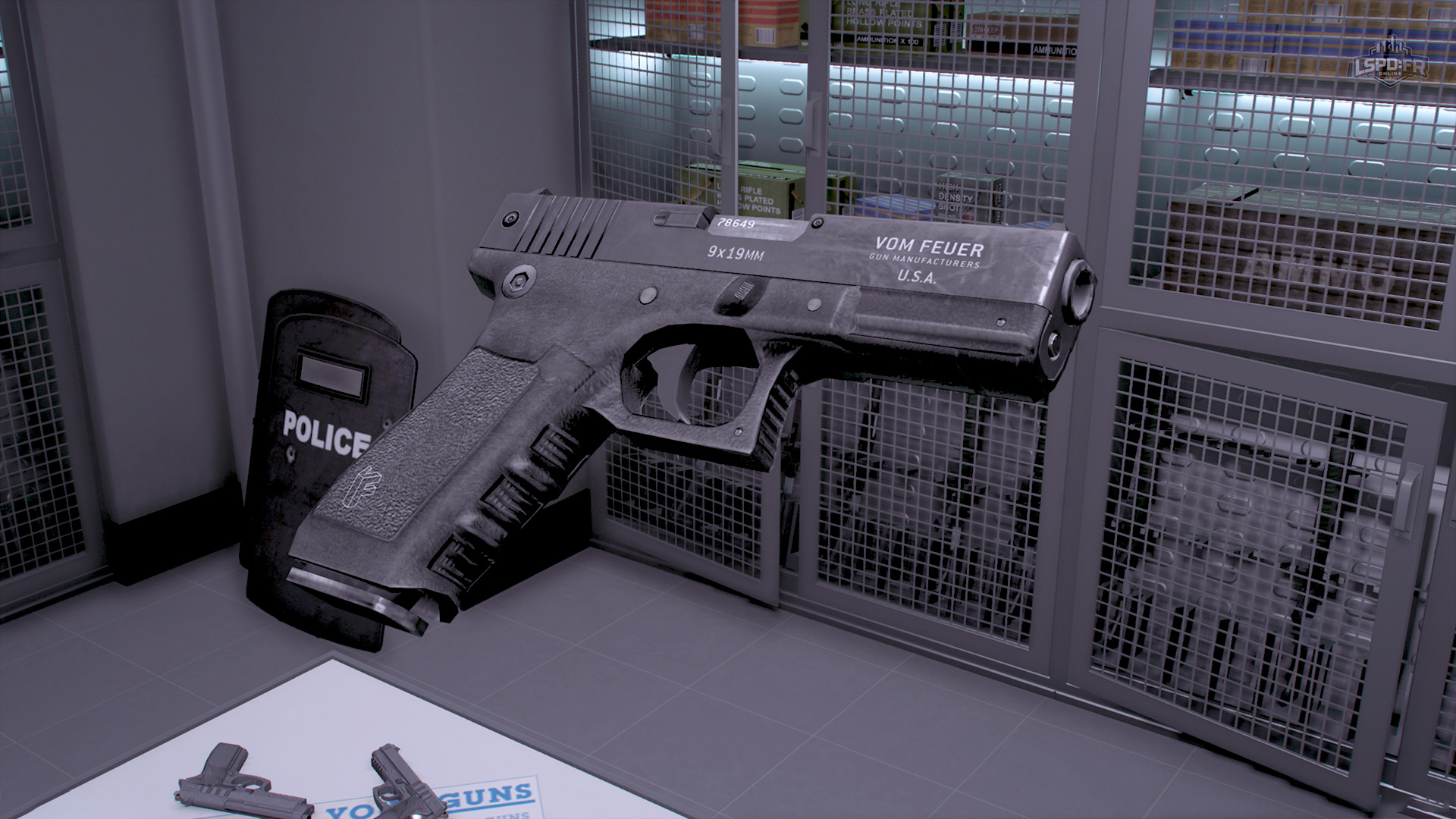
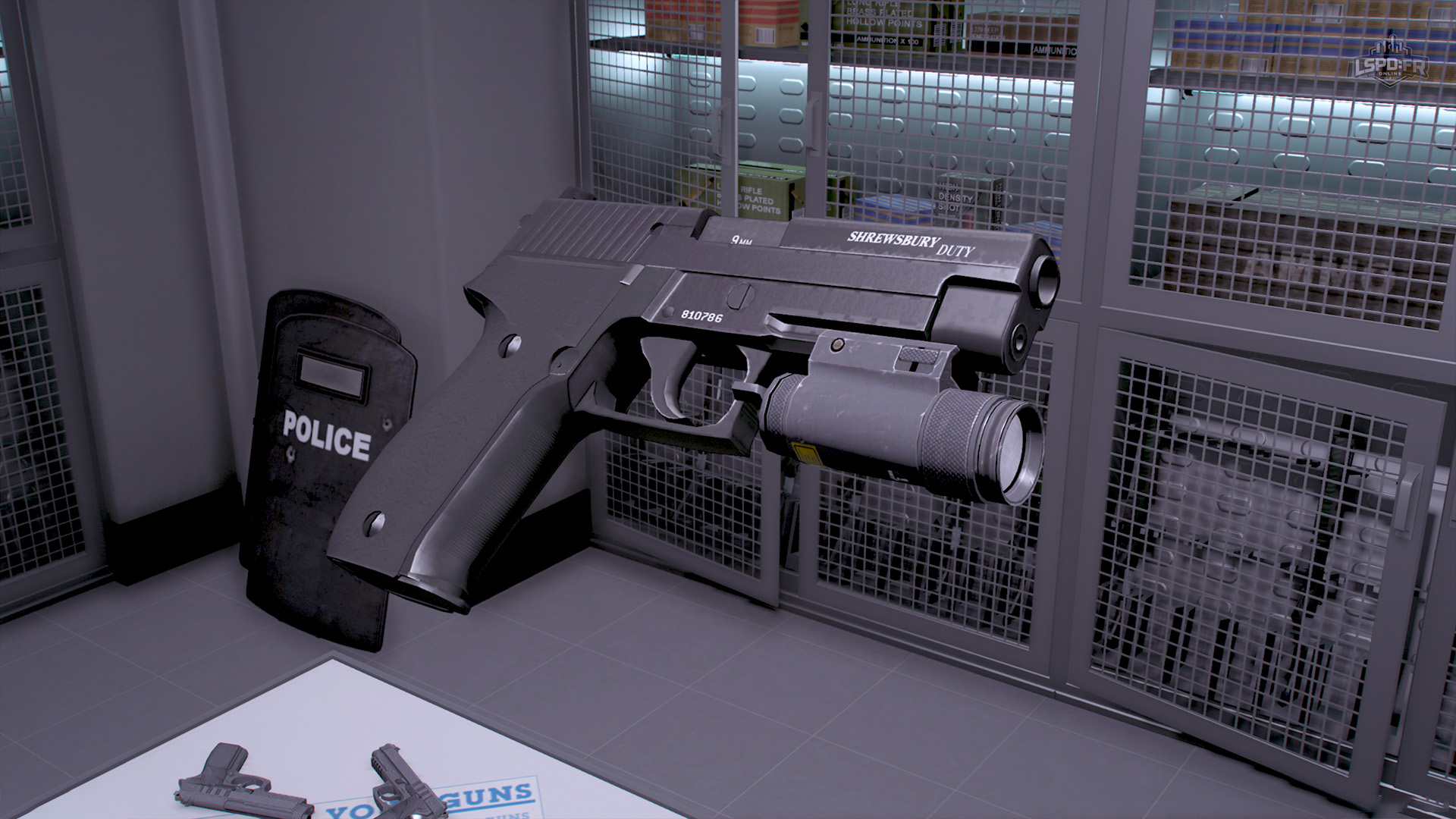
Weapons: Metropolitan Division
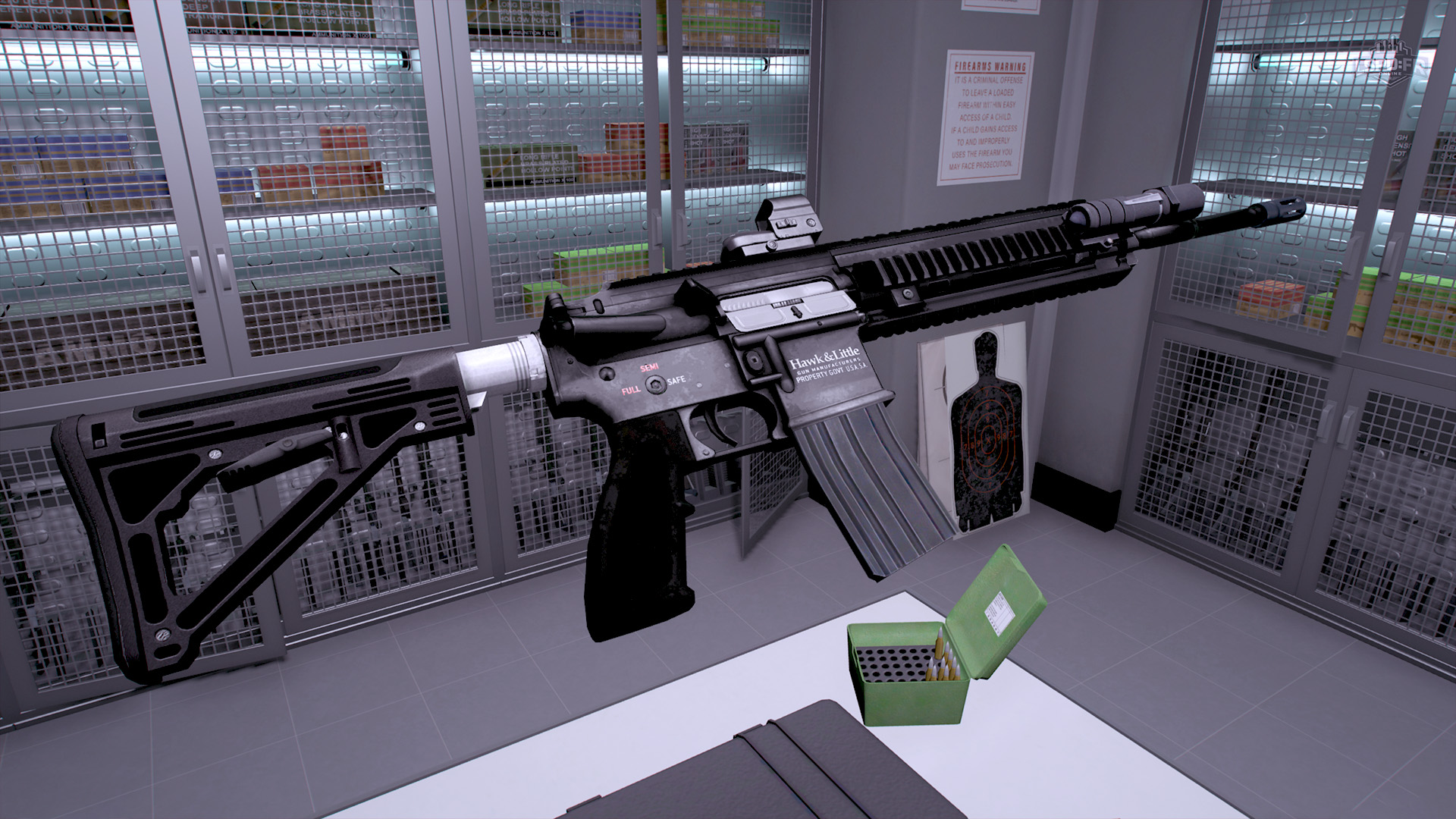
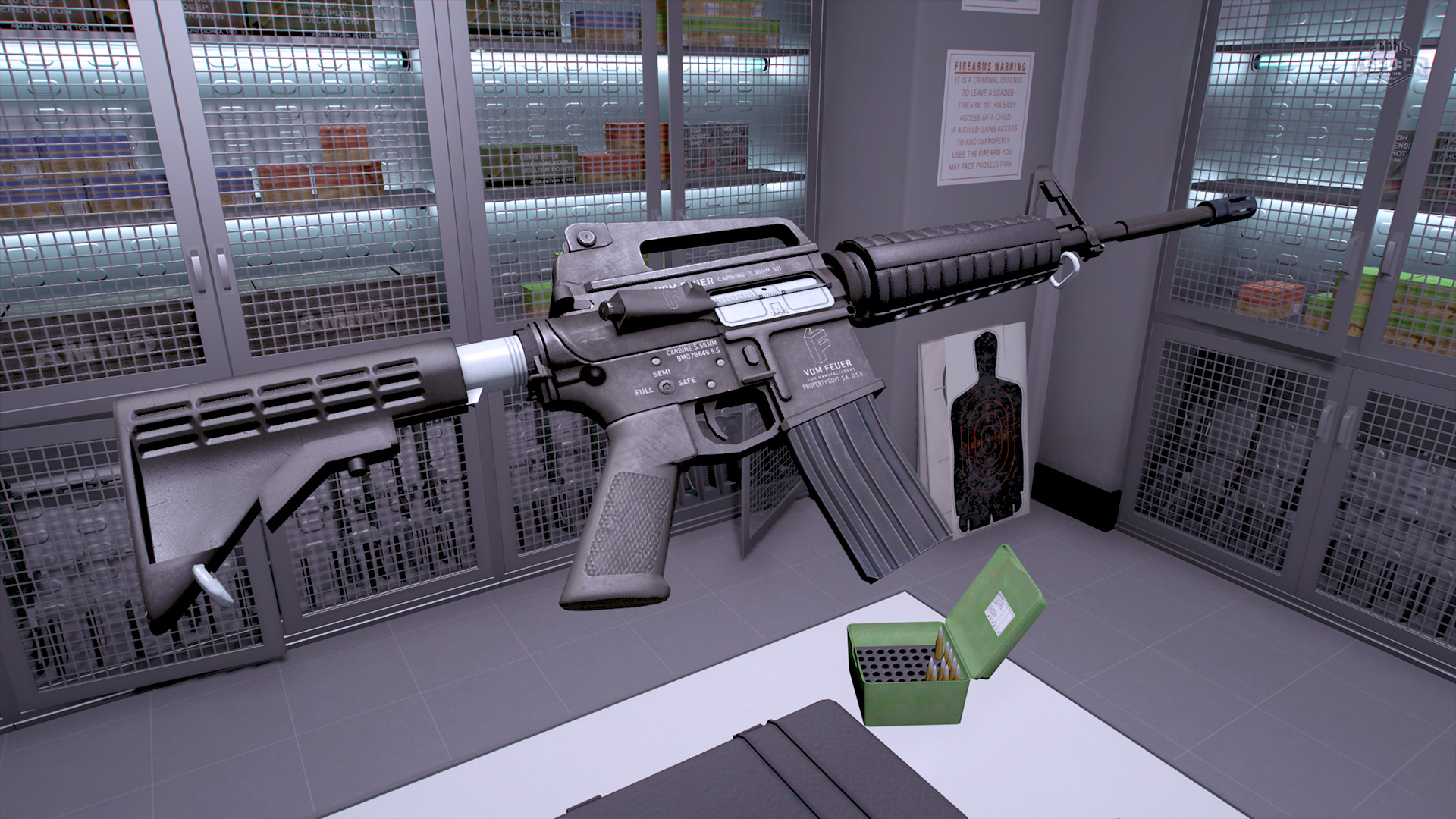
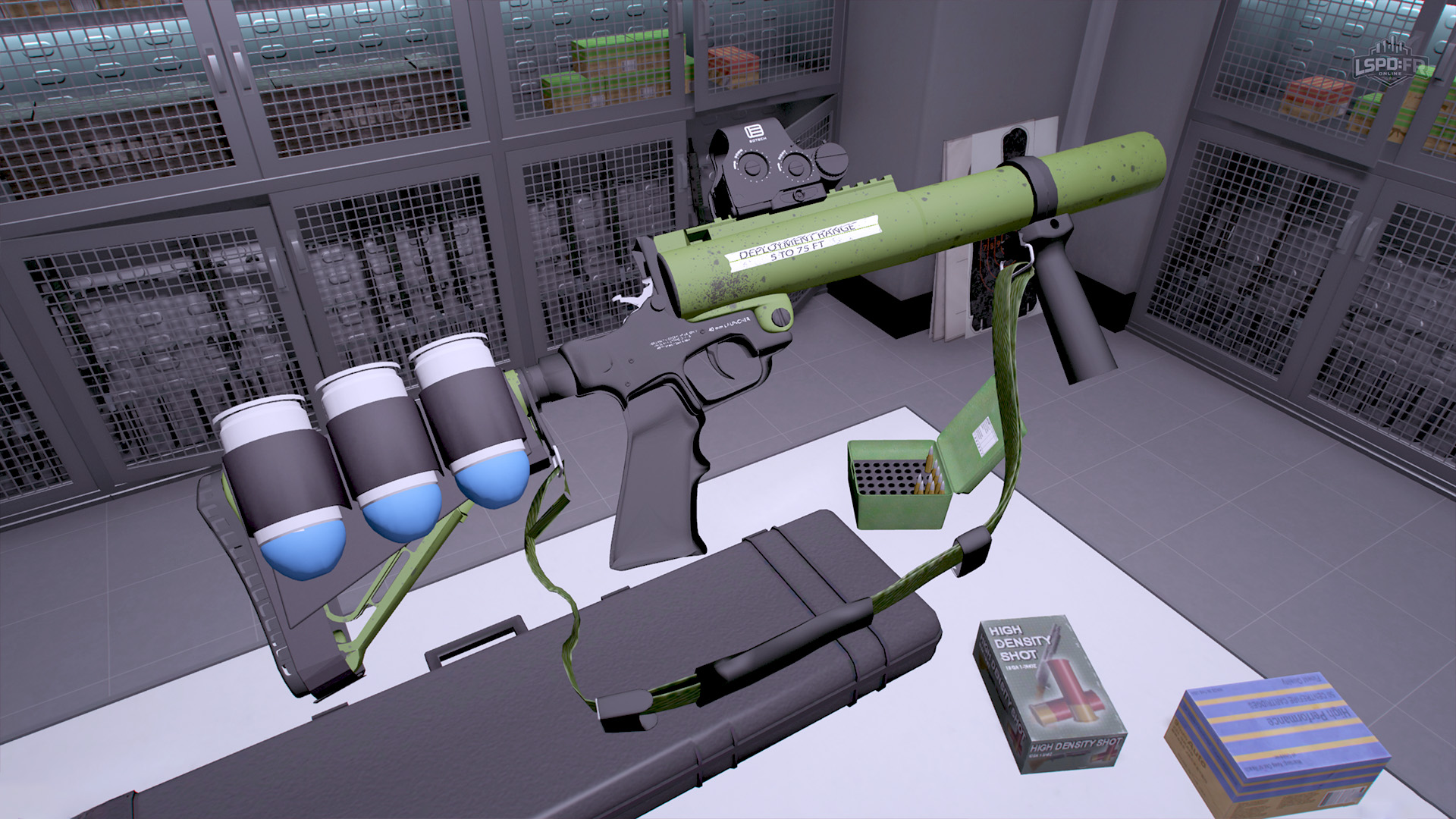
We've also refreshed the carbine rifles in the Metropolitan Division Pack as well as adding two new weapons for new and existing Metropolitan Division Pack owners:
- (New) Hawk & Little DSP (Handgun)
- Hawk & Little 416 Tactical Carbine (Rifle)
- Vom Feuer Service Carbine (Rifle)
- (New) 40mm Less-than-Lethal (LTL) Launcher (Less-Lethal)
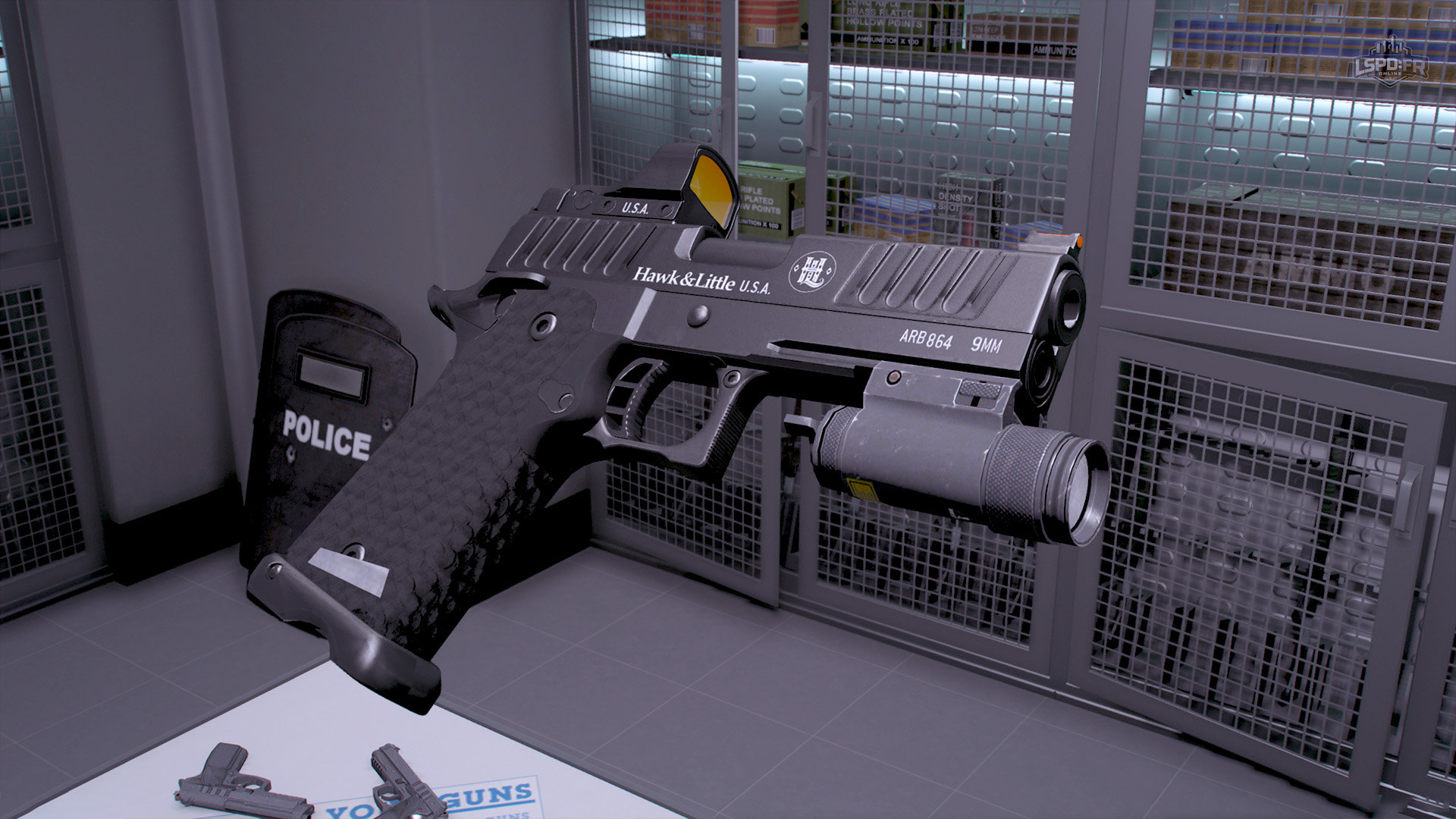
Weapons: Detective Bureau
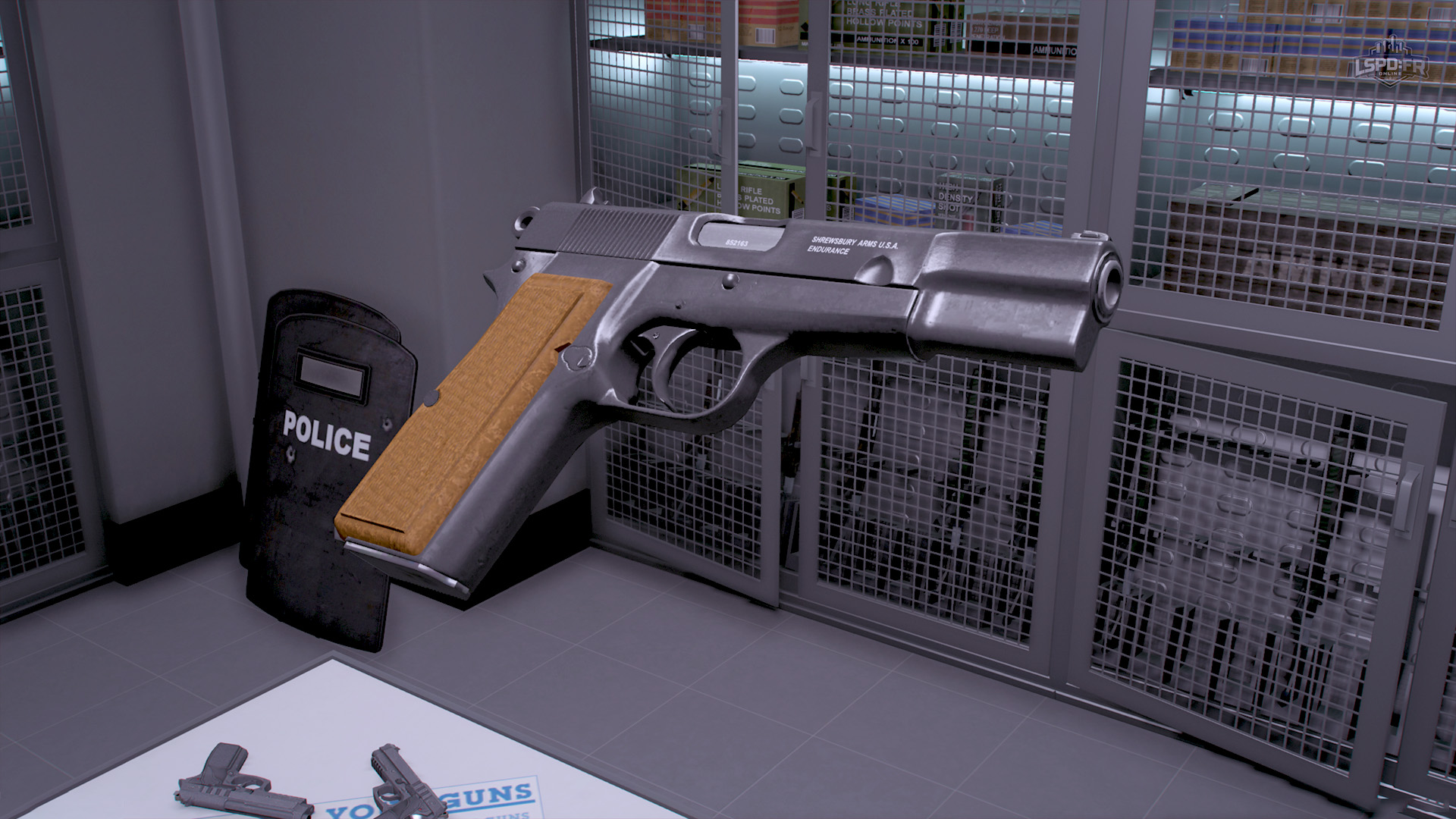
Detectives, we've got something for you too! New and existing players with the Detective Bureau Pack will now have access to the exclusive Shrewsbury Endurance:
Services: Ambulance
You can now call for an ambulance to attend to any AI that has died. Once requested, paramedics will arrive on scene and attempt to revive the casualty.
Every AI has its own chance of being successfully revived, determined by their cause of death and, in the case of gunshot wounds, where on the body they were hit. A minor injury gives paramedics a strong chance of bringing them back, while more severe or fatal trauma makes survival far less likely.
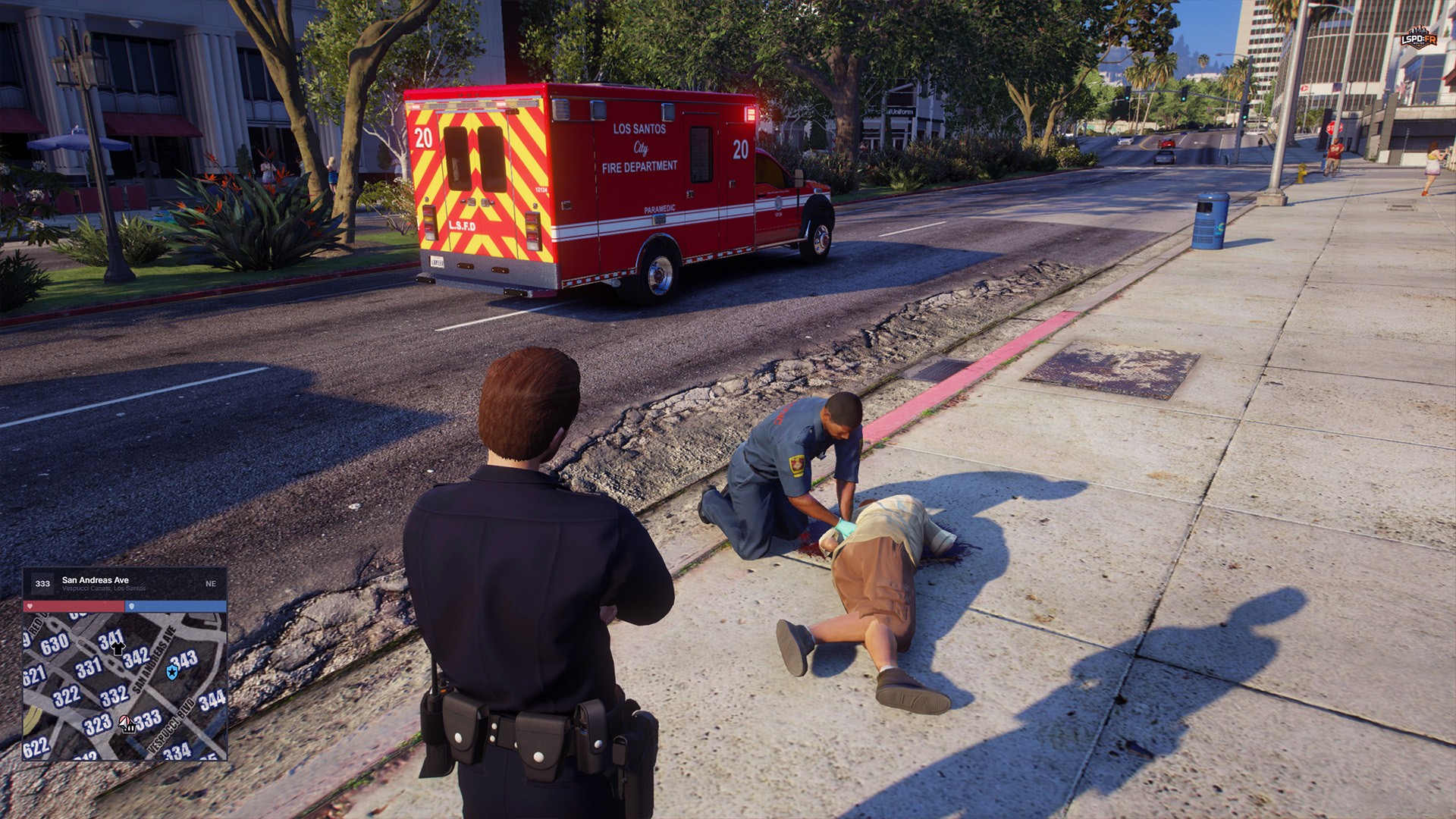
If the AI is successfully revived, you can continue interacting with them as normal — and in the case of a suspect, that means they can now be arrested and brought in for processing. If they can't be saved, you can call for a coroner as usual to have the body taken away.
Store: Pursuit Pack
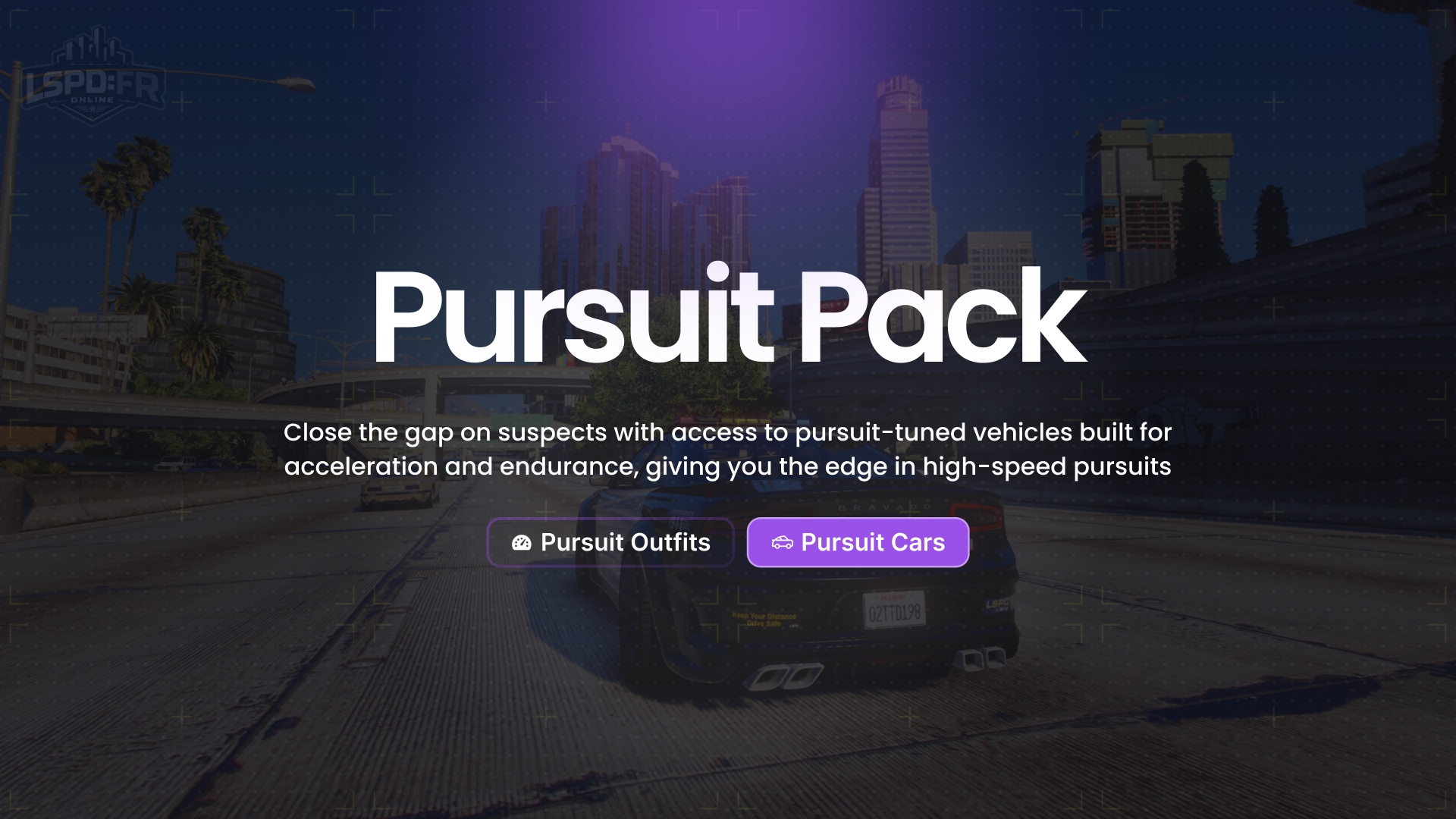
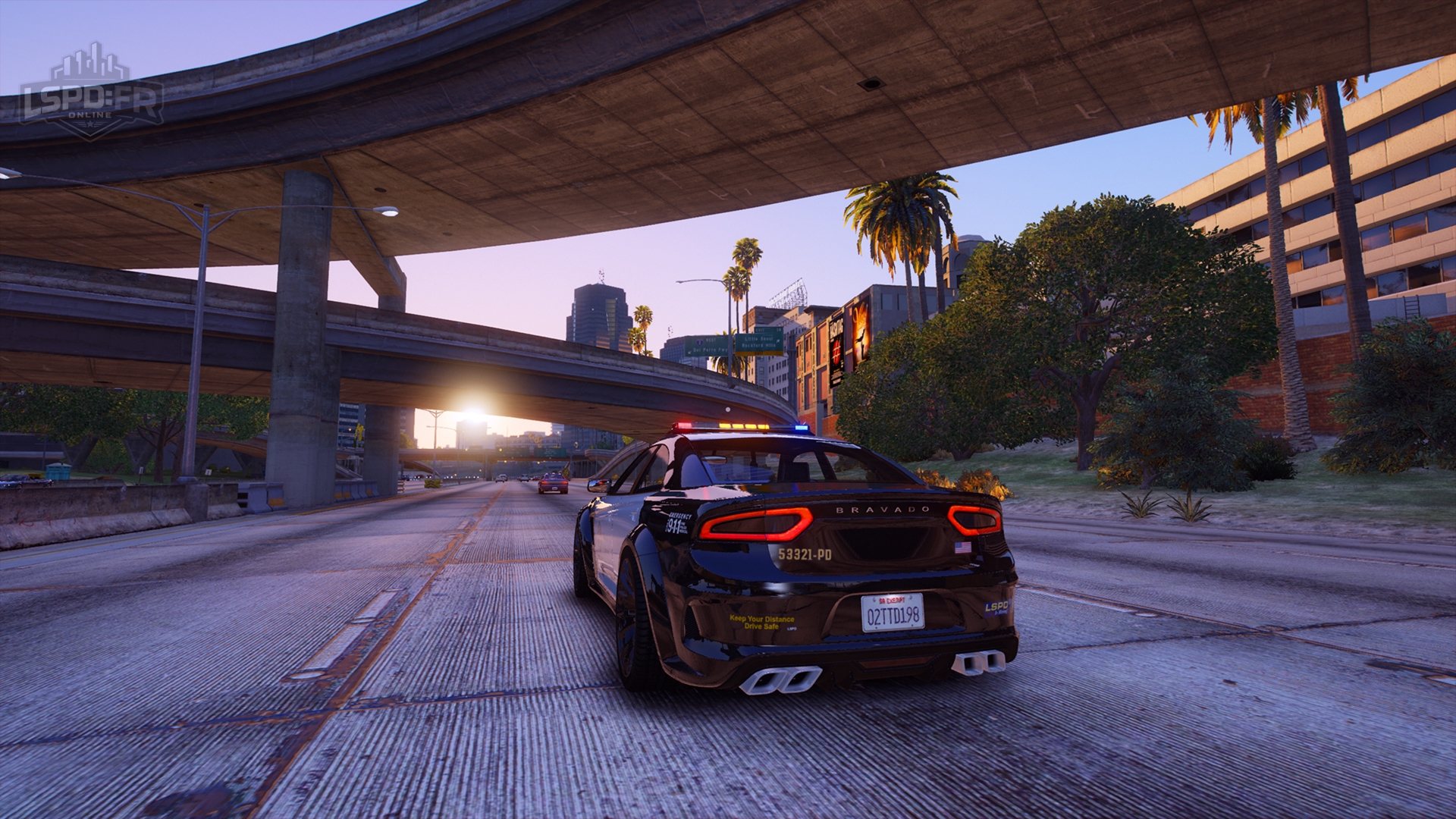
We're excited to introduce a brand-new vehicle pack in our store: the Pursuit Pack! Close the gap on suspects with access to pursuit-tuned vehicles built for acceleration and endurance, giving you the edge in high-speed pursuits.
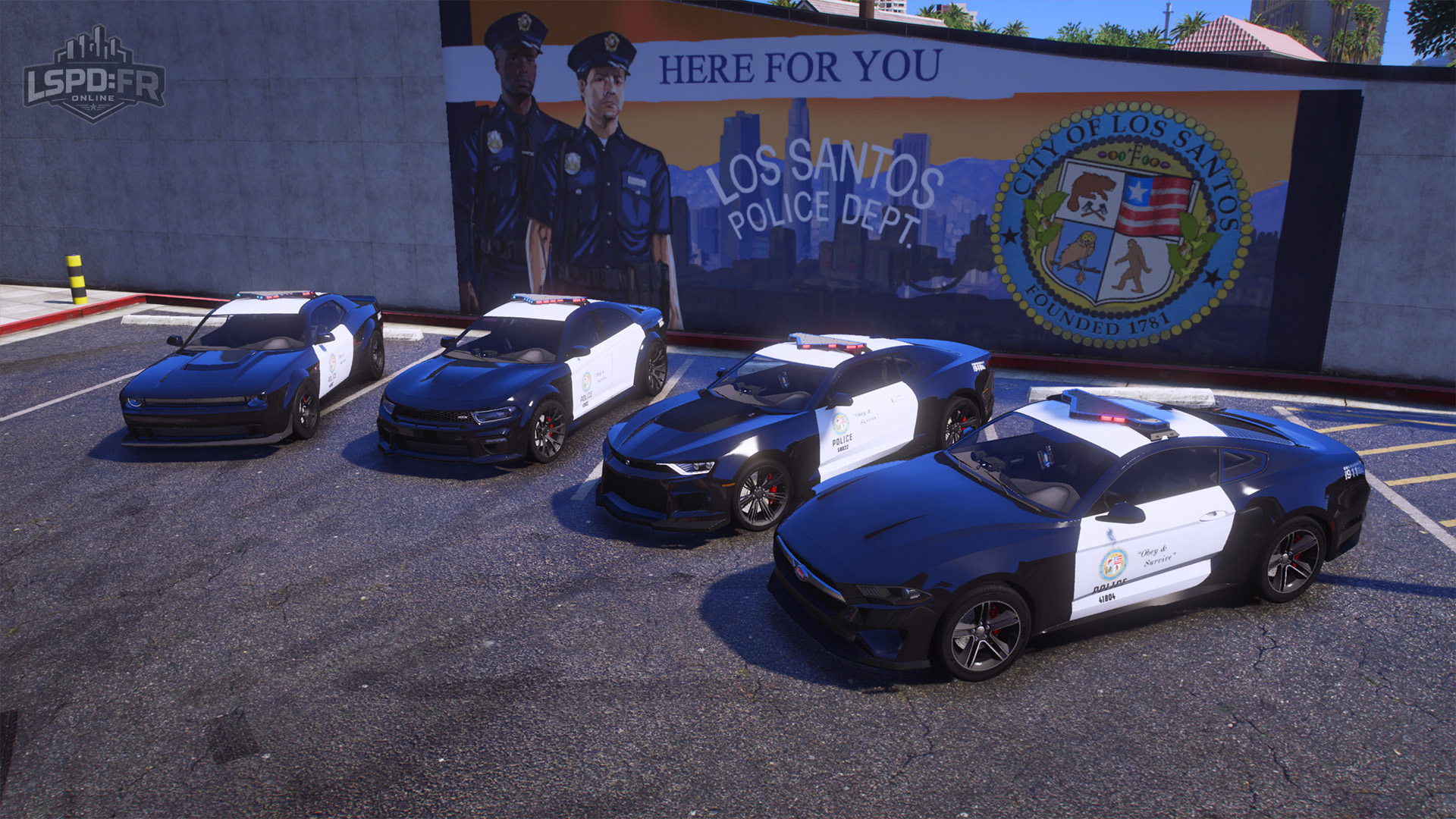
The Pursuit Pack adds the following vehicles available to your garage across all departments:
- Bravado Buffalo Hellfire SPI
- Bravado Gauntlet Hellfire SPI
- Vapid Dominator GT SPI
- Declasse Vigero ZX SPI
New Ranks & Progression Changes
Beyond the existing six department ranks, we're introducing two new department progression ranks — Rank 7 and Rank 8 — that can now be achieved past Rank 6 to extend the gameplay cycle even further and give you more to work towards. To accommodate these new ranks, the rank progression hour requirements have also been slightly increased and rebalanced for gameplay balancing purposes.
| Rank | Total Duty Hours Required |
|---|---|
| Rank 1 | Default |
| Rank 2 | 1 |
| Rank 3 | 3 |
| Rank 4 | 76 |
| Rank 5 | 1510 |
| Rank 6 | 2515 |
| Rank 7 New | 21 |
| Rank 8 New | 28 |
This change promotes more frequent rank unlocks and reduces the time you have to wait between them. Alongside this, we've also rebalanced the unlock rewards — vehicles, uniforms, and equipment — that players gain access to at each rank to keep progression engaging at every level.
Open Role
For all players that have achieved access to Open Role, your rank will automatically be set to Rank 8 and from now on, whenever you transfer departments you'll always retain this rank — you will continue to keep full access to everything you've earned no matter which department you move to.
Callouts
Though the majority focus for this update wasn't on callouts, we still made time to introduce two brand-new callouts in Update 1.3!
Callout: Drunk Driver
An intoxicated driver has gotten behind the wheel and is reportedly driving recklessly, swerving in and out of their lanes and posing a serious danger to the public. Track them down, get them safely pulled over, and take them off the road before someone gets hurt.
Callout: Welfare Check
A family member, an old relative, a friend — we've received reports of someone's welfare being brought into question, and you've been asked to conduct a welfare check at their place of residence and let dispatch know of their situation. Be prepared for anything: you never know who (or what) you're going to find!
Chat
The general look and feel of the chat has been improved to better align with our design system: you'll notice your chat box appearing much more streamlined and visually consistent with the rest of the interface.
Alongside this, we've also made a few changes to chat channels, the most important of which being the removal of the Local OOC /b chat channel: we feel this channel is not really necessary in the LSPD:FRO experience, especially as our focus is not on roleplay. Players are free to speak in the main chat channel for all purposes. If a staff member is speaking in local chat, their name will appear as their username instead of their character name to denote their role as an on duty staff member, along with a colored message to make it easy to distinguish a staff member from a regular player.
Similarly, we've also renamed the Global OOC chat to simply Global Chat and is now accessible via /global (or /g for short) instead of /ooc.
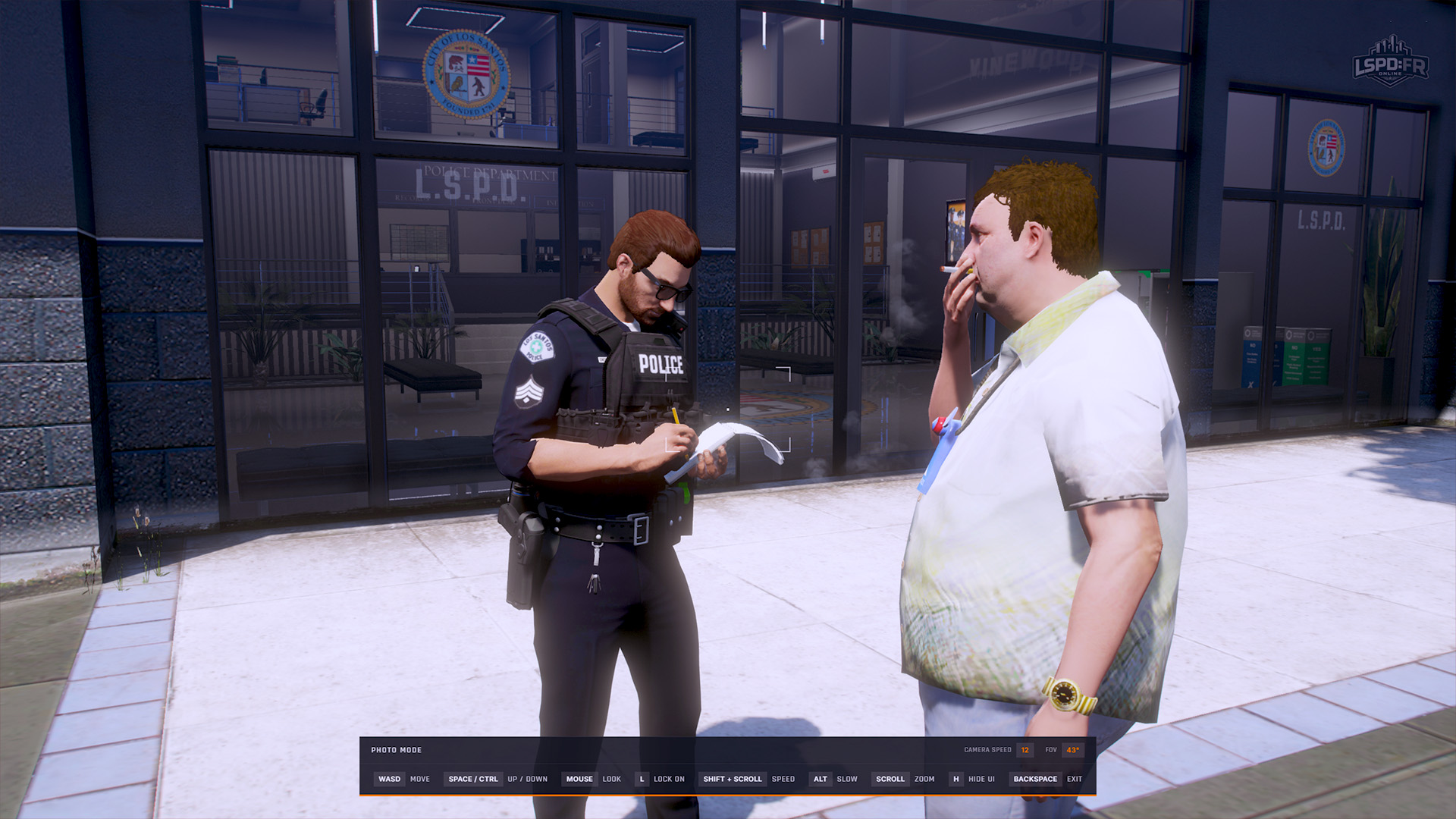
Photo Mode
Photographers and content creators, rejoice! We've introduced a new Photo Mode that allows you to capture stunning in-game moments with greater control and flexibility over your camera. You can enter photo mode during gameplay by selecting the option in the Escape Pause Menu.
While in photo mode, you can move your camera freely around your character within a reasonable radius, angle the camera, change the field of view, and completely hide all HUD elements for those perfect shots.
OneSync
For the majority of players, this change may not be as relevant or interesting as OneSync support is entirely a technical implementation for FiveM servers and doesn't make much of a difference to you as a player. Nevertheless, this is what (in most cases) motivated such a major refactor and overhaul to so many features and existing functionality in our framework. LSPD:FR Online originally started under light development a few years ago as a private server and during the time when FiveM itself as a multiplayer client was very early in development too. When we first started, OneSync didn't exist and every server was limited to a capacity of 32 players as the FiveM server multiplayer sync system used the GTA: Online networking model. Since then, FiveM has made significant advancements in creating their own networked player and entity sync model that enables FiveM/RedM servers to handle 2000+ concurrent players.
OneSync: Explained
OneSync has gone through various improvements between OneSync Legacy and what we now have today, which is known as OneSync: Infinity. In any case, the difference to the underlying server sync model is purely around how player clients handle streaming and synchronizing other entities. With OneSync disabled, every player's client has greater sync of entities (players, vehicles, peds, objects) around the map since it wasn't built for scale and only had to worry about a maximum of 32 players; each client was able to remain in sync and know the exact coordinates of every other player on the server, which, for developers, makes everything straightforward when developing features (e.g. rendering map blips for on-duty LEOs, waypoints to entities, etc.). In GTA:O, each entity is also "owned" by only a single player client at a time: every ped, vehicle, object, or anything that is "networked" belongs to whichever player is closest to the entity and, as the authoritative owner, they are the only client that has control over the entity, meaning no other client is able to change the coordinates of a vehicle, customize a ped, or task an NPC to do anything such as getting in or out of a vehicle. Whilst this makes the development of intricate gameplay functionality such as what LSPD:FRO does with callouts and AI control incredibly difficult, it is manageable with our own custom data and synchronization layer that was specifically created to tackle this.
Having OneSync disabled however had left us with the limitation that we can't expand beyond 32 players, which had quickly grown to become a major bottleneck for us as we continued to grow and would regularly find our game servers at maximum capacity almost every day. With OneSync enabled, the entire synchronization model is thrown out the window and functions entirely differently: clients no longer have any knowledge of anything happening outside of their "culling radius" (~424 units around the player) and only care for what they can see; with such a significant reduction in sync scope, this is how FiveM grew capable of handling thousands of players seamlessly. From a development standpoint, however, this led to everything in the LSPD:FRO framework requiring a complete rewrite in order to support functioning without full-world knowledge. OneSync also introduces a new challenge of the server itself now being capable of being the authoritative owner of an entity (though not being able to fully control it like a client would), which throws another spanner in the works, especially given the whole nature of LSPD:FRO revolves around NPC entities and controlling their behaviour at incredibly intricate levels whilst at the same time maintaining complete synchronization across every client.
We've known for years that OneSync existed, but up until December 2025, when LSPD:FRO had just been a private FiveM server for a handful of friends, there was never any reason to tackle this. Since the overwhelmingly successful launch of LSPD:FR Online and its rapid growth over the last few months, we knew it was only a matter of time before we would have to cross the bridge and implement support for OneSync.
After several months of development, we're very pleased to have finally migrated our framework to OneSync. Players can now expect to see the following improvements on our game servers and throughout gameplay:
- The base game version has increased from the Los Santos Drug War (
2802) update to the latest A Safehouse in the Hills (3751): this brings us to the latest GTA: Online update, making all of the new vehicles, clothing, and mapping around the world now active! - When connecting to LSPD:FR Online game servers, you will no longer need to switch game builds or downgrade game versions — when you next connect to the server after the 1.3 Update, you will be prompted a final time to switch back to the latest
3751game build - No more waiting in the server queue! The server player count has been increased from 32 up to 48 and will automatically scale up to 64 players (and beyond!) as required
- Various performance and synchronization improvements have been resolved such as:
- Temporarily seeing other player's chatter or messages over your own player (Arbitration changes)
- Timing out from the server
- Game crashes due to incompatible client-side mods (whilst the usage of any specific mods such as graphical mods is not recommended, players who previously couldn't join with certain mods may now be able to do so on the latest game version)
- Game crashes due to "pool size" being full
- Desync between entities (peds, vehicles) appearing only for some players
- Performance improvements in scenarios or locations with a large number of players or vehicles nearby
Mapping: Legion Square
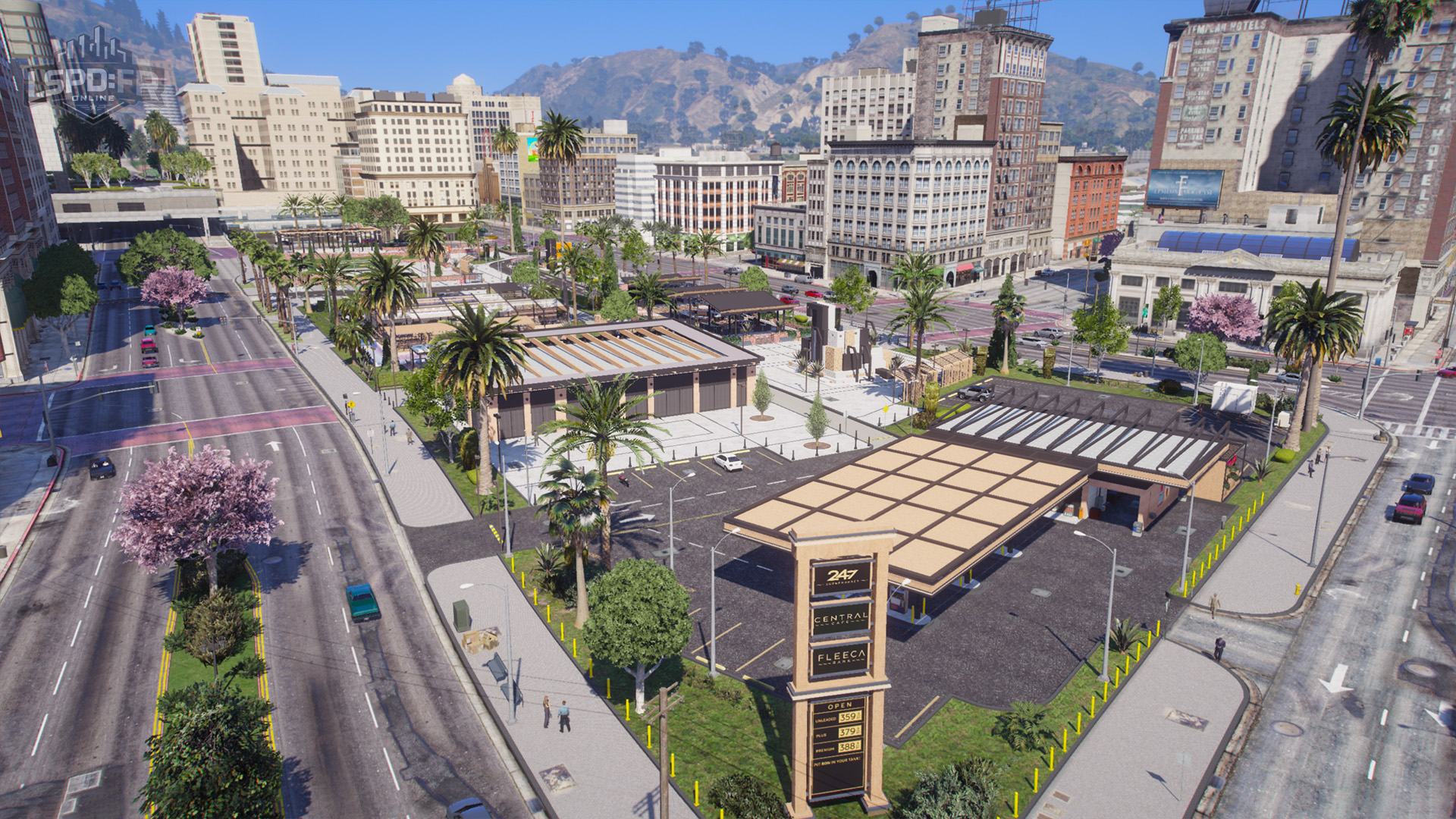
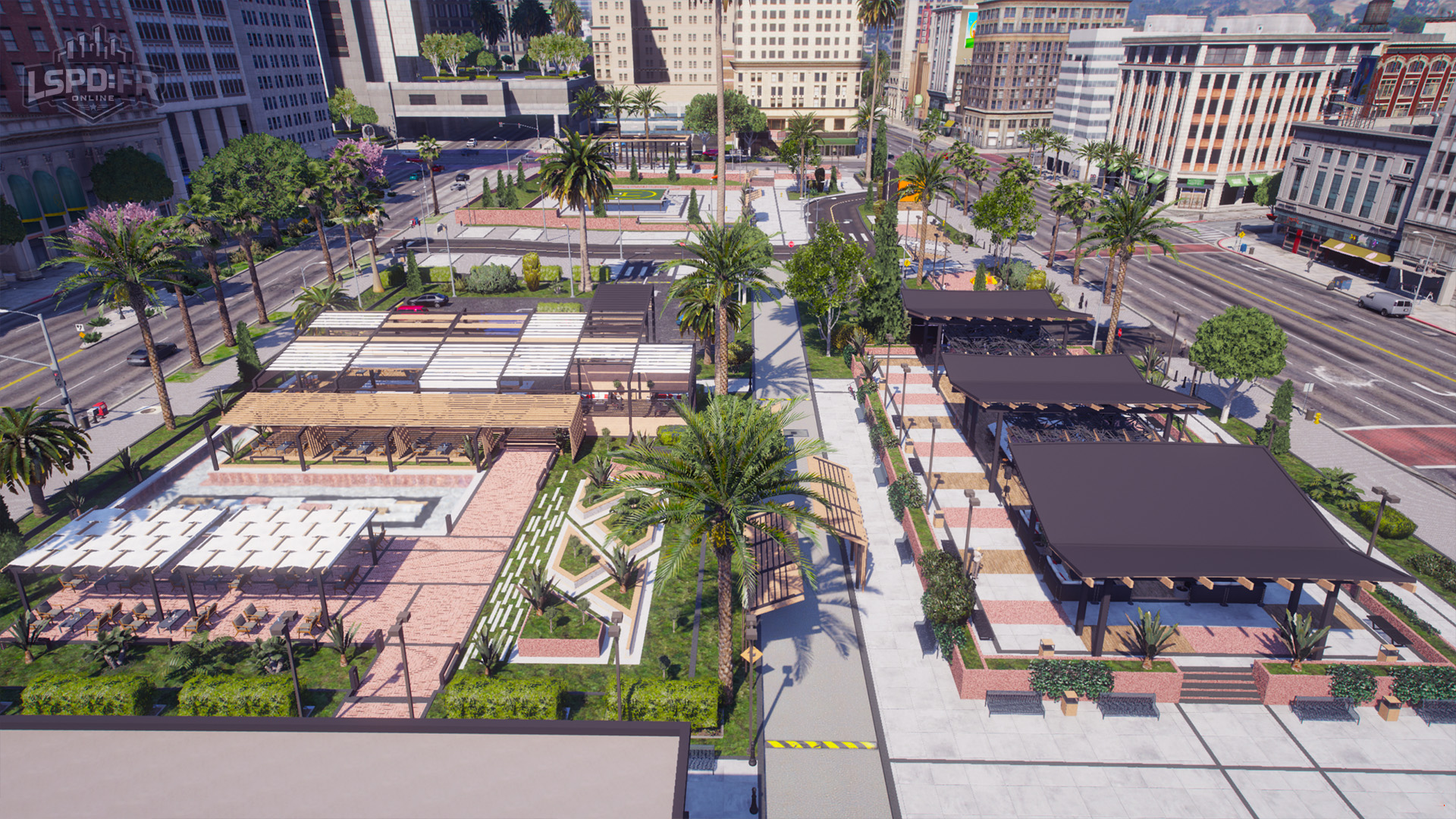
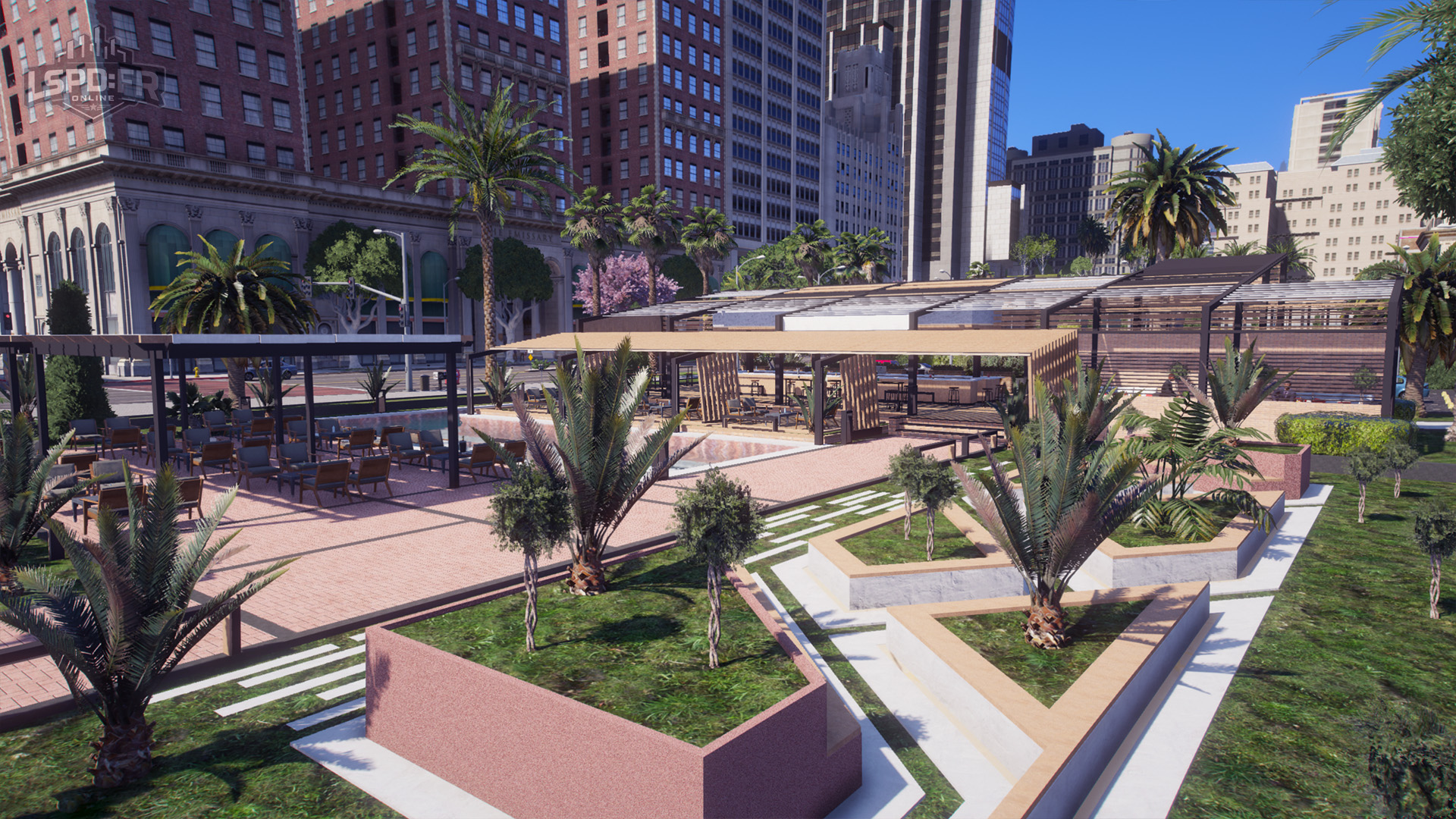
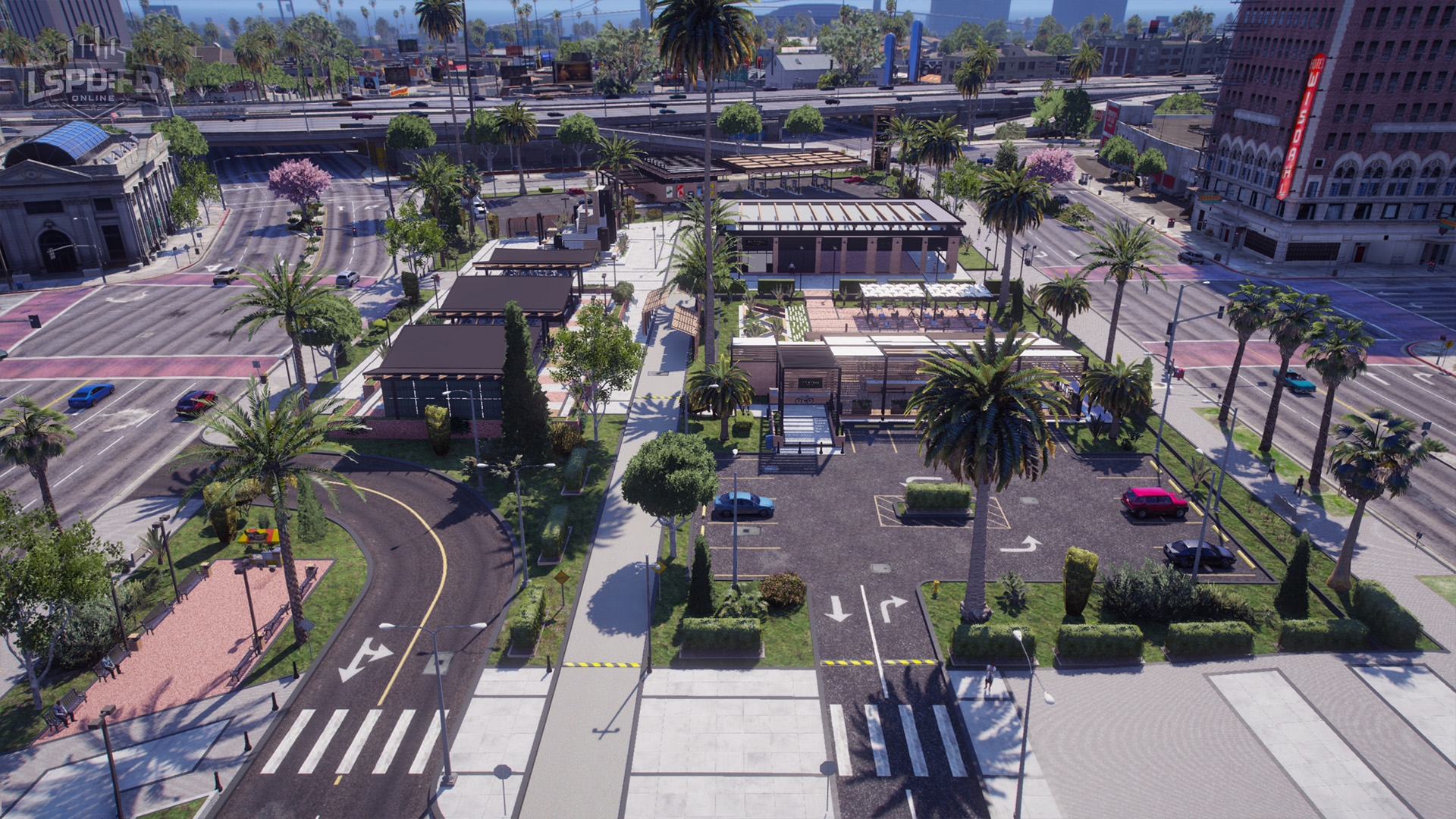
Have you been hanging out at Legion Square with other players during the down time in between calls? We see you!
The cooperative nature of working with and getting to know your fellow officers is part of what we strive to deliver in making LSPD:FR Online a fun, engaging and welcoming environment for everyone. It's been great to see players naturally forming a "hangout" area at Legion Square (Mission Row, Los Santos) whilst waiting in between calls. We've taken notice, and to support our players in fostering a central social area in the server for those who wish to hang out, the entire Legion Square block has been expanded to provide a larger space that promotes socializing (and more parking spaces for everyone!).
Mapping: BCSO Paleto Bay
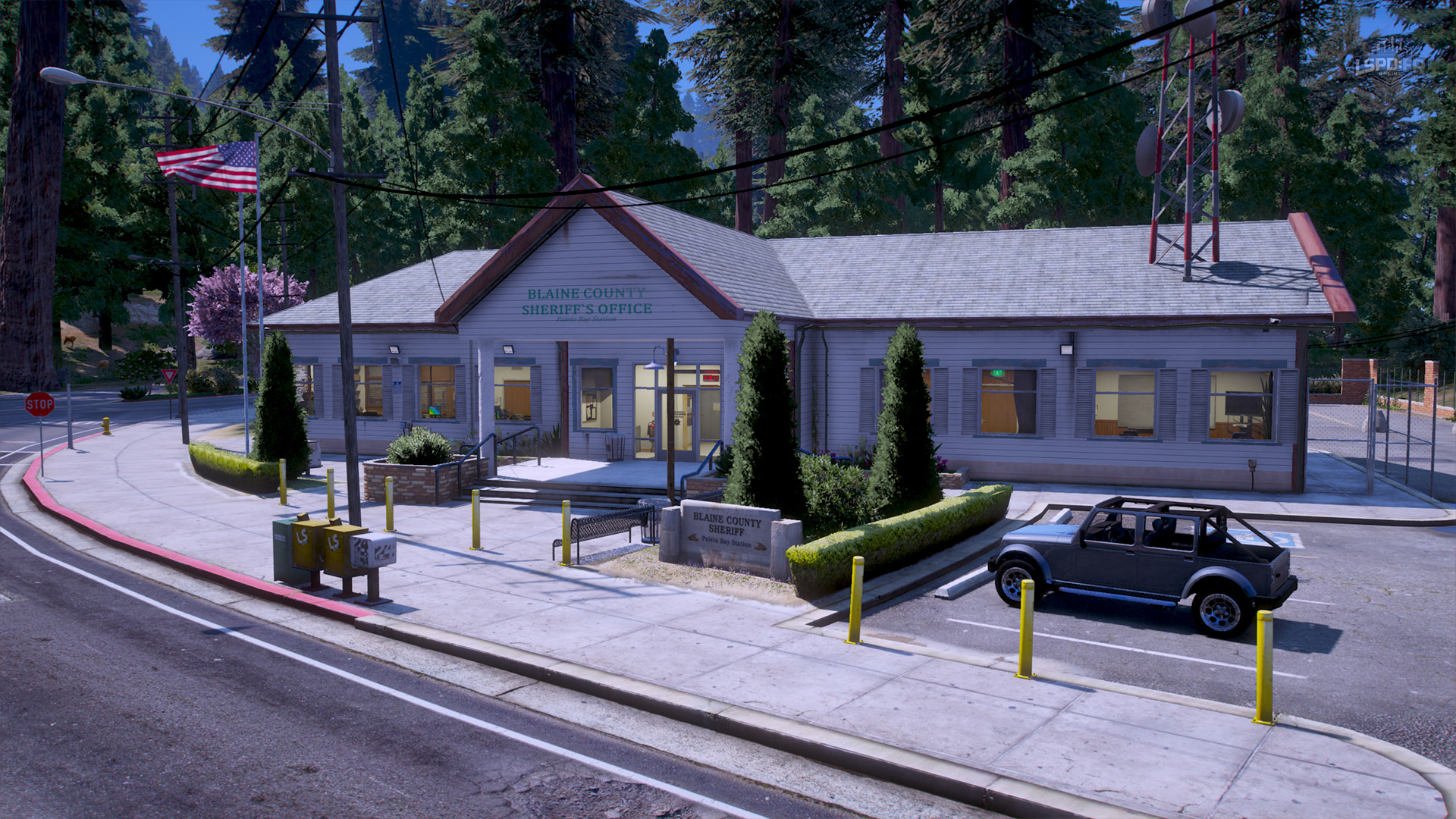
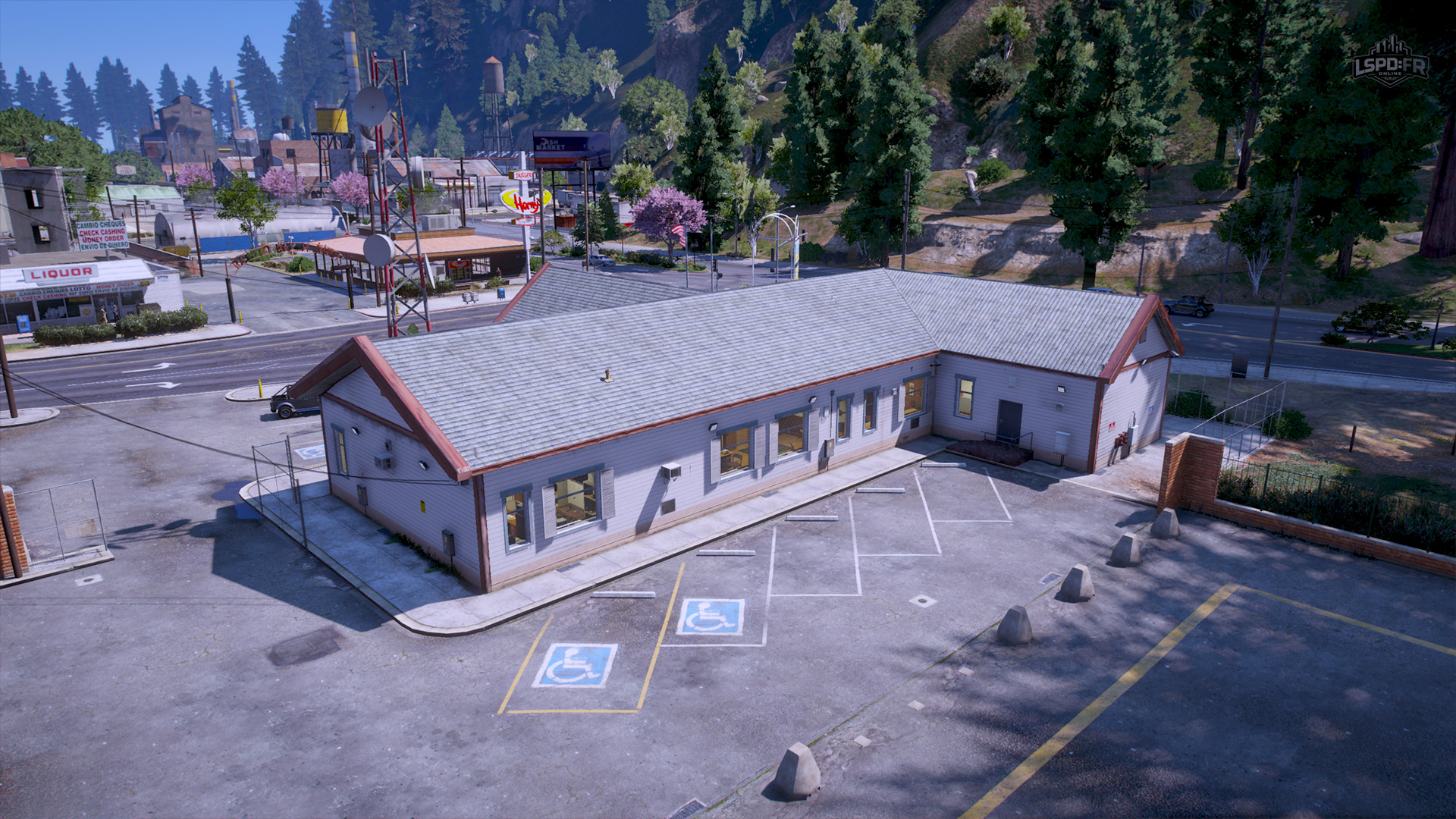
The Blaine County Sheriff's Office station in Paleto Bay has received a makeover — preferring simplicity and functionality over grandeur. This new station blends in seamlessly with its surroundings while providing officers with a more efficient and practical workspace.
Mapping: SAHP Headquarters
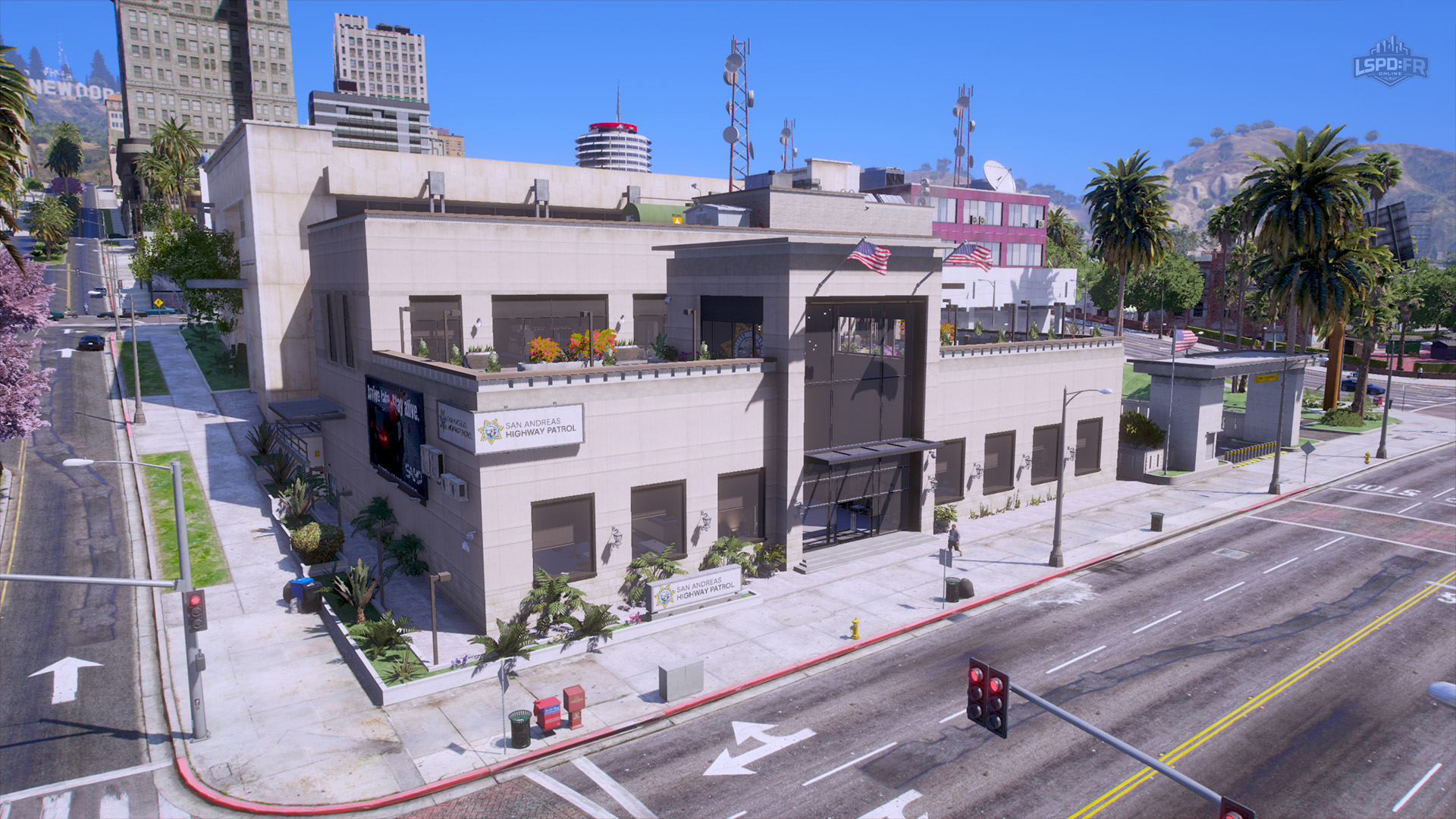
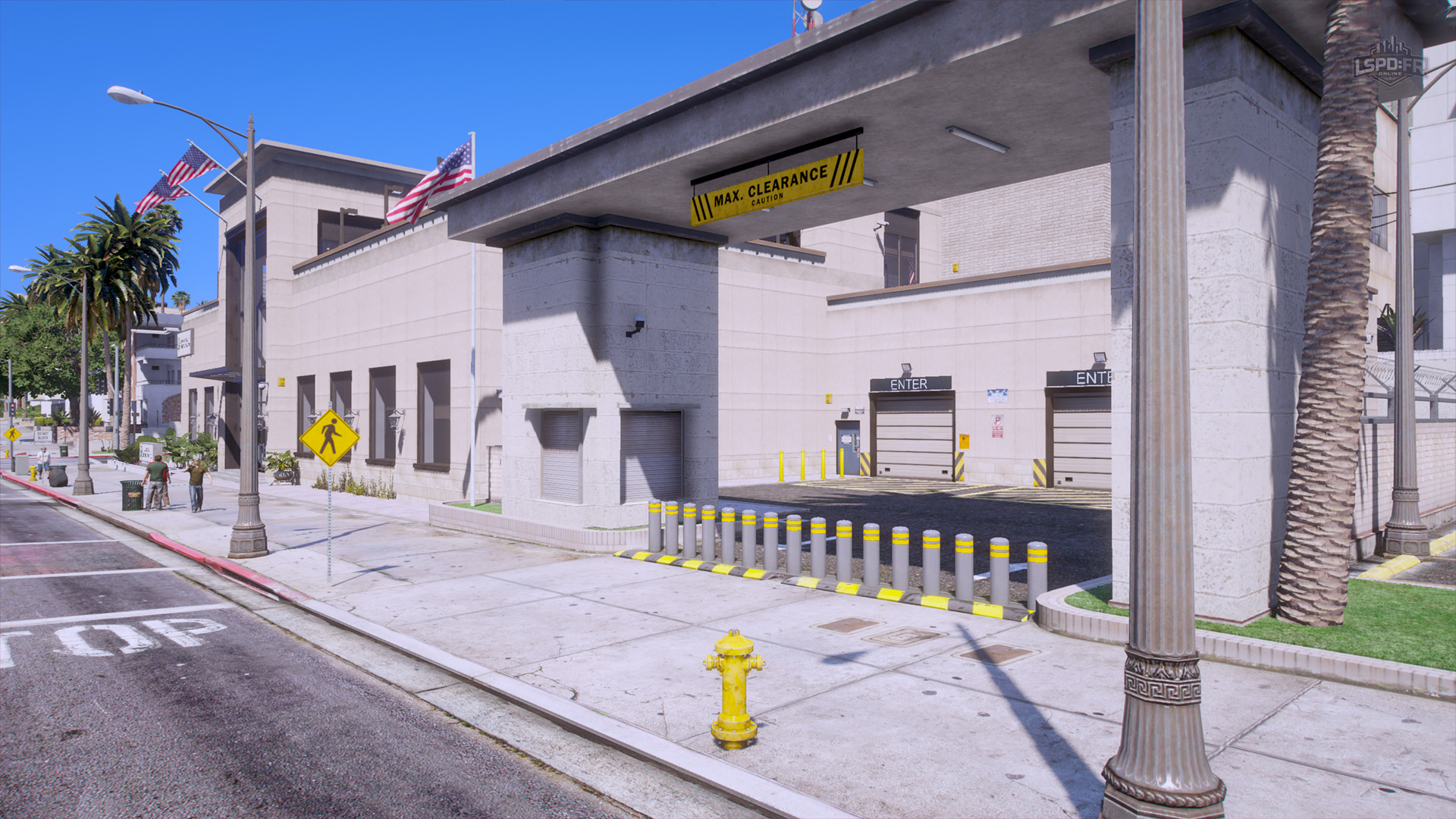
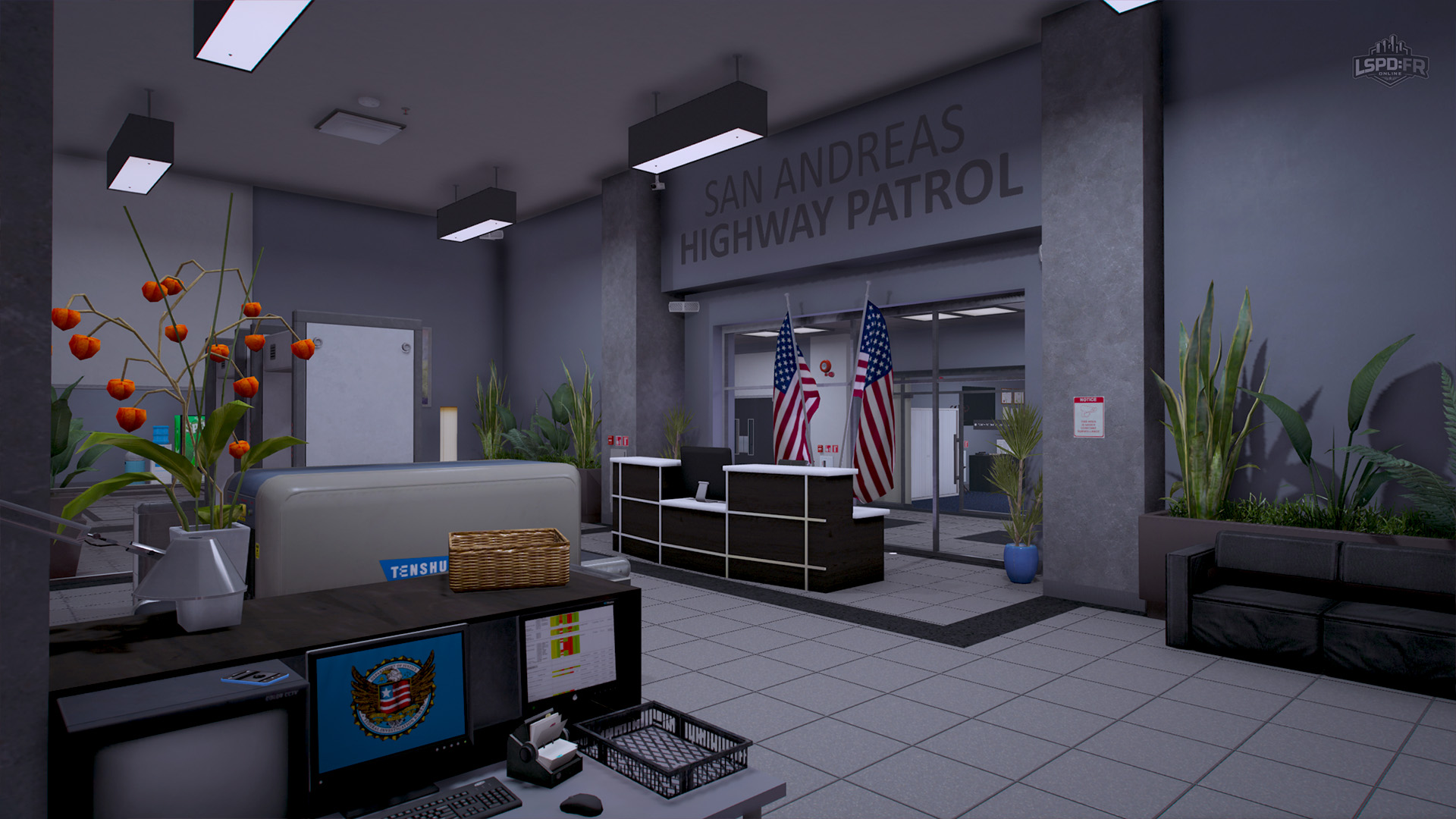
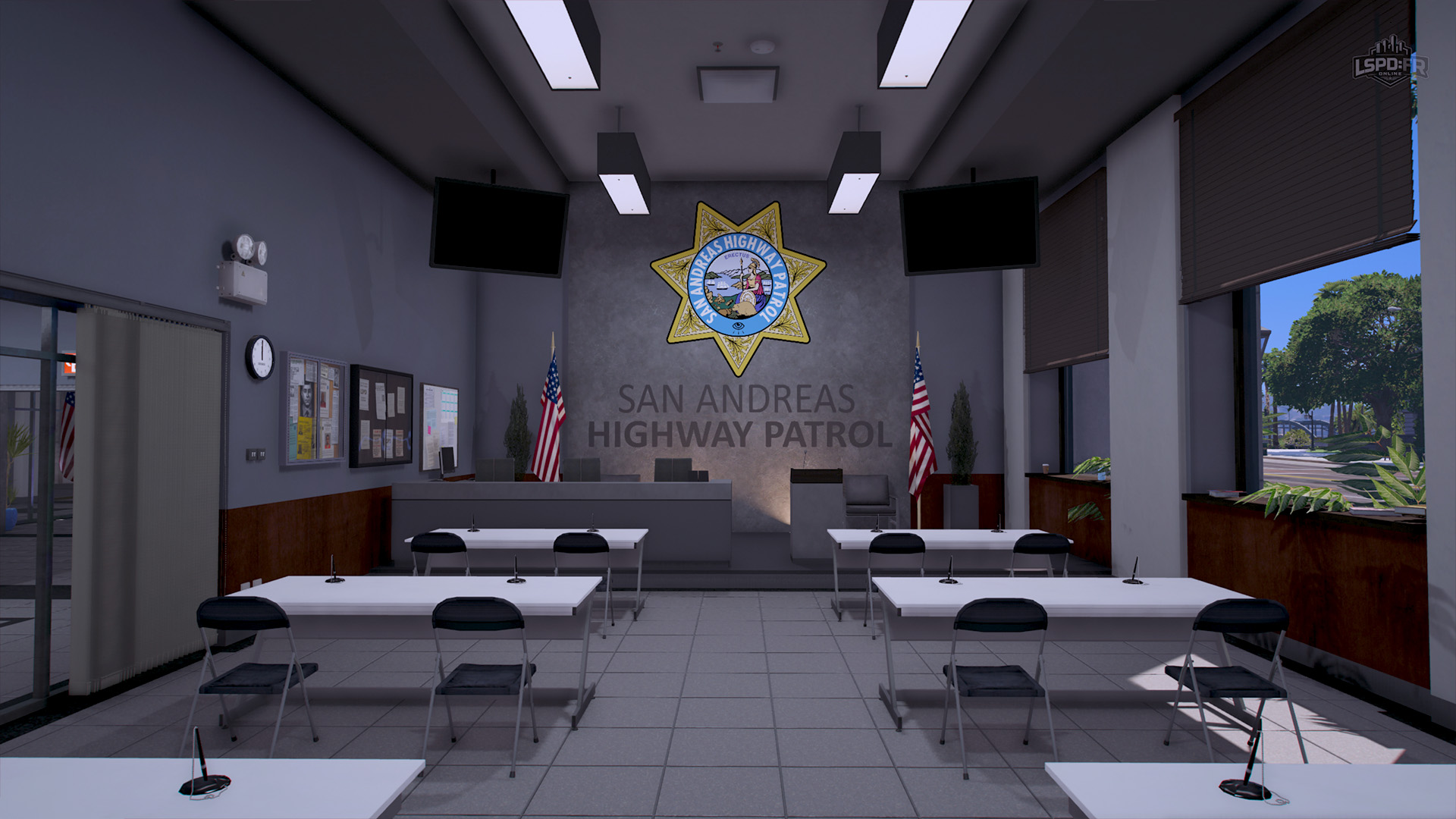
The San Andreas Highway Patrol headquarters has moved and lives in the center of Los Santos! This new base of operations allows officers to deploy out from the heart of the city, responding to any surrounding areas across the city whenever they're needed.
Mapping: SAHP County
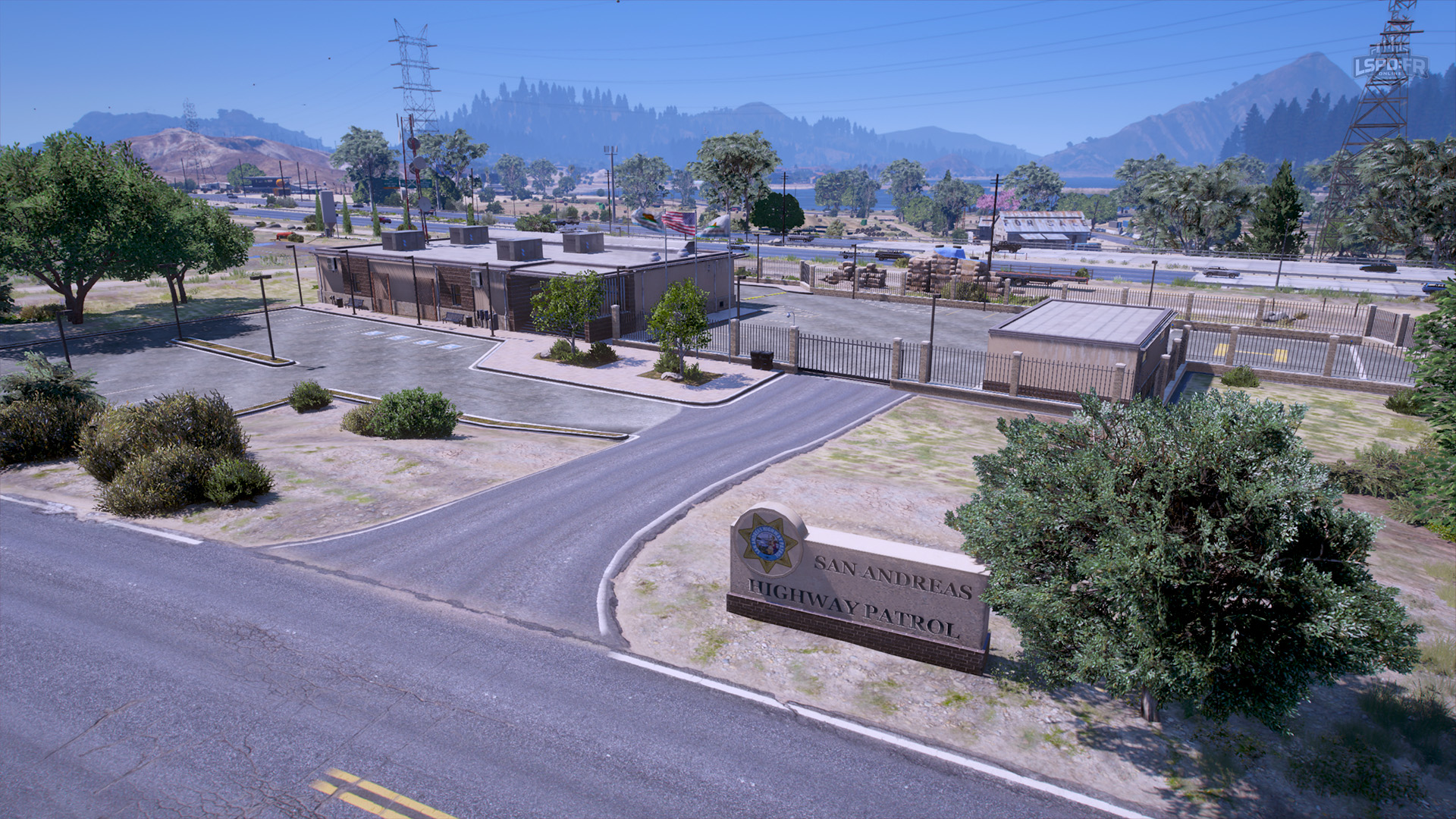
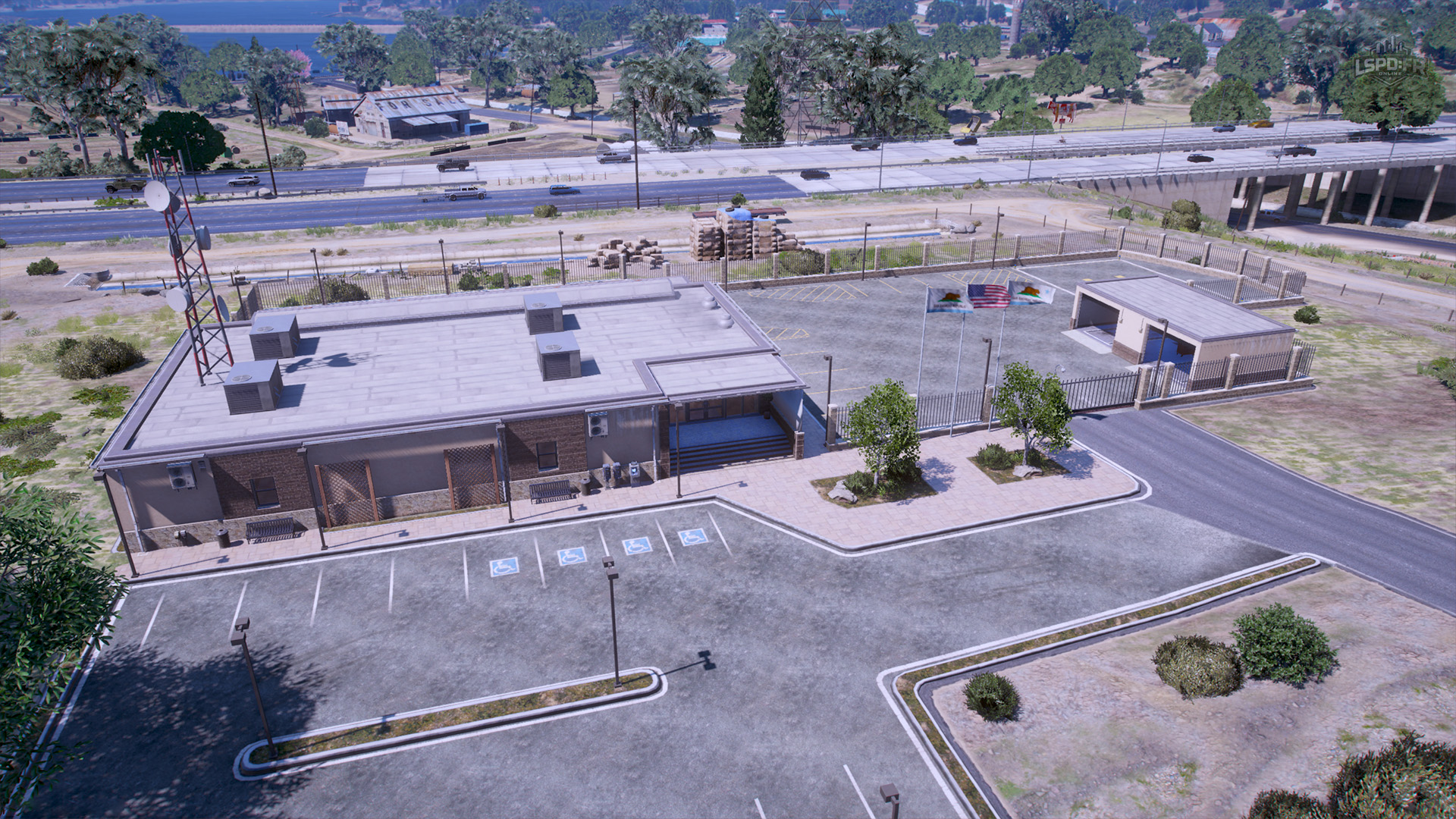
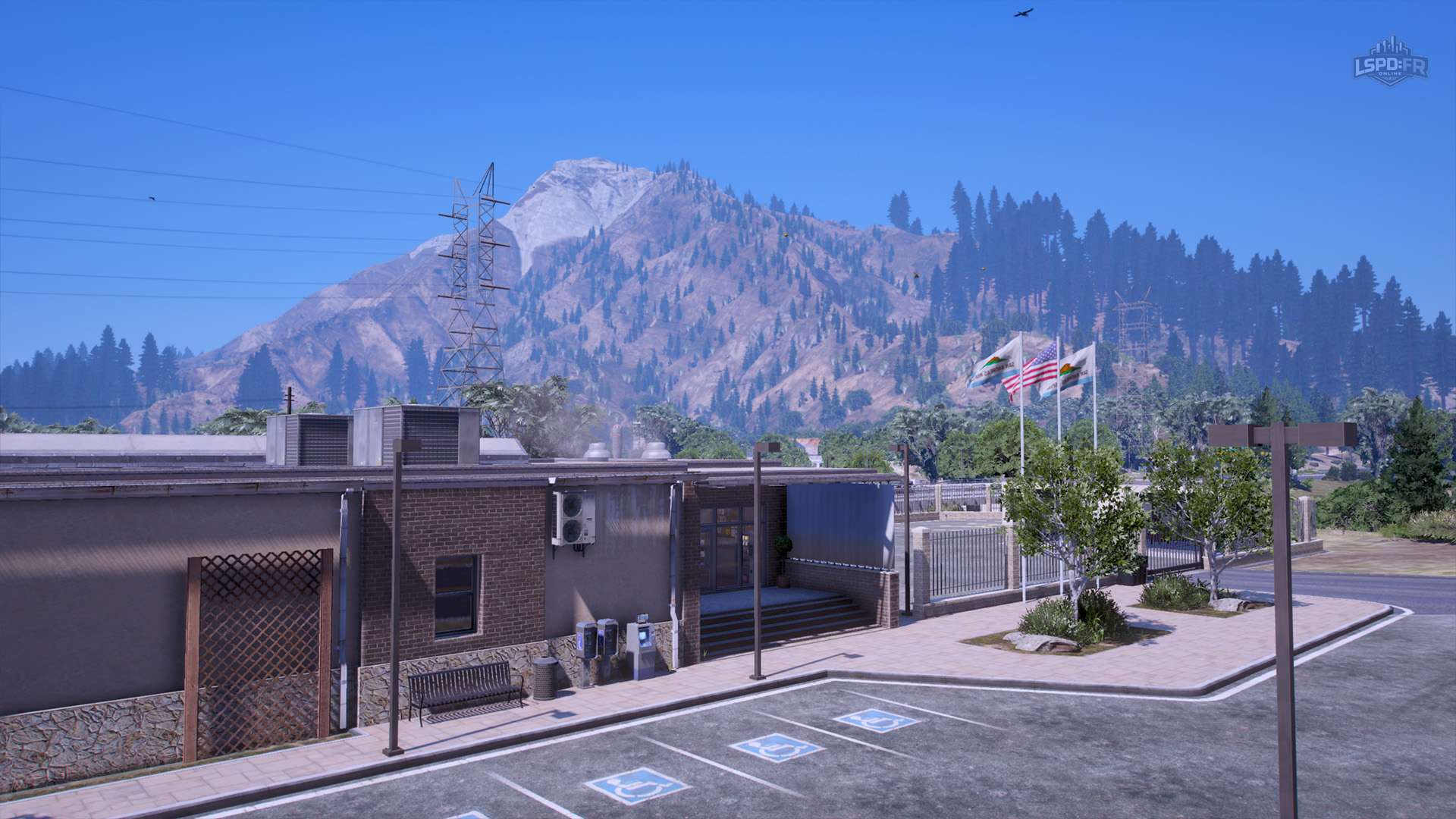
The San Andreas Highway Patrol has also expanded its presence further north into the county! This new base of operations sits to the east of Sandy Shores, allowing officers to deploy strategically into the surrounding highways and across Blaine County.
Fixes & Miscellaneous
- Fixed an issue where NPCs would get out of the vehicle as soon as a player entered the driver seat (we mean it this time!)
- Spikestrips can now be used on AI
- Reworked siren system, adding a variety of new siren tones for varying vehicles and departments
- Fixed an issue where personal vehicles would randomly disappear
- Removed Faction Chat (
/f) channel - Improved game world population density to improve overall presence of vehicle traffic, parked vehicles, and pedestrians
- Fixed various issues with animations and syncronization for both AI and player entities
- Fixed an issue during character creation where the player ped would not correctly walk into the center point to begin character creation
- Removed several abusable walkstyles and animations from the Animation Menu
- Improved AI arrest process and arrest point interaction
- Road vehicles brake lights will now remain on when your vehicle is at a stop
- Improved various interfaces and UI designs to better match the LSPD:FRO unified design system
- Cars can no longer be controlled whilst in the air
- Cars can no longer be flipped over or controlled using WASD keys when upside down on their roof
- Character creation now verifies that the character name is not already in use by another player
- Fixed an issue with character gameplay hours (not LEO hours) not being correctly accounted for
- Added various unused GTA vehicles to global blacklist
- Improved various anticheat measures to prevent exploits
- Fixed issue where callout blips would not appear in certain vehicles
- Fixed an issue where callouts would accidentally spawn outside of map bounds
- Fixed an issue with vehicle refueling where refuel point would not correctly register
- Callouts: Improved spawn positions to prefer spawning on sidewalks rather than the middle of the road
- Callout (Public Intoxication): Fixed an issue where AI were not in the drunk walk animation for all players
- Callout (Public Intoxication): Fixed an issue with bottle prop not being attached to drunk AI
- Callout (Illegal Fireworks): (Experimental) Fixed an issue where fireworks would not appear for all players
- Callout (Bar Fight): Added probability for AI to be in an intoxicated state
- Improved ban evasion and multiple account detection
- Fixed various issues with vehicle fuel not being synced
- Fixed an issue where refueled vehicles could not be refueled again
- Improved service call (tow truck, coroner) logic and enriched with AI capabilities
- Vehicles marked to be towed can no longer be interacted with or used by players
- Service call vehicles can no longer be interacted with or used by players
- Improved various chat messages and notifications for better clarity
- (Experimental) Added crash prevention in character selection when client fails to load the appearance of a character
- Fixed an issue where players were stuck in a black loading screen when first loading into the server
- Improved ban duration display on server connection when a player attempts to connect whilst banned
- Removed "switch-in" and "switch-out" animations when selecting and unselecting characters: character selection now directly fades in to the characters location
- Fixed an issue where characters could carry over weapons to other characters
- Fixed an issue where weapons in a vehicle's weapon rack were randomly disappearing
- Roadblocks: Added stripped barrier
- Significantly improved overhead chat rendering logic to better offset from entity positions for a visually smoother experience
- ...
- and 371 other minor changes!
That's all for now!
Before we wrap up, we want to say a huge thank you to all of our players for their continued and ever-growing support — and an especially big thank you to our supporters who have engaged with the LSPD:FR Online store. It is only because of our community that we've been able to deliver such incredibly high-quality and robust content that you won't find anywhere else on FiveM, and we plan to continue doing exactly that well into the distant future.
We can't wait for you to get your hands on this update and experience everything it has to offer! As always with any update of this scale, bugs and issues are to be expected upon release — we greatly appreciate your patience and your help in reporting anything you come across in our Discord #bug-reports channel so we can address and fix them as quickly as possible.
And of course, we'd love to know what you think! Once you've had a chance to dive in, share your thoughts and feedback with us over in our Discord. We're always keeping a close eye on our community, and your engagement and feedback play an incredibly important role in everything we build.
1.4 Update
With all of the foundations in place for a rich, interactive and engaging experience with AI in the game world powered by dynamic callouts, we're in a great position to continue tackling more features and functionality to enrich the law enforcement experience. We're excited to share that the 1.4 Update will introduce a full-featured Mobile Data Terminal (MDT) giving players access to digital functionality, records lookup, real-time call management, dedicated player dispatcher support, and a lot more to bring a streamlined interface for efficient operations across all departments.
That's not all! As always, we're always innovating, making changes, and improvements to new and existing features so there will definitely be minor updates (and more surprises to come!) in between more major updates such as this one. Our immediate next focus is to improve the new player experience further by refining our introduction tutorial and making it an entirely interactive playthrough: we understand the difficulties new players may experience on LSPD:FR Online when being introduced to such a wide variety of new features and functionality in our custom framework that you wouldn't have experienced before: a minor update prior to 1.4 will deliver a robust onboarding and training process for new players to learn the ropes, ensuring they're fully prepared with everything they need to know before hitting the streets!
This 1.3 Update was by far the largest and most challenging update we'll ever release. The nature of OneSync alone forced us to significantly refactor most of our core components — but in doing so, it gave us the opportunity to raise the quality bar across the entire experience. We now move forward on a much stronger foundation, ready to keep building the engaging and immersive content we know you'll love. Moving forward, we definitely don't expect to deliver such incredibly packed updates again but rather aim for smaller, more frequent, and more digestible updates.