Welcome back, and thank you for joining us for Update 1.3.1! Following the launch of Update 1.3, we've been closely monitoring your reports and feedback to iron out the rough edges. This is a follow-up minor update focused on a few subtle quality-of-life improvements alongside some handy new features.
There's a little bit of everything in this one: the launch of our brand-new Handbook, a refreshed Character Selection and creation experience, a new Friends List to stay connected with the people you play with, an in-game report system for reaching our staff team, transparent account standing and punishment history, an improved time & weather cycle, and a batch of fixes and behind-the-scenes improvements to round it all off.
Handbook
We're excited to launch the brand-new Handbook — your complete in-depth guide to everything LSPD:FR Online. Whether you're a brand-new recruit or a seasoned veteran, the Handbook is now available directly on the website and covers everything you need to know to get the most out of your time on the server.
Inside you'll find detailed guides on getting started, departments and progression, callouts and service calls, interaction and equipment, commands, station facilities, and the full server rules — all in one easily searchable place.
The Handbook isn't just on the website — you can pull it up in-game at any time with the /help command too!
Character Selection
The character selection menu has been completely overhauled with a refreshed look that better matches the LSPD:FR Online design system — cleaner, sharper, and more in line with the rest of the experience.
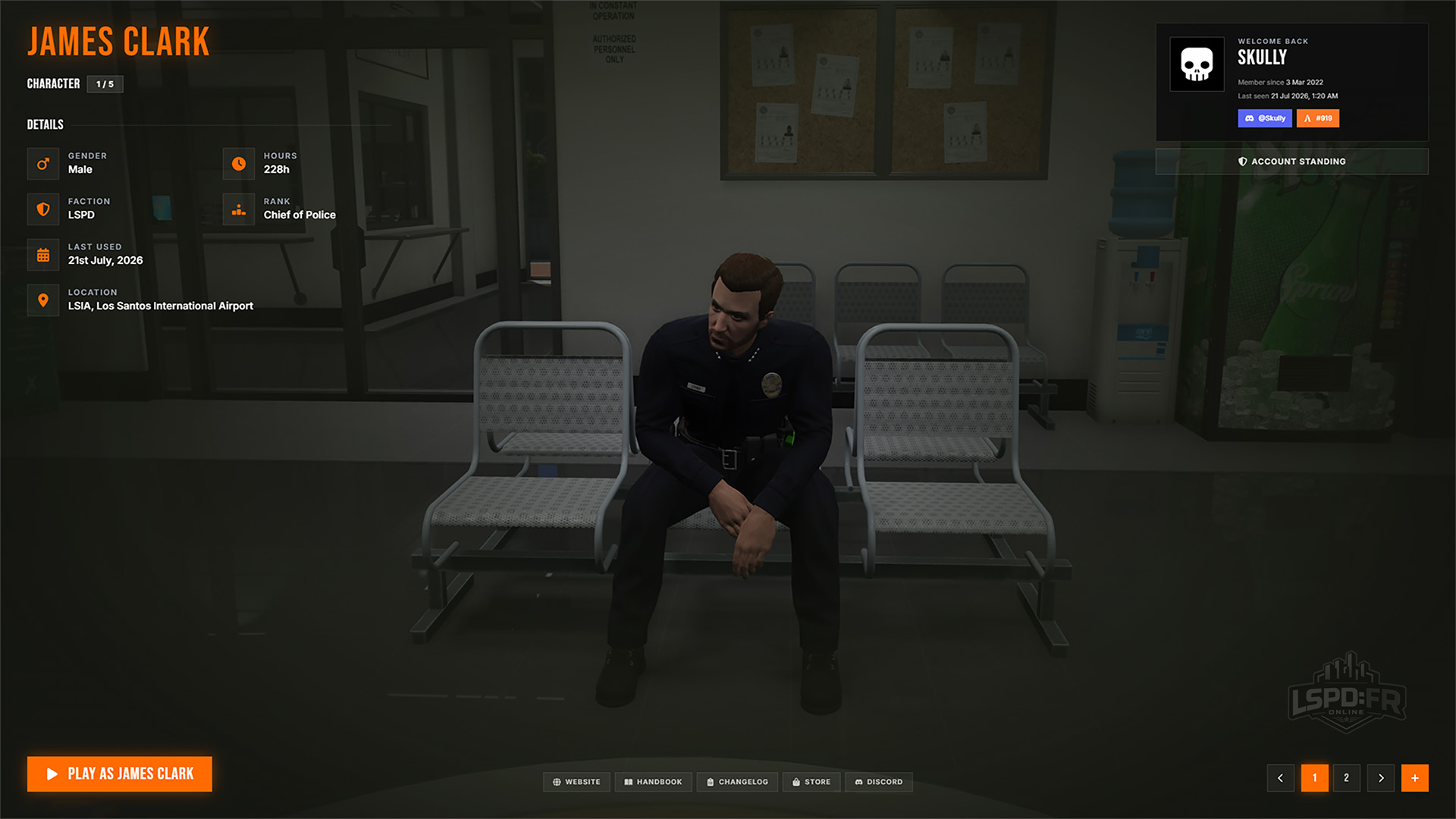
It now also displays your account information in the top-right, showing your LSPD:FR Online account alongside linked accounts we detect on your FiveM client.
Character Creation
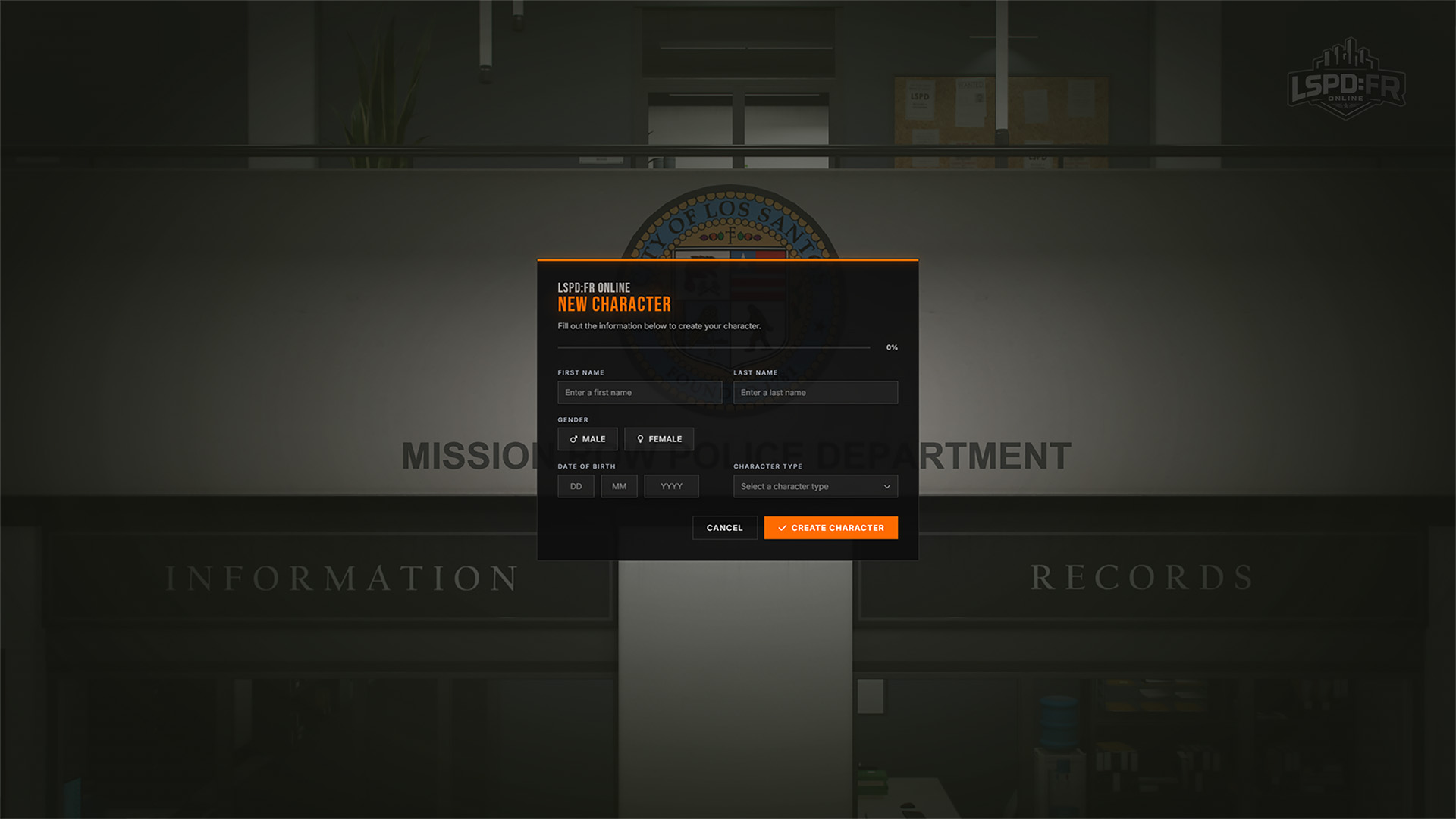
Creating a new character has had the same treatment, with a refreshed creation screen that carries the new design language through the entire flow.
Account Standing & Punishments
Keeping LSPD:FR Online a fair and welcoming place for everyone starts with clear, consistent moderation. Every player has an account standing that reflects how well they've followed the server rules over time — everyone starts in good standing, and punishments are issued fairly and proportionally whenever the rules are broken. You can read exactly how the points system works, how punishments and bans are issued, and how to appeal in the Account Standing section of our Handbook.
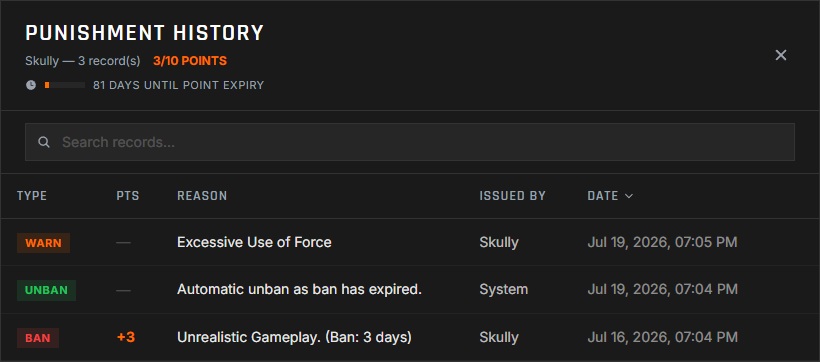
To keep all of this fully transparent, you can now review your complete moderation record at any time in-game using the /history command. It brings up every action ever taken against your account — so you always know exactly where you stand.
/historyIn-Game Reports
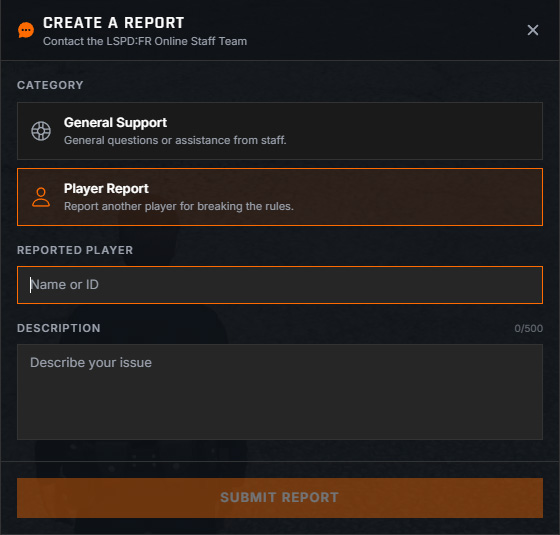
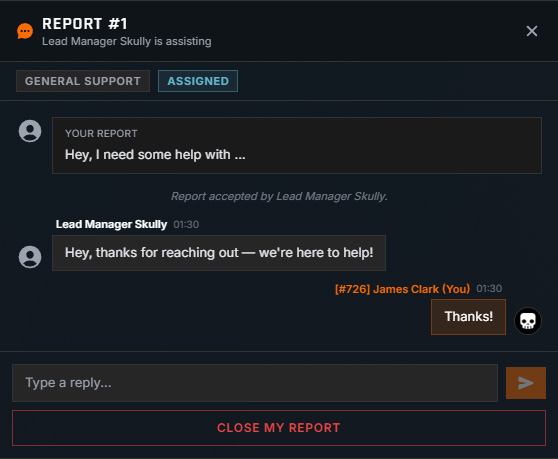
Getting help when you need it is now easier than ever with the brand-new report system. Press F4 or type the /report command to quickly create a report — either for general support or a player report against another player.
Creating a report immediately notifies every staff member — both those currently online and those offline, so they can assist you as soon as they're available. Thanks to our rich staff integration and out-of-game tooling, our team is fully equipped to support you even when no staff member is in-game, so you're always welcome to create a report and reach out whenever you need a hand with anything.
Friends & Social
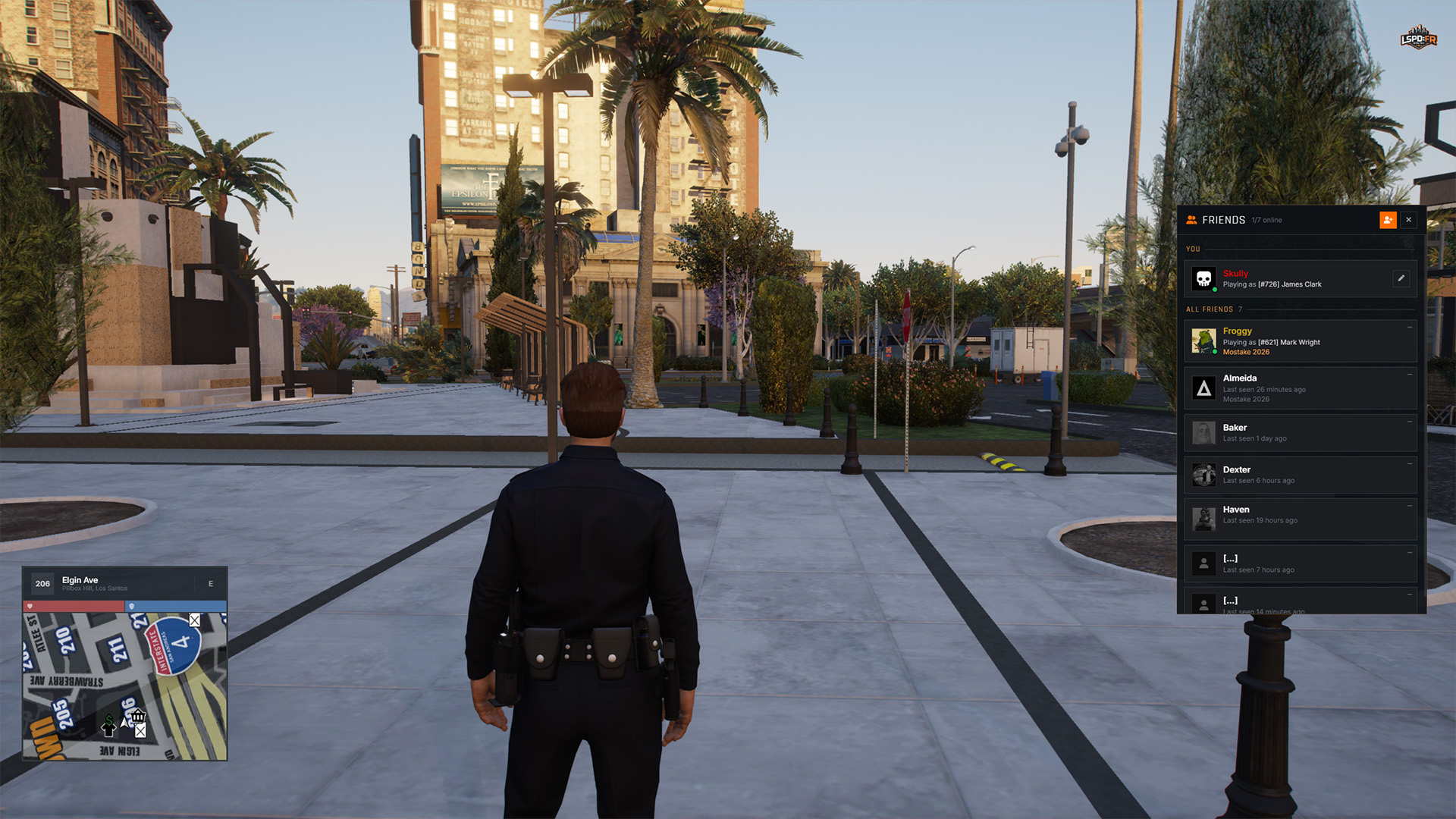
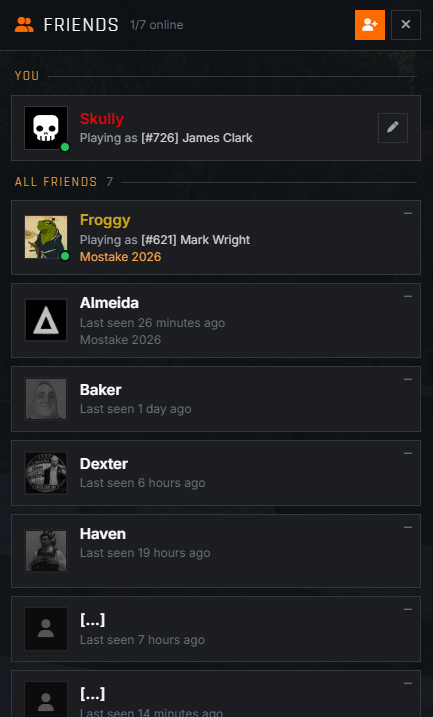
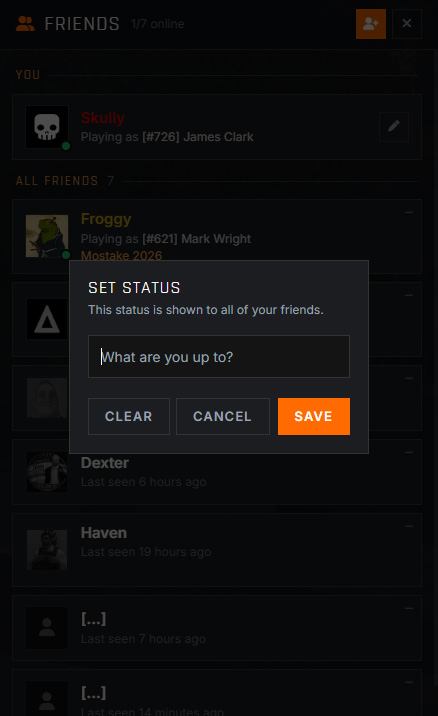
Staying connected with the people you play with just got a whole lot easier. Press F6 to bring up the new Friends List, showing everyone you've added. You can add other players by their LSPD:FR Online username, and you'll be notified whenever a friend comes online, goes offline, switches characters, or updates their status!
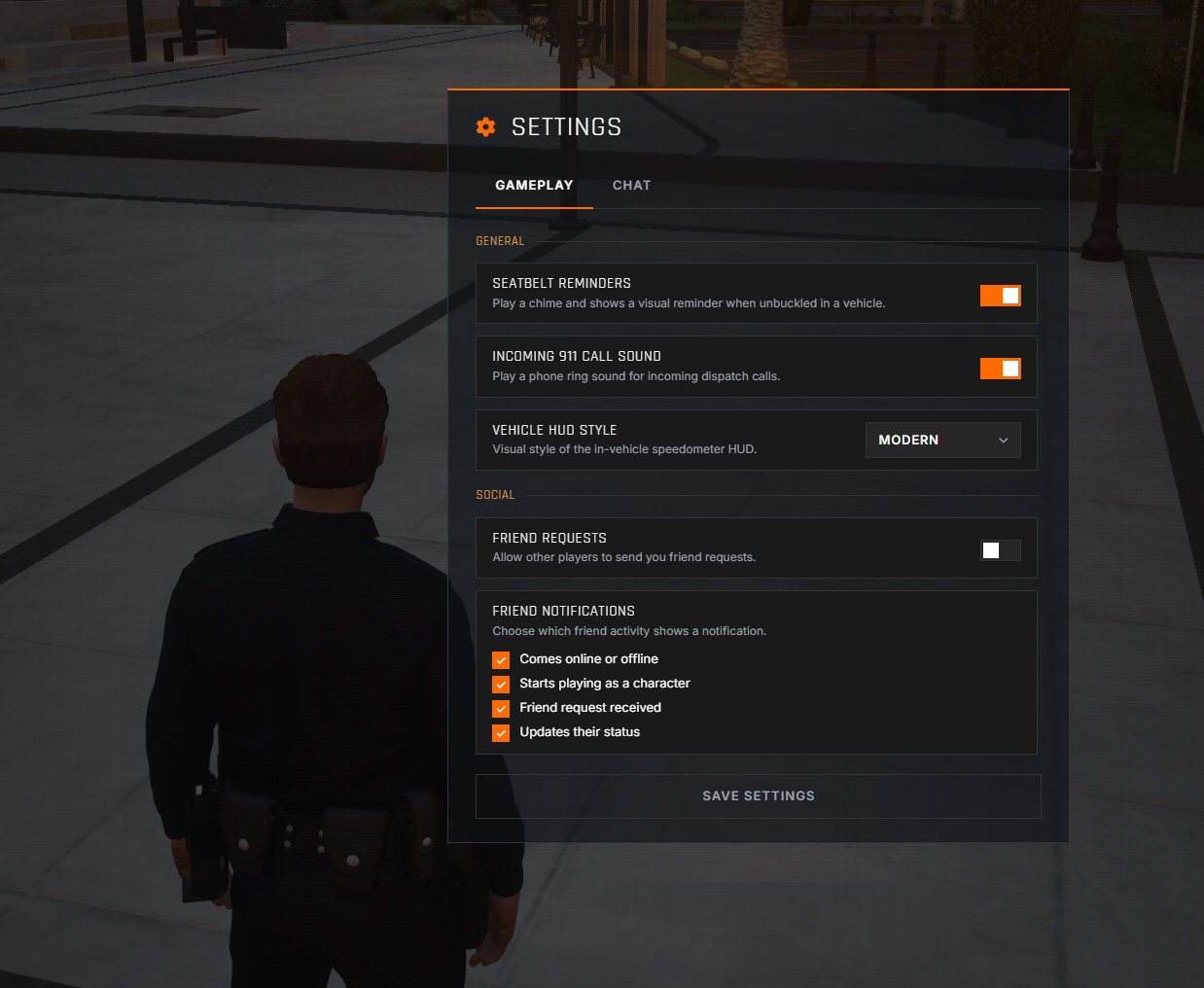
We've also extended the Esc Pause Menu settings with additional options for tailoring your social experience — toggle individual friends list notifications, or disable incoming friend requests entirely if you'd prefer.
Action Menu QoL
The Up Arrow Action Menu has picked up a couple of handy quality-of-life improvements this update.
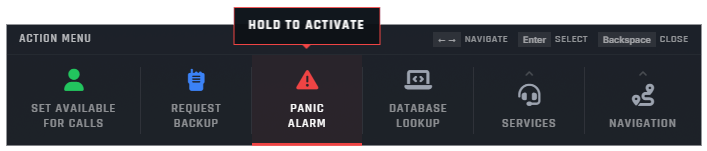
First up, we've improved the Request Backup and Panic Alarm actions to prevent accidental activations. Rather than triggering the moment you select them, you now have to hold the action for a second to activate it when navigating the action menu — so a stray keystroke won't call in the cavalry by mistake.
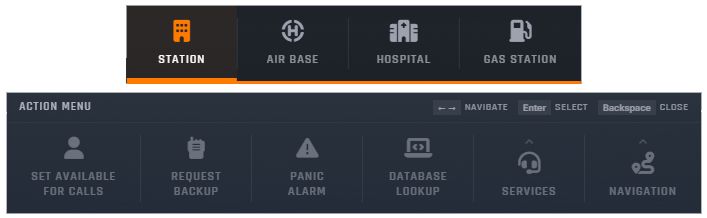
We've also added a new Navigate option to the action menu. It appears whenever you're in a vehicle and lets you quickly set a GPS route to your nearest department station, the closest hospital, a gas station, or an airbase — getting you where you need to be without ever opening the map.
Civilian Gameplay Restrictions
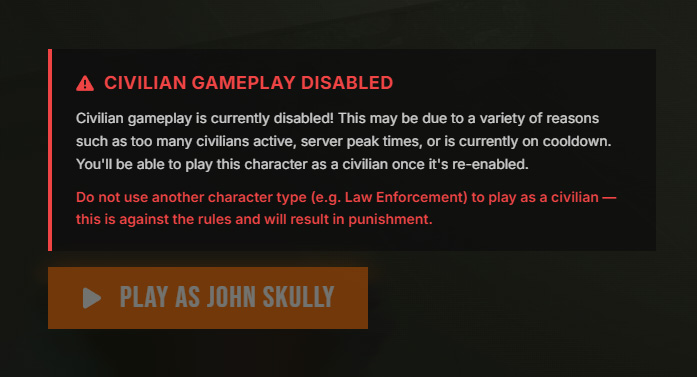
Since the 1.3 Update dropped, we've seen a huge increase in player count — and with it, civilian gameplay has been unofficially disabled for some time now. Managing players playing as civilians became increasingly difficult at this scale: it too often led to crowded scenes with far too many officers, quickly got out of hand, and simply didn't play well in practice.
To address this, civilian gameplay can now be enabled or disabled as necessary, depending on the server's environment. When civilian gameplay is disabled, players are no longer able to select a civilian character from the character selection menu — making it far clearer when you can and can't play as a civilian, and avoiding any confusion.
Kill & Death Screen
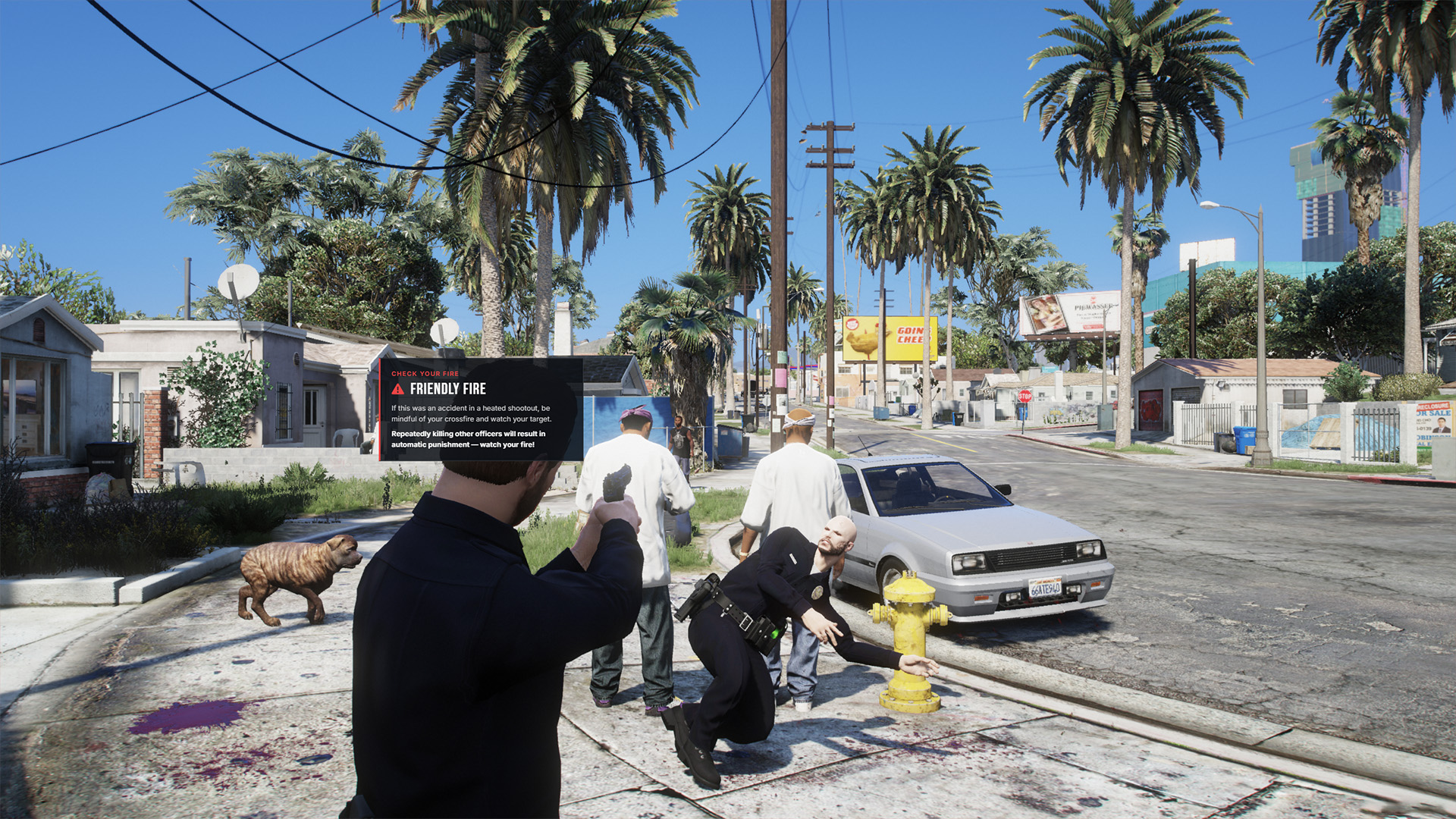
New pop-ups and effects now appear whenever you kill another player, displaying a clear on-screen warning to alert you in the moment. It's a helpful reminder to watch your fire across all sorts of situations and be mindful of where you point your firearm.
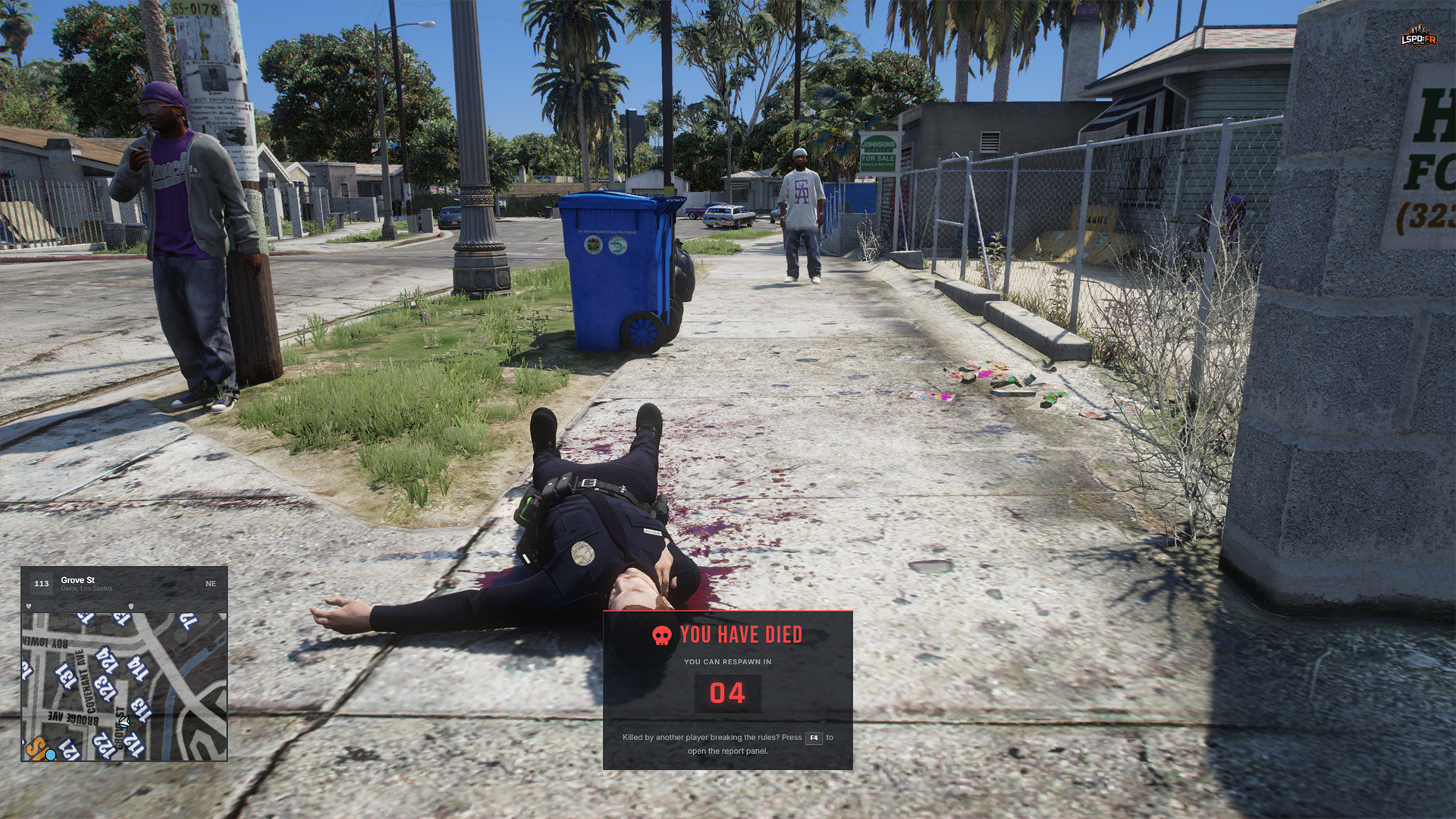
We've also introduced a new death overlay with a much nicer countdown display when you've died, clearly showing how long remains until you're able to respawn.
Time & Weather
This update brings significant improvements to both the day/night cycle and the weather system to make the world feel far more natural and immersive.
- The time scale is now set to 2.5 seconds of real time for every in-game minute — meaning one hour of real-world time equals a full 24-hour cycle in-game
- Weather now transitions more naturally between types, easing through intermediary conditions rather than instantly cutting over (e.g. extra sunny → sunny → clear → cloudy → rainy, rather than jumping straight from extra sunny to rainy)
- The weather cycle now alternates through up to four different weather types each in-game day
- Weather now changes at random intervals instead of a fixed 15 minutes, with transitions taking anywhere from 10 to 30 minutes of real-world time
Fixes & Miscellaneous
- Fixed an issue where interaction points in certain clothing stores, barber shops, and tattoo parlours where not visible
- Increased callout tick rates so callouts now spawn more frequently in each zone
- Rebalanced callout probabilities for each response code to generate higher priority calls more frequently
- Increased callout responder counts for all response codes:
- Code 1: Increased maximum responders from 2 to 3
- Code 2: Increased minimum responders from 2 to 3
- Code 3: Increased minimum responders from 3 to 4
- Code 0: Increased minimum responders from 4 to 5
- Added sound effect for when a private message is received
- Added additional rebindable keys for various gameplay actions (with initial controller support!)
- Added an indicator in the Garage Menu when customizing vehicles to distinguish customization options unlocked through entitlements
- Added automatic progression save when players disconnect from the server using the Disconnect option in the Pause Menu
- Fixed an issue where LEO play time was not correctly syncing with the server during character switches or reconnects
- Fixed an issue with the HUD minimap border not correctly aligning around the map bounds for certain resolutions
- Fixed an issue where callout responder selection was not favouring players closest to the callout location
- Fixed an issue where spawning a helicopter out of the Sandy Shores Airfield Heliport would immediately cause the helicopter to blow up — sorry :)
- Fixed various issues where entities (such as vehicles and AI) were not correctly cleaned up by garbage collection
- Fixed an issue where players would be randomly frozen when exitting vehicles
- Fixed a critical issue causing unexpected server crashes
- Fixed an issue where the Ambulance service would respond with the wrong ambulance livery
- Various anticheat improvements
- and 89 other minor changes!
That's all for now!
We're excited to bring you this update and look forward to your feedback! Whilst this minor update introduces a few quality-of-life improvements with some new functionality, we're still hard at work on our next major 1.4 Update which will introduce a full-featured Mobile Data Terminal (MDT) for efficient operations across all departments — we're also planning to release further minor updates in between as we continue to refine and improve the LSPD:FR Online experience.
Stay tuned and we'll see you soon!