Callouts
Receiving a Callout
What an incoming 911 call looks like, accepting it with Y, and what response codes mean.
Callouts are the heart of your shift. When dispatch has a job for you, a 911 call comes through to your screen — and it's up to you to accept it and respond. This guide covers what an incoming call looks like, how to take it, and what the response codes mean.
An Incoming Call
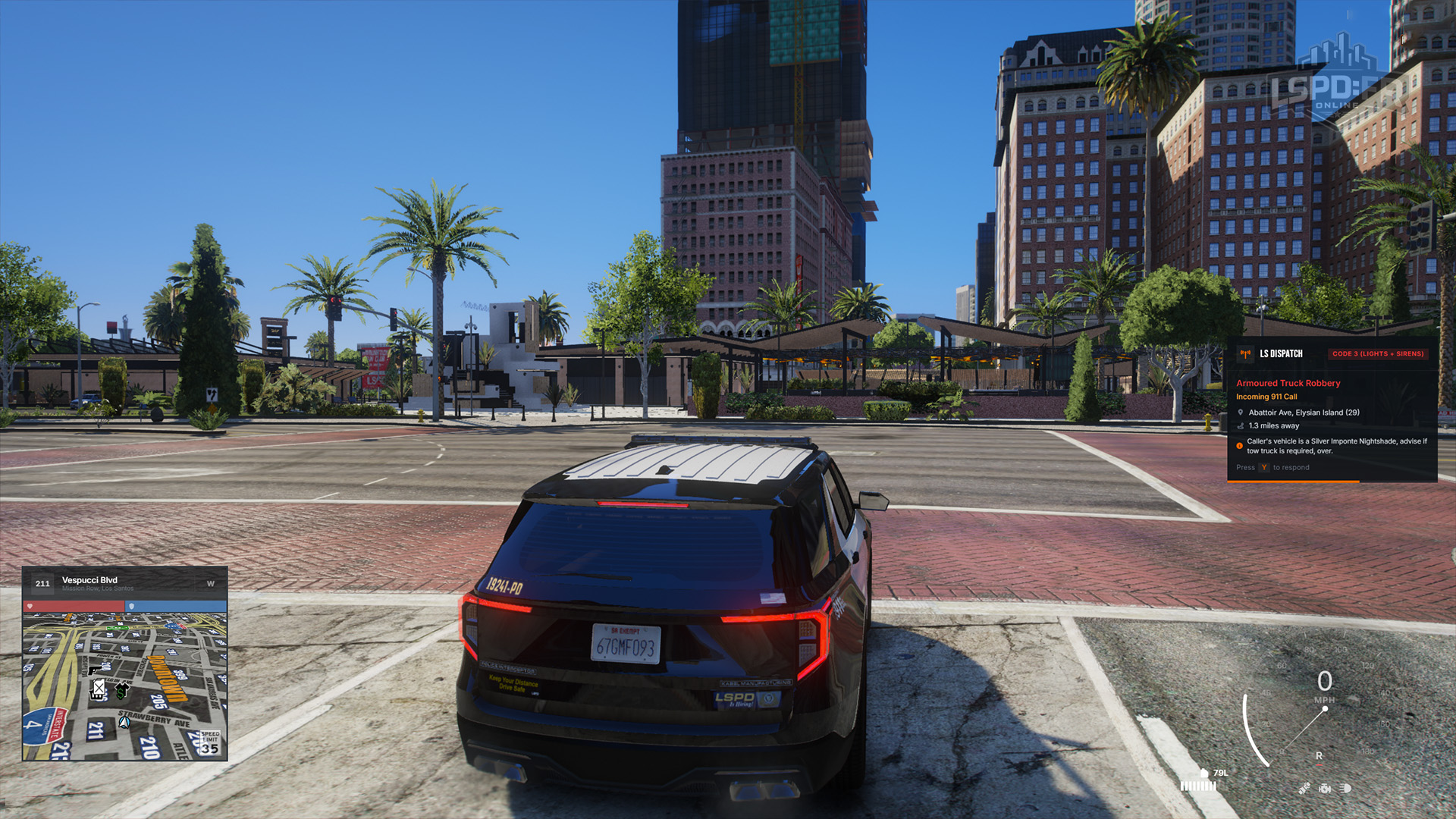
When a call is routed to you, a callout window appears on the centre-right of your screen. It shows you everything you need to size up the job at a glance:
- The callout name — what kind of incident it is.
- The location of the call.
- Your distance to the call.
- The response code dispatch has requested.
Accepting a Call
You have a limited amount of time to respond to an incoming call. Press Y to accept it and attach yourself to the call.
As soon as you accept, a navigation route appears on your minimap. If the precise location is known, it'll guide you straight there; otherwise it'll point you to the general vicinity of where the incident was reported.
Response Codes
The response code tells you how urgent the call is and how you're expected to drive to it. Match your response to the code dispatch has assigned.
| Code | Priority | How to Respond | Units |
|---|---|---|---|
| Code 1 | Low priority — no danger to life. | No lights or sirens. Make your way over, but there's no need to rush. | 1–2 |
| Code 2 | Elevated — a more pressing matter. | Lights only, no siren. Move with purpose but stay safe. | 2–4 |
| Code 3 | Urgent — time is a factor. | Lights and sirens. Respond quickly while driving with care. | 3–5 |
| Code 0 | Priority — immediate danger to life, such as shots actively being fired, a large disruption, or an active shootout. | Lights and sirens. Drop what you're doing and respond immediately. | 4–6 |
Lower-priority calls are only assigned to a small number of officers, while higher-priority codes pull in more units to match the threat. Once you've accepted, head to the Responding to a Call guide to see how to track the other units on their way.