Getting Started
Creating Your Character
Walk through character creation and set up your character before your first shift.
Every officer starts with a character. Your character represents you on the streets of Los Santos and Blaine County, and you can create more than one. This guide walks you through setting up your first.
Starting a New Character
After loading in for the first time, you'll be taken to the character selection screen. Choose an empty slot to begin creating a new character. Before you design your appearance, you'll be asked to fill in a few details about who your character is.
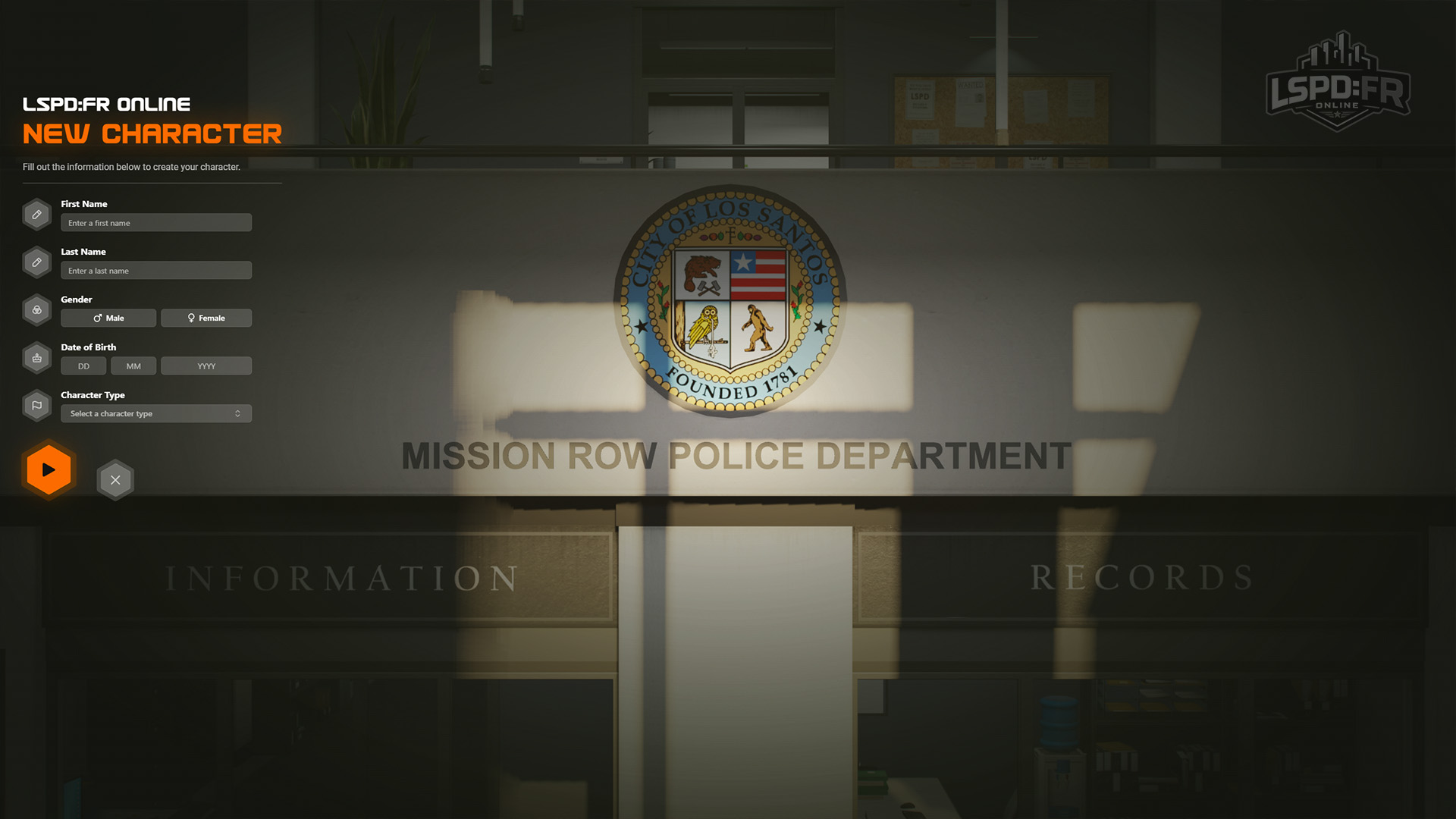
On this screen you'll set the following details:
- Name — the full name your character will be known by to other players.
- Gender — whether your character is male or female.
- Date of Birth — your character's date of birth.
- Character Type — choose Law Enforcement to serve as a police officer (the heart of LSPD:FR Online), or Civilian to play as an ordinary member of the public. Civilian may not always be selectable — see Civilian Availability below.
Your name is checked to make sure it isn't already in use by another player — if it's taken, you'll be asked to pick another.
Civilian Availability
LSPD:FR Online is a law enforcement server first, so civilian gameplay is a supporting role that we enable only when the server can properly support it. If civilian gameplay is switched off at the time you're creating a character, the Civilian character type will be greyed out and you won't be able to select it — you'll still be able to create a Law Enforcement character as normal.
Civilian creation and selection of civilian characters is typically unavailable when:
- The civilian slot cap has been reached — there's a limit on how many civilians can be active at once, so officers always outnumber the public. Once that cap is hit, no new civilians can be created or deployed until a slot frees up.
- Peak server hours — during our busiest periods, slots are prioritised for law enforcement so that calls, patrols, and dispatch stay playable for everyone.
- Civilian play has been disabled by our team — staff can turn civilian gameplay off when it's negatively affecting the gameplay environment.
Setting Your Appearance
Use the appearance editor to customise how your character looks — facial features, hair, and more. You can freely rotate and zoom the camera to inspect every detail before you commit.
Don't worry about your uniform here. What you wear on duty is chosen at a station wardrobe when you deploy, and every department gives you a full range of uniforms and accessories to pick from.
Ready to Deploy
Once your character is created, you'll spawn into the world ready to head into the station and go on duty — if you've created a Law Enforcement character, you will spawn outside the Los Santos Police Department (LSPD) Mission Row station; head in through the doors and make your way to the locker room to get suited up for duty!
Not yet familiar with the controls? The next guide covers everything you need to know on day one.