Gameplay
Social & Friends
Add friends, track who's online, set a custom status, and manage your social notifications.
LSPD:FR Online is at its best when you're working alongside other officers. The social system lets you keep track of the people you play with — add them as friends, see when they come online, and let them know what you're up to with a custom status.
Opening Your Friends List
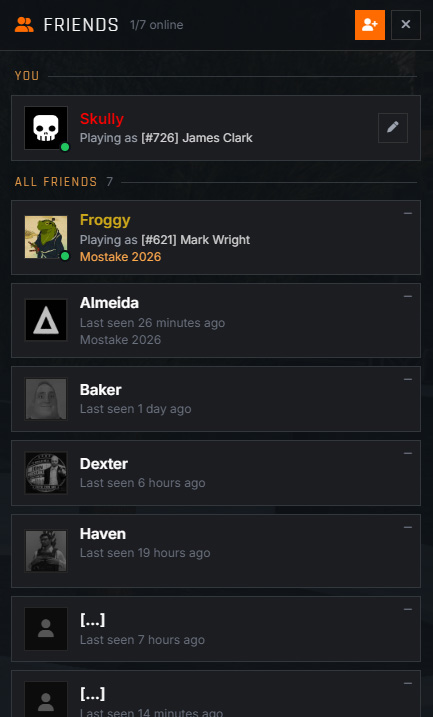
Press F6 at any time to bring up your Friends List. It shows everyone you've added, whether they're currently online, which character they're playing as, and any status they've set.
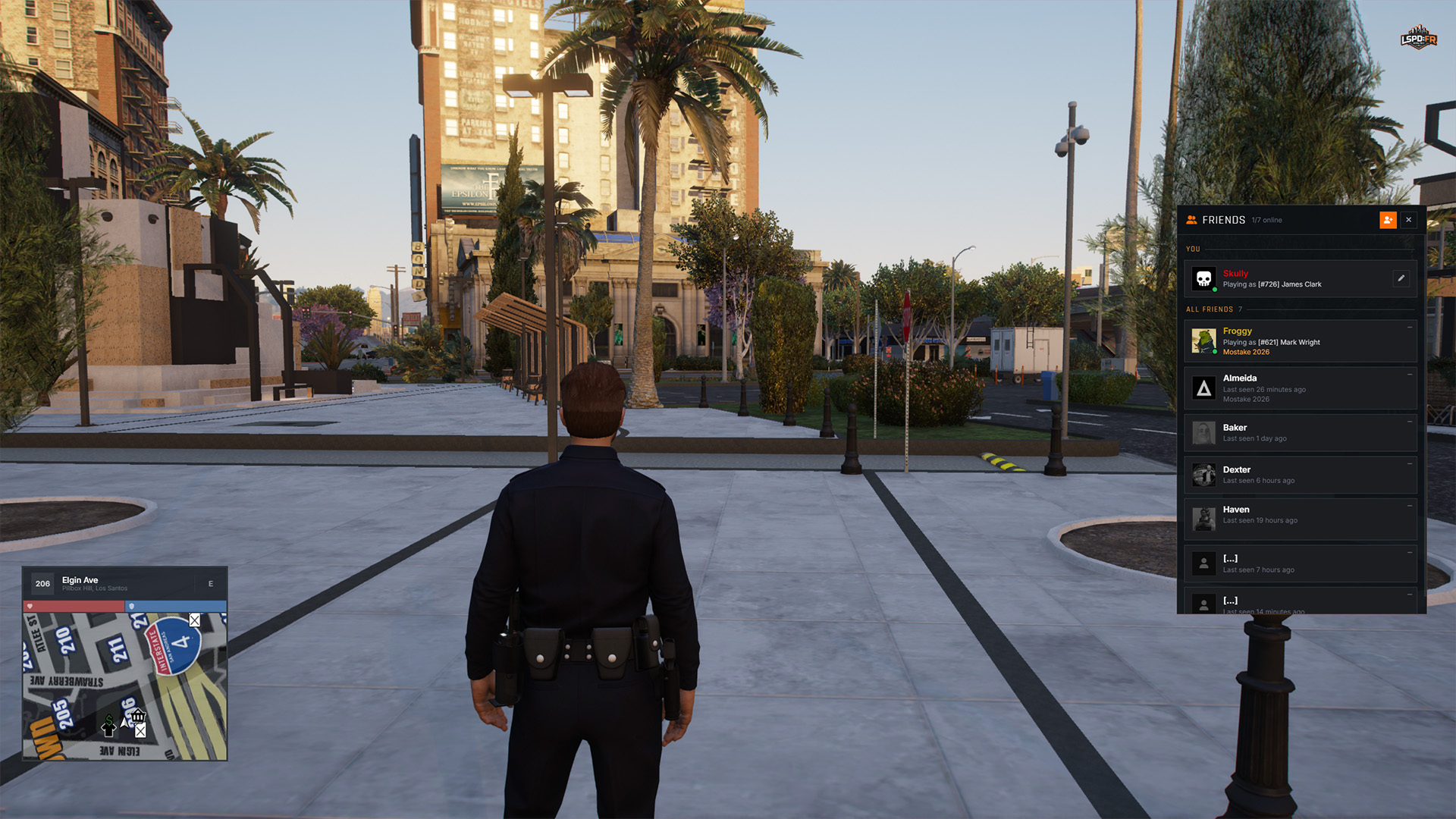
Friends are tied to your account, not an individual character — so your list stays the same no matter which character you're playing as, and it carries across every session.
Adding a Friend
To add someone, open the friends list and send them a friend request using their LSPD:FR Online username. Their username is their account name, which is not the same as their in-game character name — so you'll need to ask them for it if you don't already know it.
The request stays pending until the other player accepts it. Once accepted, you'll both appear on each other's list straight away.
Setting Your Status
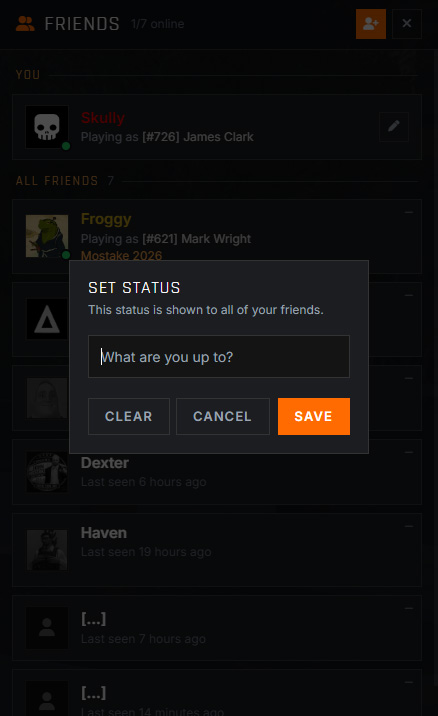
You can set a custom status from your friends list to let everyone know what you're currently doing — whether that's running solo patrol, looking for a partner, or taking a break. Your status is displayed next to your name on your friends' lists, and they'll be notified when you change it.
Friend Notifications
You'll receive an on-screen notification whenever one of your friends:
- Comes online — they've connected to the server.
- Goes offline — they've disconnected.
- Switches character — they've swapped to a different character.
- Updates their status — they've set or changed their custom status.
It's an easy way to know the moment someone you play with is on and ready to take some calls.
Managing Your Social Settings
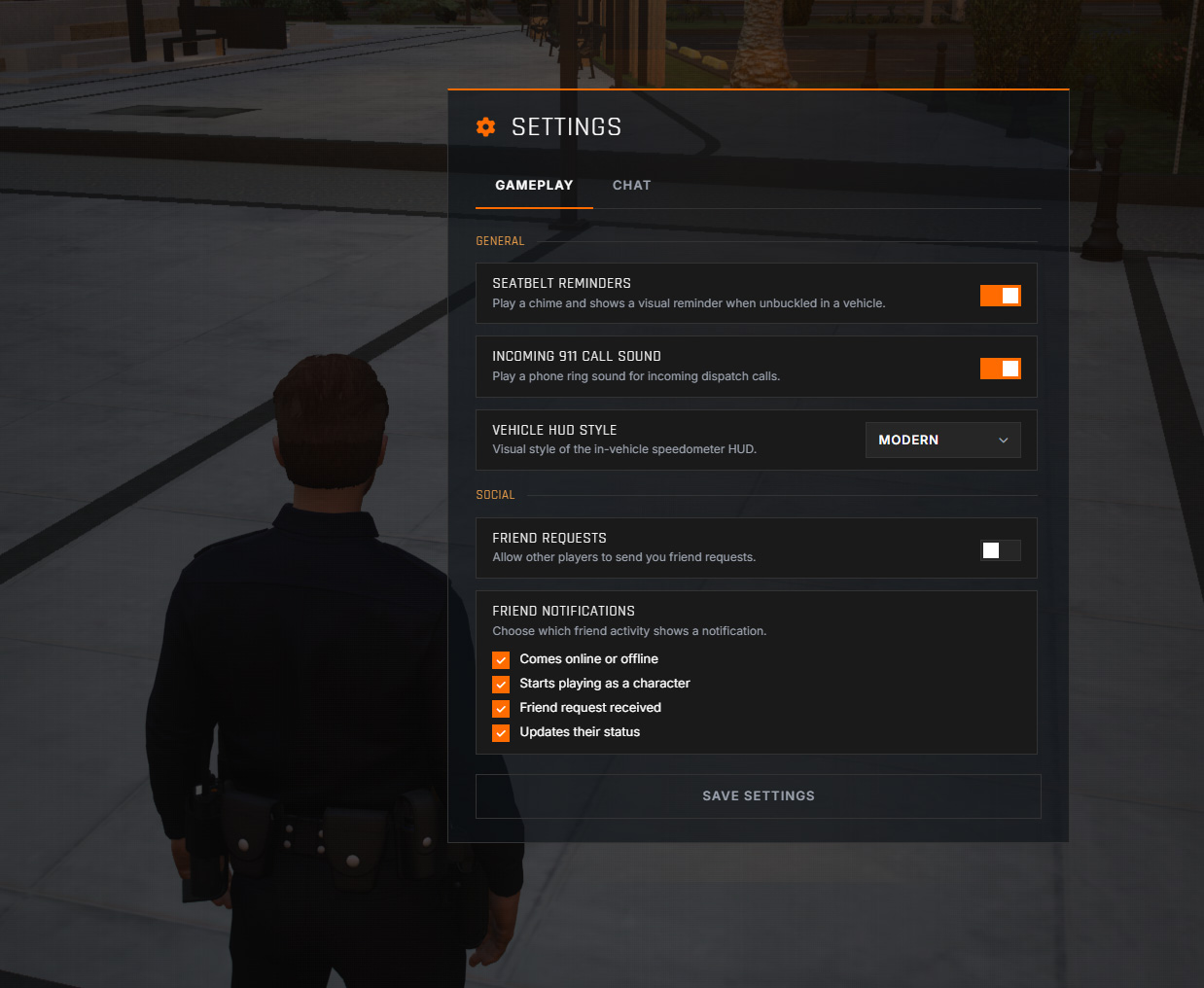
Prefer things a little quieter? Open the Esc Pause Menu and head to the settings to tailor your social experience. You can toggle each type of friend notification individually, or disable incoming friend requests entirely if you'd rather not receive them.